Introduction
These functions are support functions for all cases as a viewer that provides accurate information to the user on a WGS-based the dashboard.
If there are holes in the survey data, it is impossible to calculate the volume perfectly, but with this support tool, it is possible to interpolate as much as possible.
and also there are incorrect variations in the output or accuracy of the drone data, the application can correct them on Dashboard.
Procedures and Explanation
1. Click the ”Advanced Settings”.
2. The "Advanced Settings" has the following features.
-
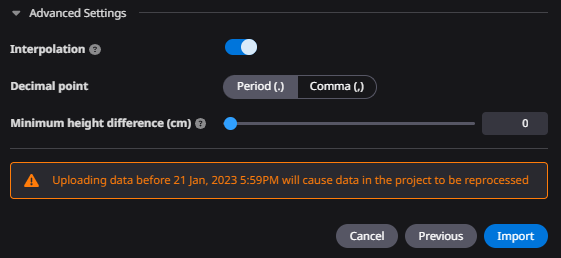
Interpolation (interpolation of point clouds)
-
Decimal point change function (change of data array delimitation)
-
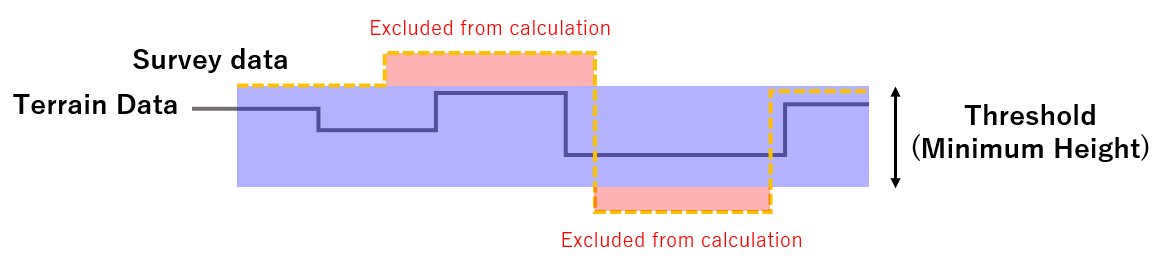
Truncation of measurement differences up to a specified height.
"Interpolation"
3)When "Interpolation" is turned on, missing survey data and insufficient areas for the design range are stitched from surrounding point clouds to cover them.
"Interpolation"

3-1)
Stitches and generates the Survey data by the "interpolation function"
However, if the point cloud contains noise, the noise is also used.
May not match the terrain data you expect.

"Decimal point"
4)It can be changed according to the decimal point in the point cloud.

"Ignore Vertical offset"
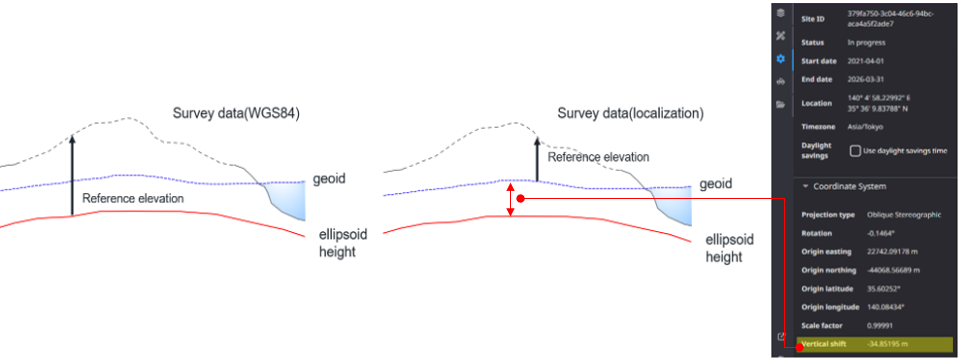
5)Our Dashboard viewer is based on WGS84.
If you localize your survey data using a localization file, the difference in height between the job site elevation and the ellipsoid height is calculated. That calculation is called the "vertical offset".
The Ignore vertical offset feature is used to survey data as WGS84 on base. "Ignore vertical offset" incorporates WGS84 data by not using a vertical offset.
attention
Projections are converted according to the parameters, so this function is not currently available.
The result of vertical offset by localize (see below)
"Minimum height difference"
6)These functions are functions for support the survey data you use in all cases within the WGS84-based viewer.
The point cloud missing due to noise can also be covered by stitching, and an application can cover the variation in accuracy due to drones.

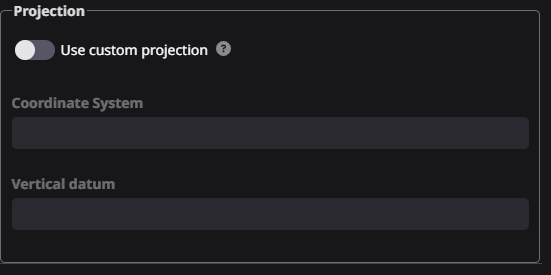
"Change the projection (only Las data)"
7)If the coordinate reference system of the data output from the Drone is uploaded incorrectly,
it can be readjusted in the app.
Switch "Use custom projection" to ON and Re-set the coordinate system and vertical datum according to the project.