This article provides a detailed explanation on how to register and set up design data (target design surface).
By registering the survey data as the pre-construction topography (reference topography) and inputting the design data as the target design surface, it becomes possible to calculate the soil Volume.
In addition, by surveying and registering the topography as the construction progresses, the overall progress can be calculated.
-
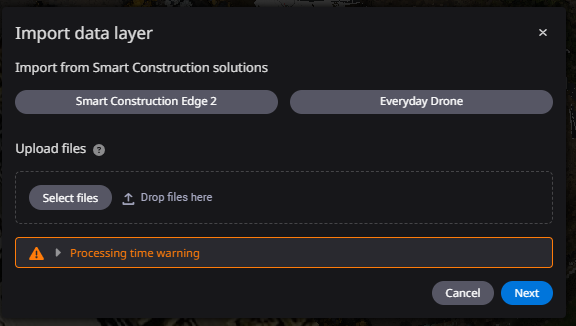
Click ”Add data layer”.

-
Upload design data files by drag & drop or from a local folder.
-
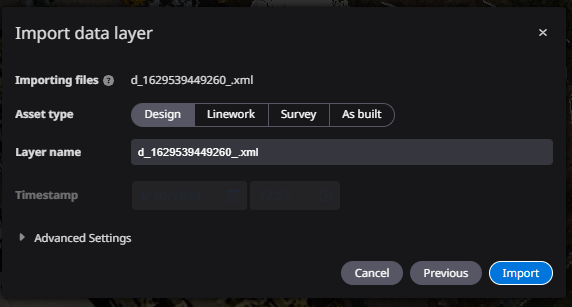
Select "Design" for the type of data to be registered.
-
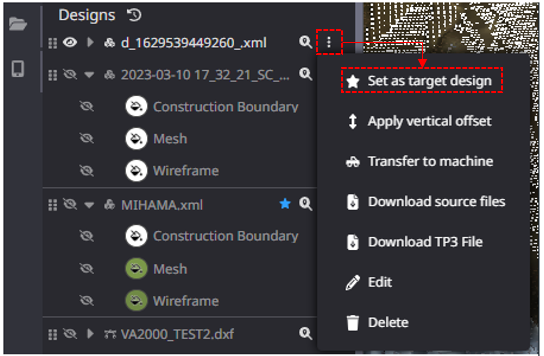
Set the target design surface (target shape) if you want it to be a target design surface
Click "★Set as target design" on the target data.
*When the registered design data is set as the target design, the soil volume can be calculated using "Progress"