Introduction
This article provides a detailed explanation on how to measure the latest construction progress.
By comparing the base topography, current topography, and target shape, it is possible to determine the construction progress rate relative to the target shape.
Procedures and Explanation
1. Click on the measurement icon in the side panel

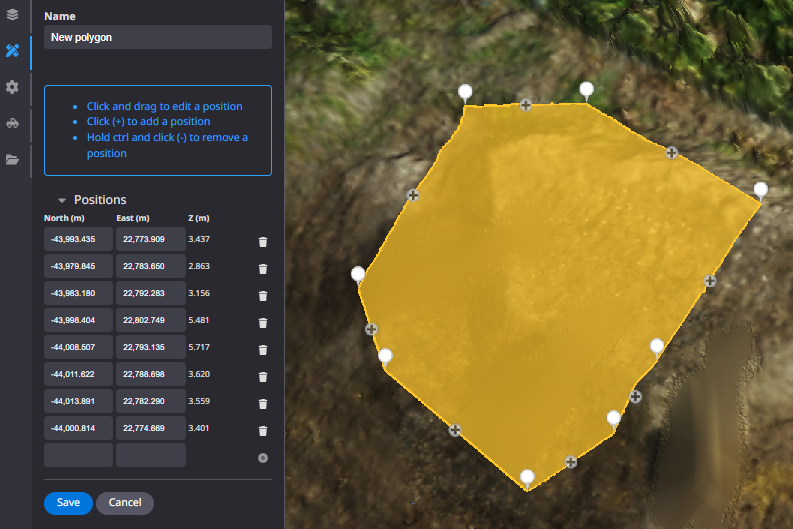
2. Select "Polygon" or "Site" from the annotations.
Polygon: Measurement tool for a partial area
Site: Measurement tool for the registered design data area
Annotations

”Polygon" and "Site”

Left mouse click to enclose the desired area, right mouse click to exit and "Save".
Click here to customize annotation information

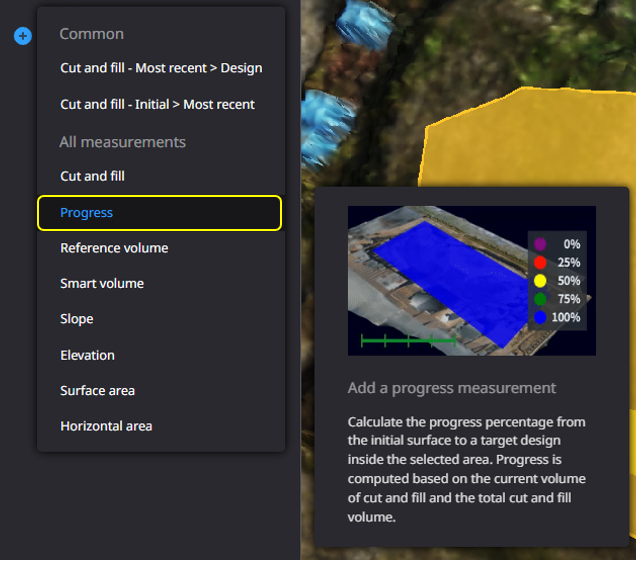
3. Click "Add new measurement".

4. Select "Progress".
5. Confirm the "Initial", "Current" and "Target".
Calculation is performed based on the selected "Initial", "Current" and "Target".
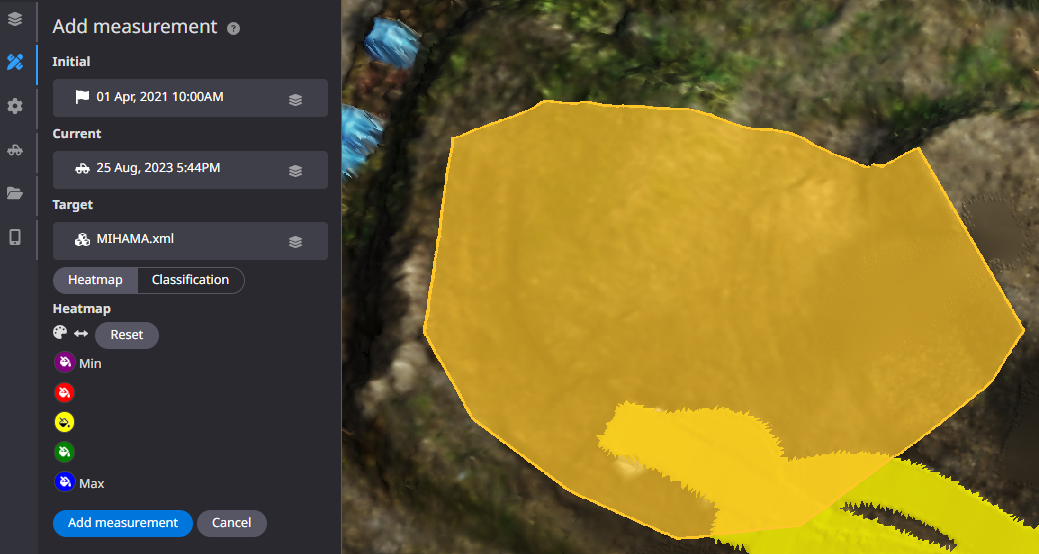
6. Select "Heatmap" or "Classification" for the displayed results

7. Click on "Add Measurements

8. The calculation results will be reflected in the tab of the created polygon.
If the heat map is not displayed, click the "▶" button to display it.
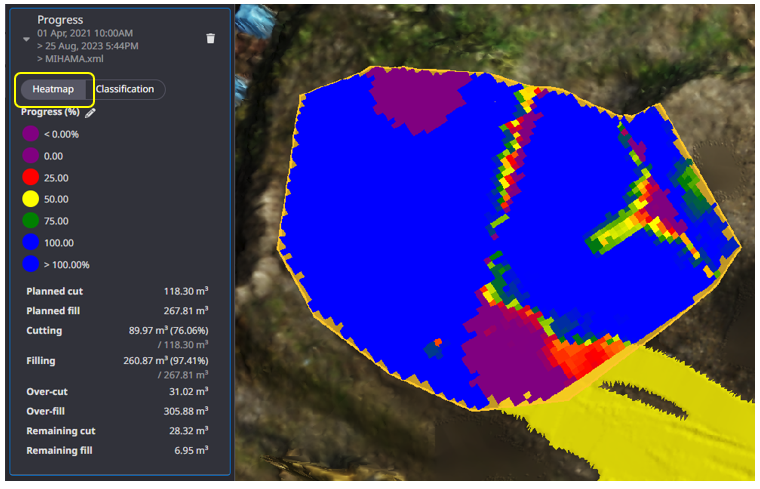
When "Heatmap" is selected in the results display.
9. Visualize the progress rate against the target terrain and the reference terrain within the target area.
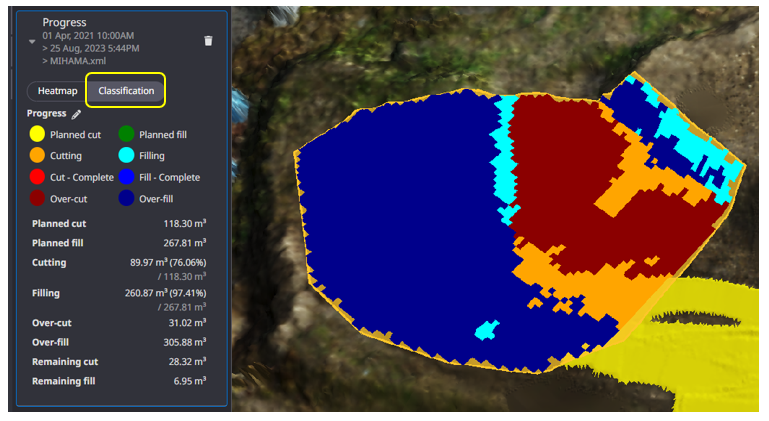
When "Classification" is selected in the result display
9'.It is possible to classify according to the area of construction.
The planned amount of cut and fill can be classified only when the initial terrain is used as a reference.
・If you want to customize the threshold and color information of the measurement results, click here.
Supplementation
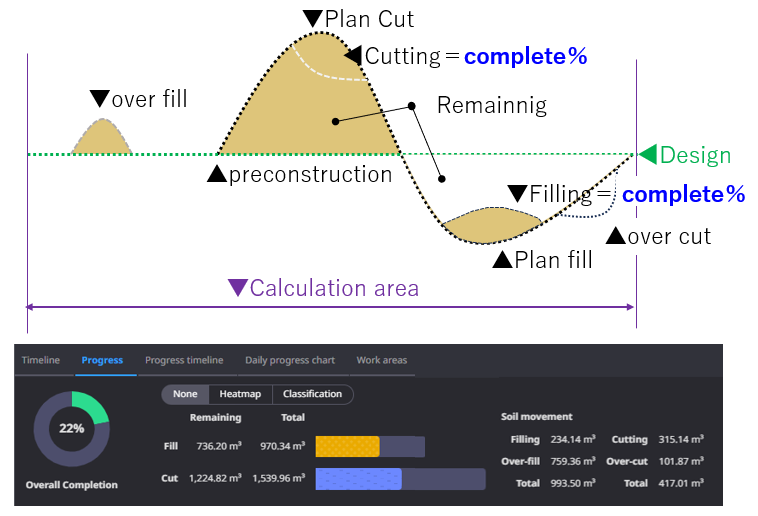
Calculation area
Calculation range is the area in the target data.
Calculate based on the Design data and the preconstruction data
The following results can be calculated.
Total(Cut・Fill)・Remaining(Cut・Fill)Over Volume (Over-Cut・Over Fill)