Option1
Drone Data processed on Edge2
If you sent the drone data to SC Cloud from the Edge2. You can simply just import it into you project by following these steps:
-
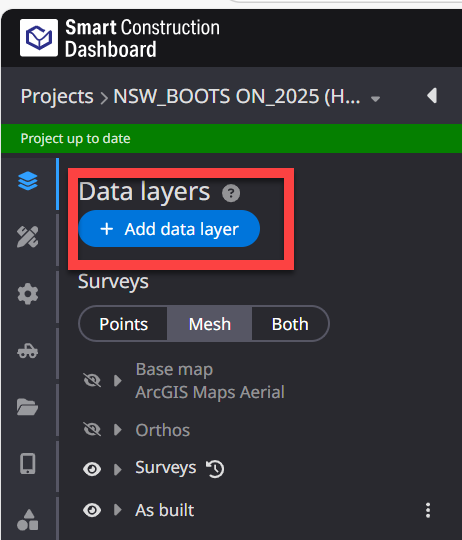
Click “add data layer”
-
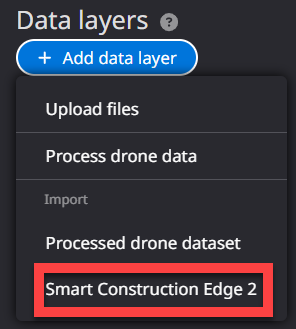
Select “Smart Construction Edge2
-
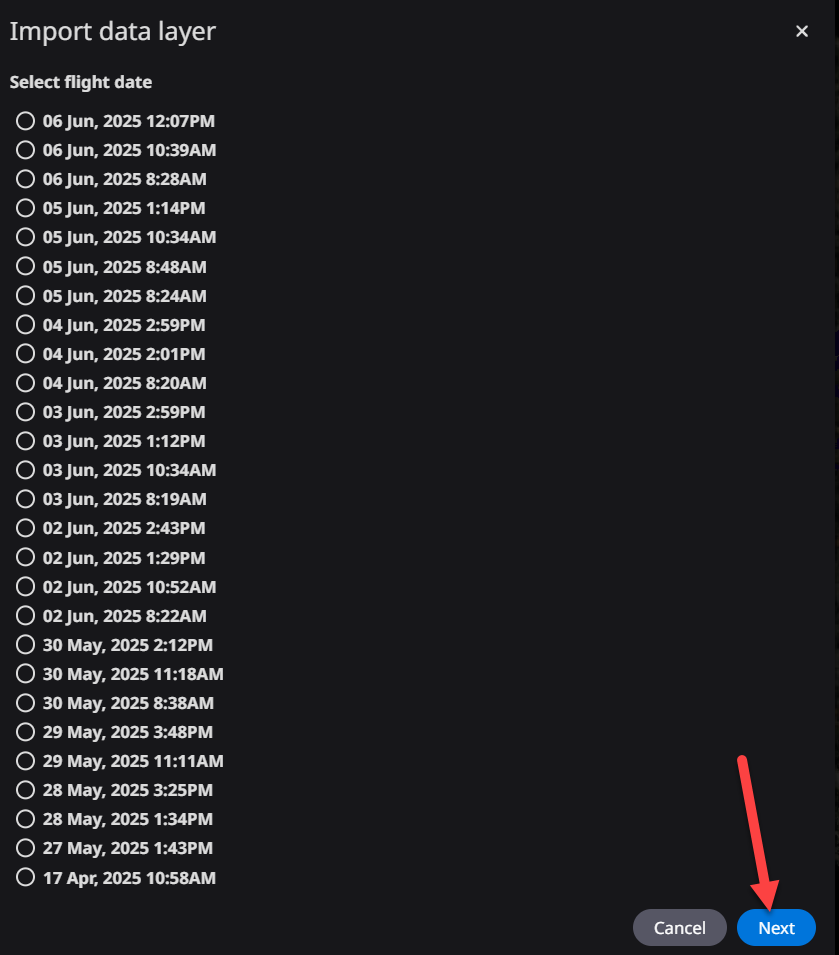
Choose the date of the drone flight “Next”
-
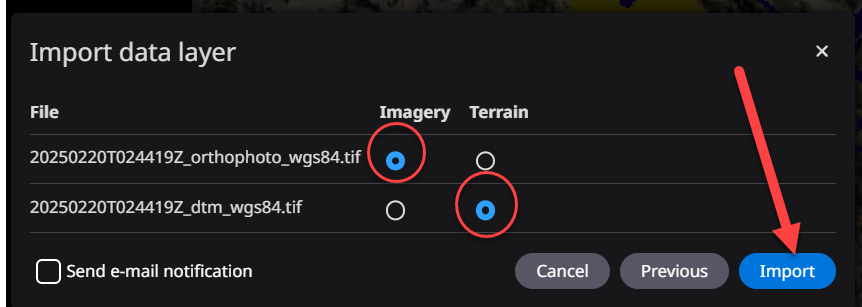
Select the flight and data type to import.
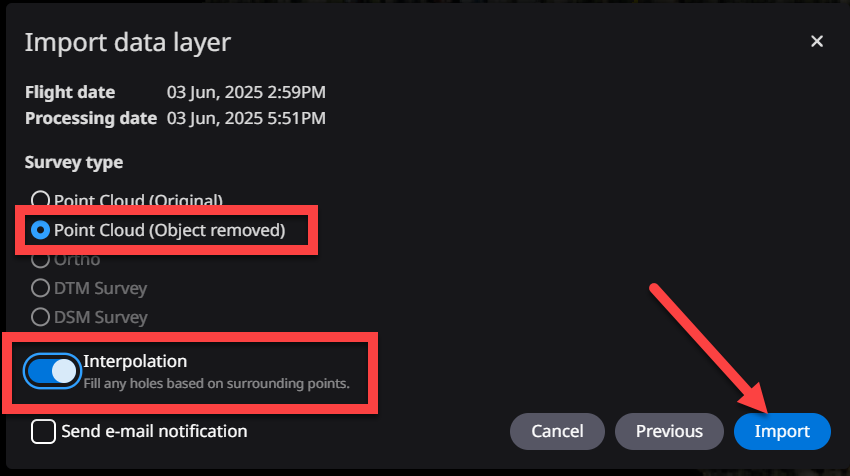
***remember to turn Interpolate ON if needed***
Repeat to upload another data file.
Option2
Bring you own data from another application
The data Coordinate Reference Systems Should Match
-
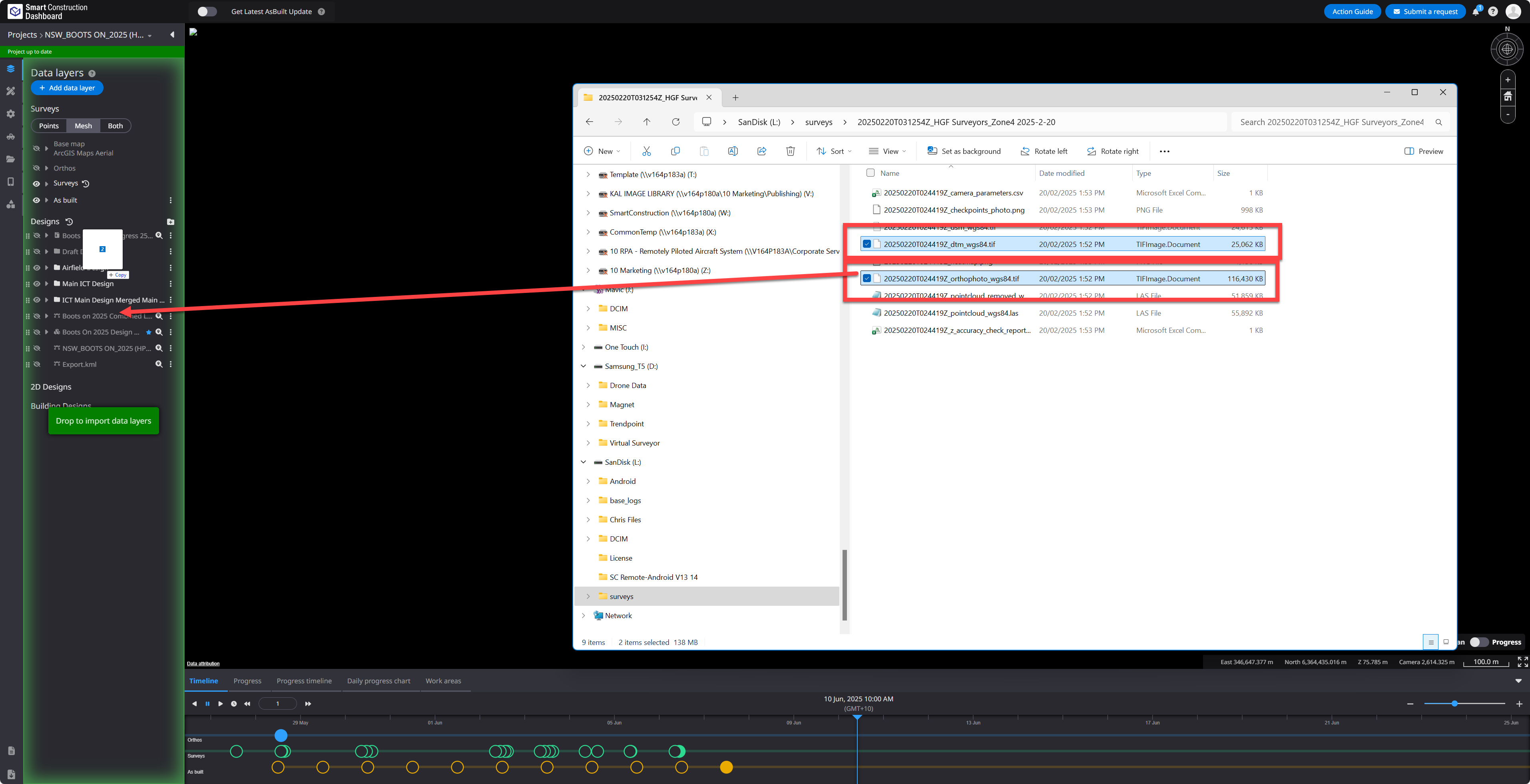
Select Both the Orthophoto & the DTM Tif a the same time
-
Drag & drop on the left side bar of SC Dashboard.
-
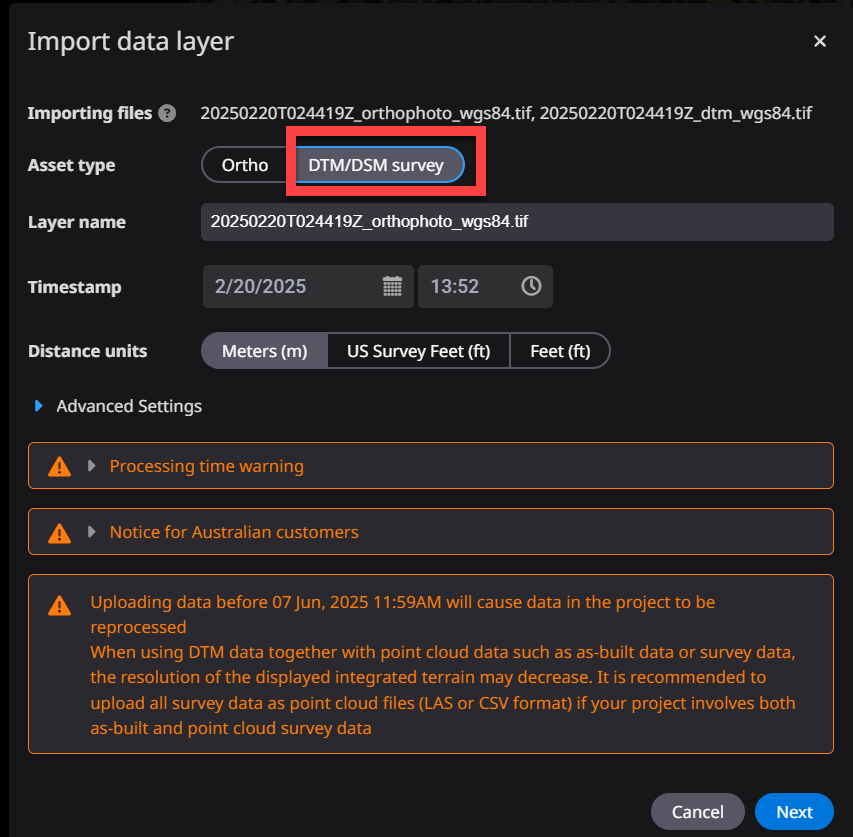
Select DTM/DSM survey, “NEXT”
-
Select which file is Ortho & which is the DTM. Set date and time press upload