
|
# |
Content |
Target Function |
Overview |
|---|---|---|---|
|
1 |
Enhancement |
Process Drone Data |
User can select and delete multiple files on the list. Multiple file selection and deletion User can select multiple files on the list and delete from it. Selected images are shown as dots with white circle as below picture. 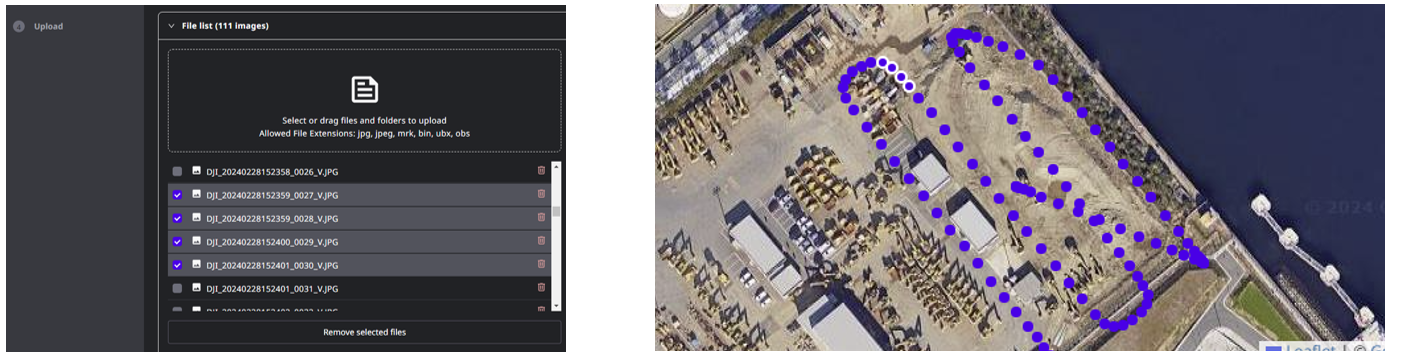
|
|
2 |
Enhancement |
Process Drone Data |
User can see how many images are possibly tagged to GCP position. Display of the number of candidate images that can be tagged to GCP 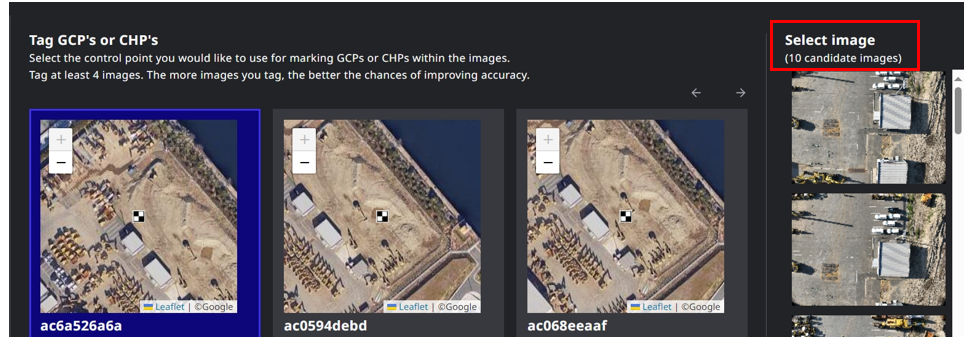
User can see how many images are possibly tagged to GCP position. |
|
3 |
Enhancement |
Process Drone Data |
User can download Mobile Ortho as a zip file of .wld and .jpg file. Support for .wld file download User can download Mobile Ortho as a zip file of .wld and .jpg file. 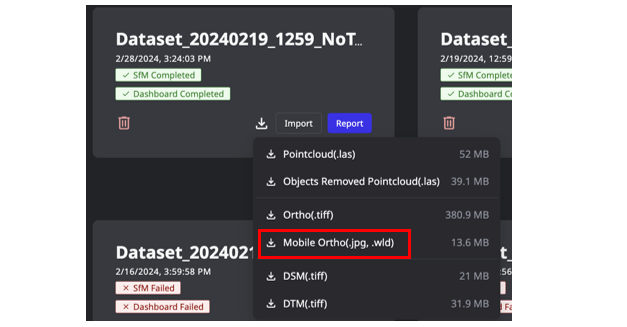
|
|
4 |
Enhancement |
Process Drone Data |
Queuing function for drone data uploads. Queuing function for drone data uploads Users can upload another dataset while a previous dataset upload is in progress. As shown below, the “Upload More” button will appear in STEP 4, and the page will navigate back to STEP 1 for the next dataset. Users can check the upload progress by clicking the “Upload Details” button in the top right corner. 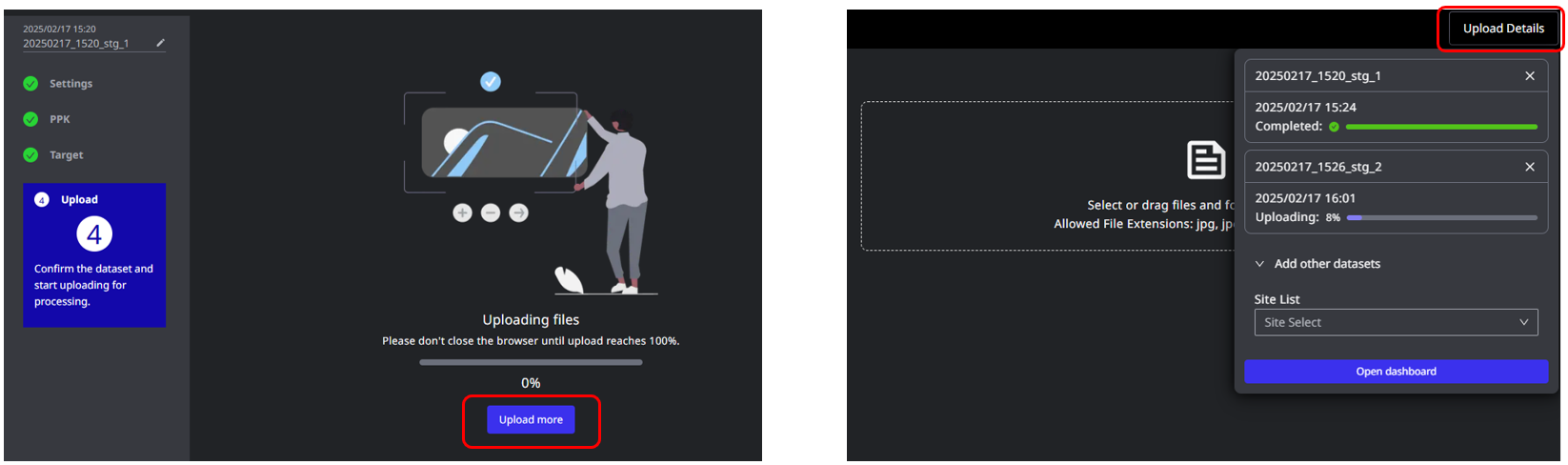
|
|
5 |
Enhancement |
Process Drone Data |
Supporting multiple edge2 data folders upload. Supporting multiple edge2 data folders upload Users can upload multiple edge2 base log data for STEP 2 PPK. As shown below, the system accepts multiple nav / obs files. 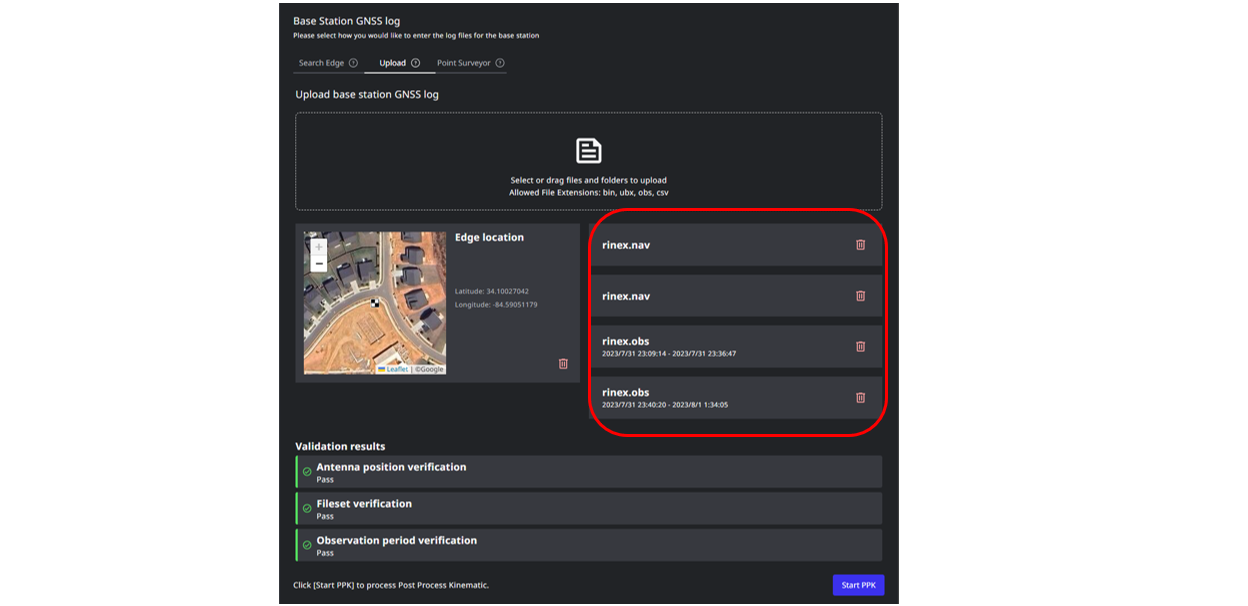
|
|
6 |
Enhancement |
Process Drone Data |
Supporting merged drone data folder upload for RTK process. |
|
7 |
Enhancement |
Process Drone Data |
The system suggests splitting dataset into multiple chunks when flight data exceeds maximum data. |
|
8 |
Improvement |
Process Drone Data |
The page transition speed from Step1 to Step2 is improved. |
|
9 |
Improvement |
Process Drone Data |
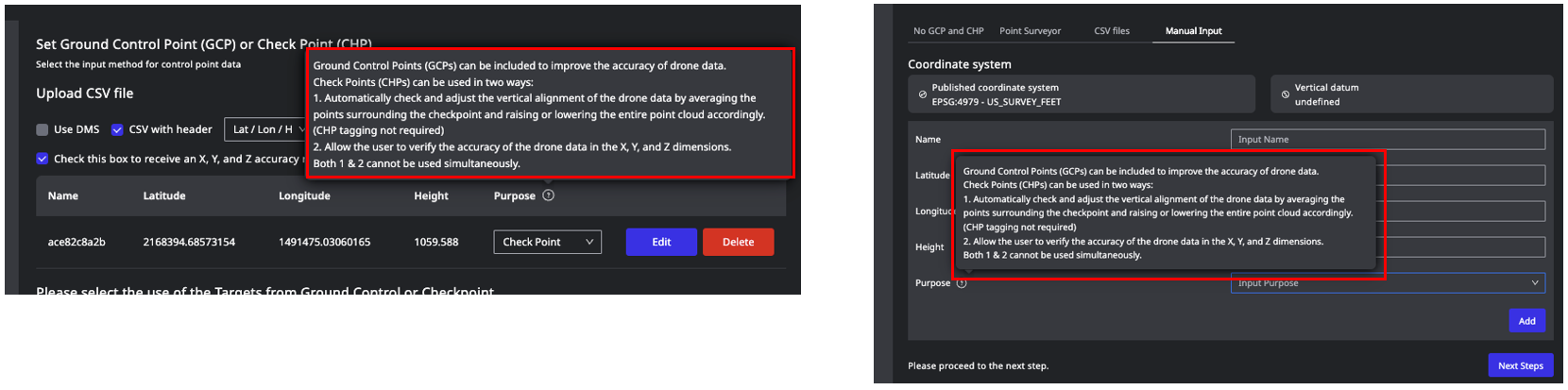
The contents of information icons related to GCPs and CHPs are changed to avoid misunderstanding. Some wording on the information icons were changed
|
|
10 |
Improvement |
Process Drone Data |
The setting button on Step3 page is moved to make it easier to find. The position of the GCP setting button is moved The setting button on Step3 page is moved to make it easier to find and improve user experience. 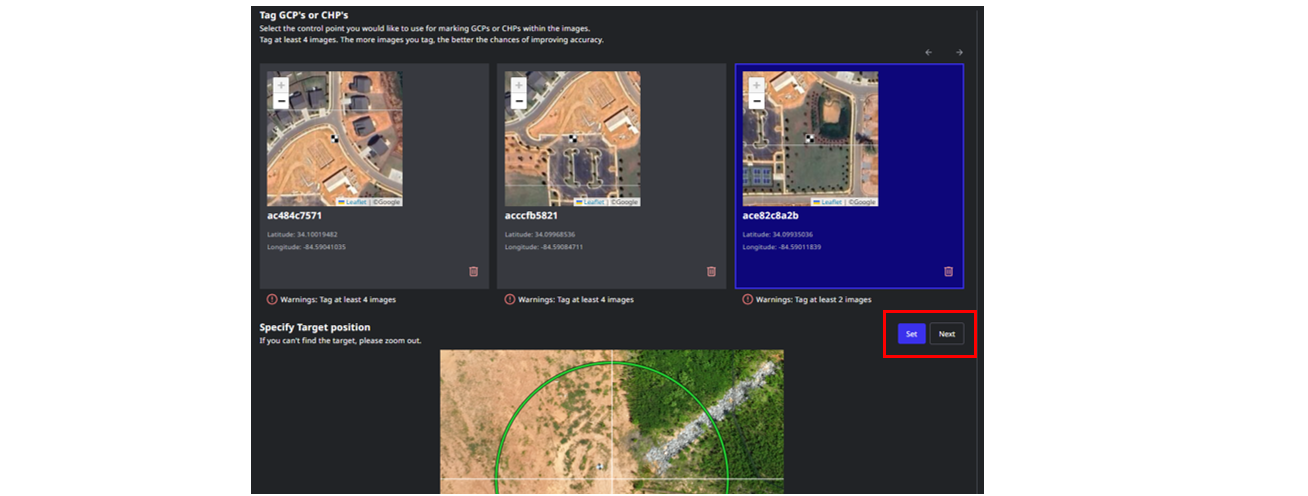
|
|
11 |
Improvement |
Process Drone Data |
The rendering process for images display is improved to prevent the browser crashing. |
|
12 |
Improvement |
Process Drone Data |
Add warning pop-up for browser back and forward. |
|
13 |
Improvement |
Process Drone Data |
The system supports the workflow where users return to STEP 1 to add images after completing STEP 2 and STEP 3. |
|
14 |
Improvement |
Process Drone Data |
Add maintenance page. |