
|
5# |
Content |
Target Function |
Overview |
|---|---|---|---|
|
1 |
New |
Data Layer |
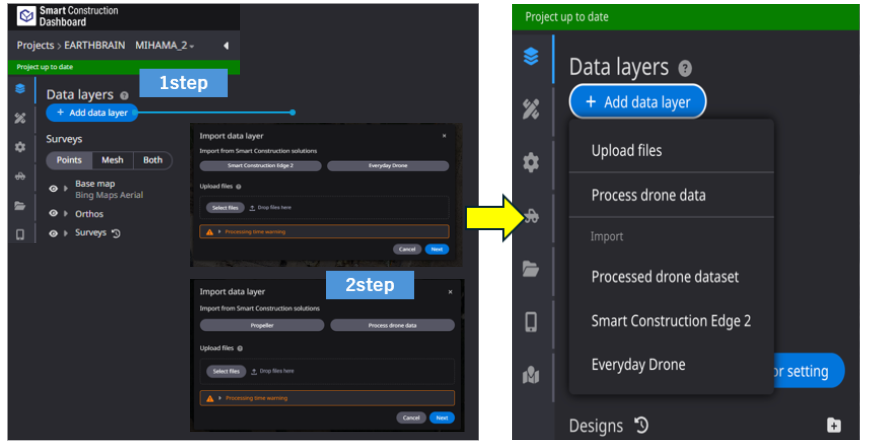
The display after pressing the 'Add data layer' button has been changed to a simplified format. Description
|
|
2 |
Bug Fix |
Measurement |
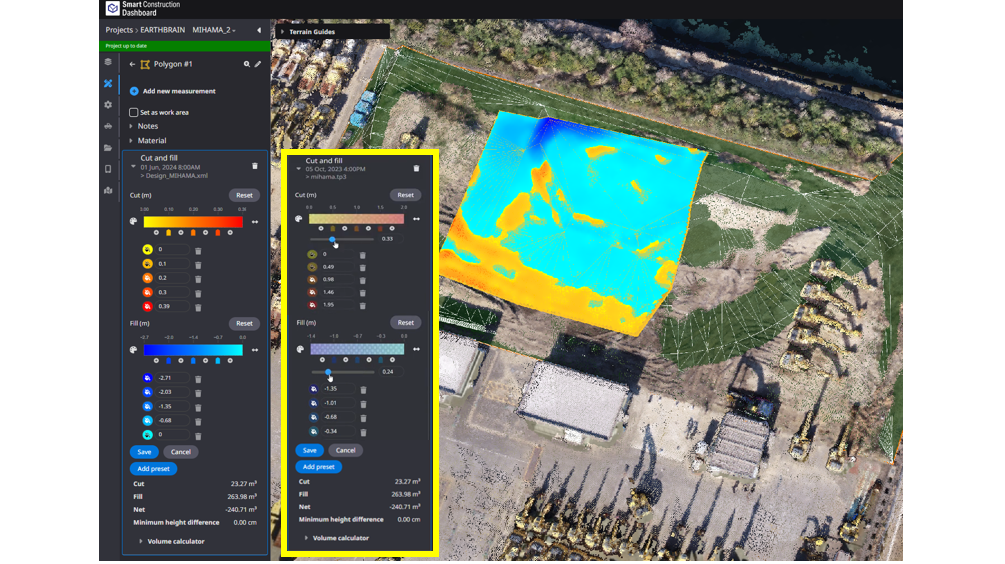
Heat maps used for progress and measurement can now be displayed transparently. User can check the heat map by comparing it with the topography. Description
|
|
3 |
Bug Fix |
Measurement |
The calculation process for the “Cut & Fill” has been optimized and improved to show thecalculation results more quickly. |
|
4 |
Bug Fix |
Data Layer |
Geoid hBG03 (Belgium) is now available. |
|
5 |
Bug Fix |
Data Layer |
When survey data in DTM format was registered, it was sometimes automatically displayed transparently. This has been corrected so that users can set it up correctly. 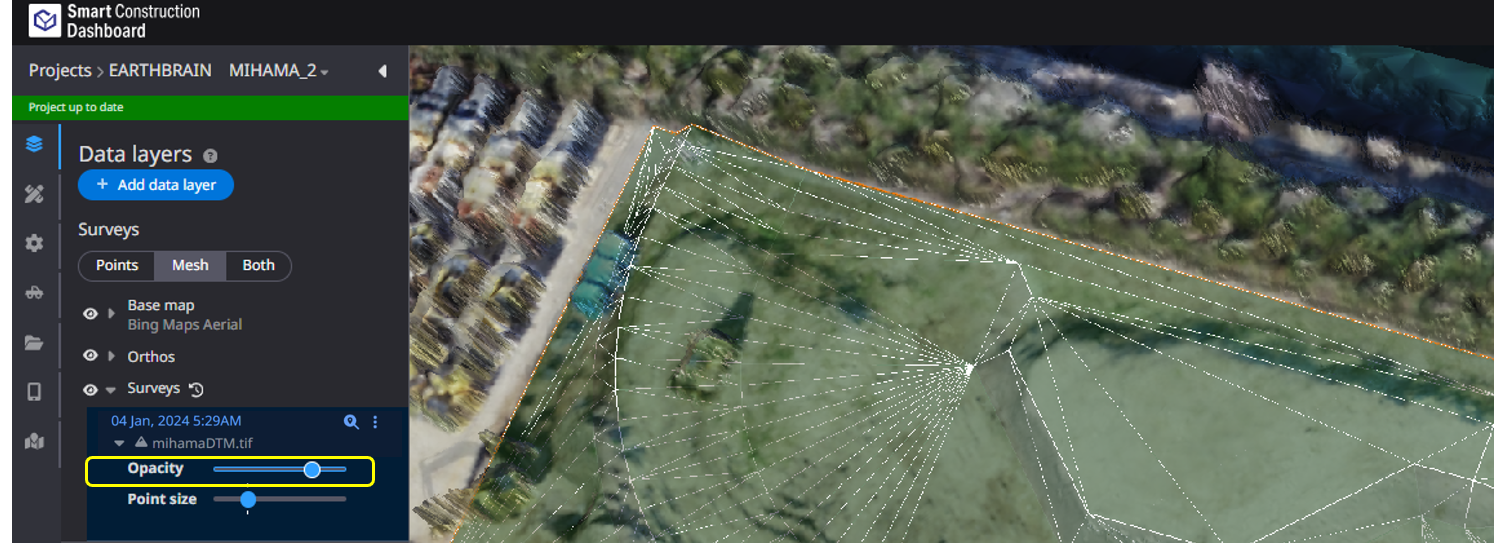
|
|
6 |
Bug Fix |
PDF Report |
When creating PDF reports, some survey data and progress labels were not displayed correctly. This has been corrected so that they are displayed correctly |
|
7 |
Bug Fix |
Data Layer |
When registering As-built, an error occurred and registration could not be completed. This has been corrected and is now correctly registered. |