
|
# |
Content |
Target Function |
Overview |
|---|---|---|---|
|
1 |
New feature |
3D icon |
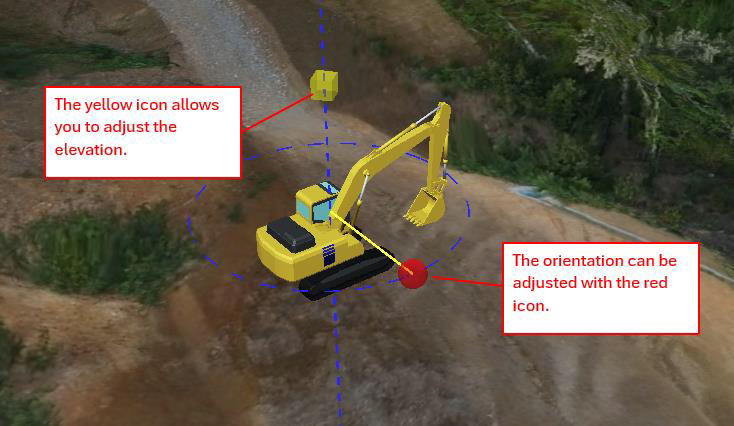
3D machine icons can now be shown on the 3D map. These icons can be displayed across each feature. 3D machines icons can now be placed manually on the 3D terrain map, and the orientation and elevation of the icons can be freely changed. The situation of the jobsite can be expressed & visualised more clearly. 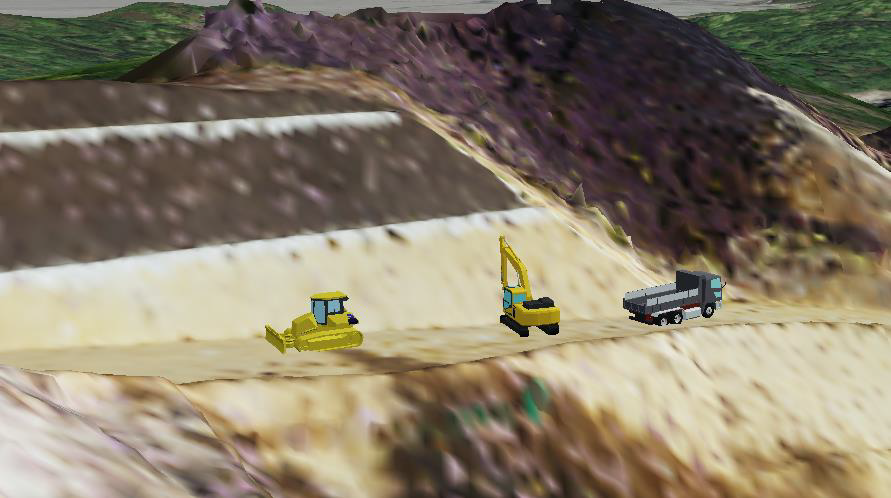
[How to use 3D icon] Click “Add Icon” button and select an icon type. And then drag and drop it. 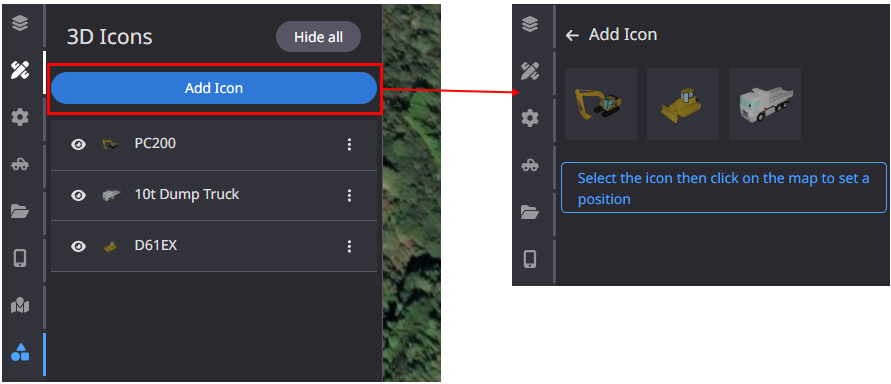
(2)Add more information or change icon size 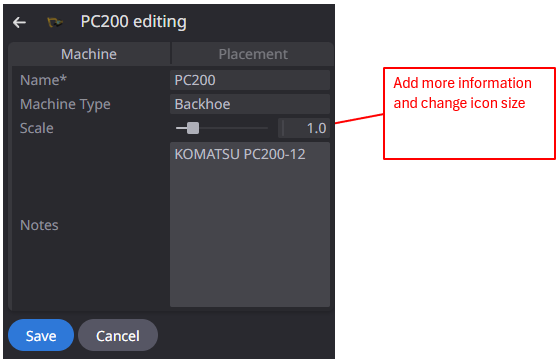
|
|
2 |
Enhancement |
Measurement |
When selecting annotations to download, all annotations can now be deselected with a single click. |
|
3 |
Enhancement |
PDF Report |
When the soil calculation settings are changed, the results of the changed soil calculation settings are now displayed in the PDF report. |
|
4 |
Bug fix |
Data layer |
When viewing a project, the “As-built” layer was not always displayed. This has been corrected so that it is displayed correctly. |
|
5 |
Bug fix |
Data layer |
When creating integrated terrain, some data failed to be integrated and asset was not displayed correctly. This has been corrected to ensure correct integration. |
|
6 |
Bug fix |
Machines |
Fixed a problem that prevents “Remote support” from being executed for offline machines. |
|
7 |
Bug fix |
Measurement |
When creating Cut & Fill measurement, the default settings for color gradation did not work correctly. This has been corrected to work correctly. |