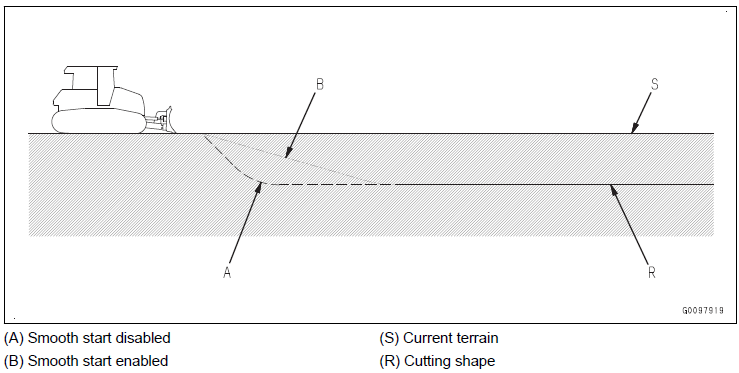
Part of Auto Blade Control
When starting the cutting work with auto blade control activated, the cut depth becomes high resulting in a smoother shape after the first pass. This function is called Smooth Start and can be enabled/disabled via the Main Window Shortcut:

Useful if ground condition is hard - i.e. blade edge cannot easily cut into the soil and work equipment easily lifts the tracks off the ground.
Not available while in Simple Grading mode