
The base station communicates with the machine by using radio waves. When setting up the base station, choose a spot that is free from obstacles between the base station and the jobsite so that the radio signal can reach.
Also select a setup spot that has already been measured and its coordinates have been determined. (Consult your Komatsu distributor in advance to ensure you are using the correct base station equipment).
UHF Radio Configuration
The radio settings on the control box must match the radio settings on the base station.
Re-setting the control box is not necessary unless the setting of the base station has changed.
There are 2 specifications for the radio,
-
Topcon Digital 2 (UHF)
-
Topcon FH915 (SS)
Which one you use will be determined by the Radio Board in the GNSS receiver installed on the machine (If it’s different to the base station, the radio cannot be used. To use the radio, the radio board on the base station or on the GNSS receiver must be replaced to reflect the other. Consult your Komatsu distributor).
Instructions
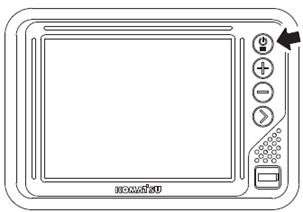
1. Set the base station and turn on the power supply.
2. Turn the power on to the control box in the machine (the machine doesn’t have to be switched on)
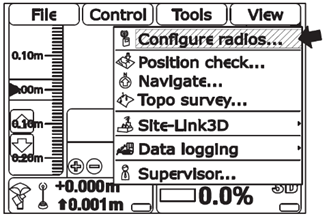
3. The power ON/OFF is also the main menu switch. Press it again to display the main menu window.
4. On “Tools” menu, press “Configure radios...” and select “GNSS Radio Setup” screen is displayed.
5. Check if it matches with the radio specs of the base station, and press “Configure...”.
Note: Following figures are examples of the settings. Details of the settings are different by the radio board specs in GNSS receiver.
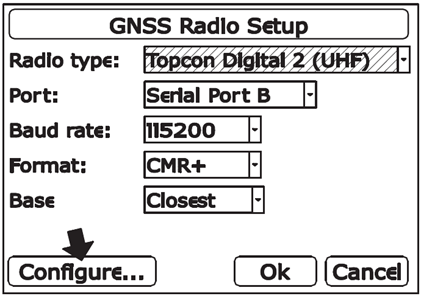
For Topcon Digital 2 (UHF)
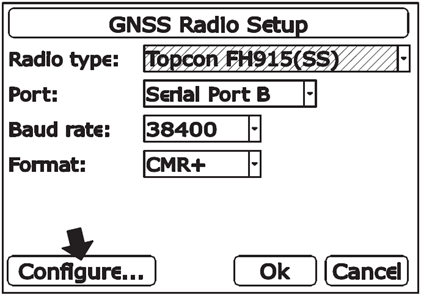
For Topcon FH915 (SS)
6. Select each item matching with the radio setting of the base station to be used, and press “Set”.
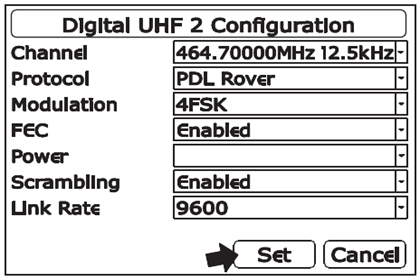
For Topcon Digital 2 (UHF)
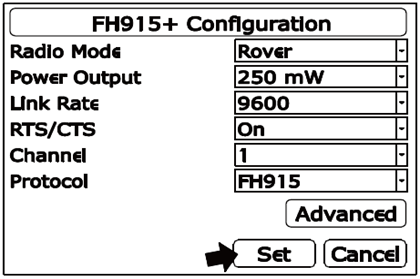
For Topcon FH915 (SS)
7. After “GNSS Radio Setup” screen is displayed, press “Ok”
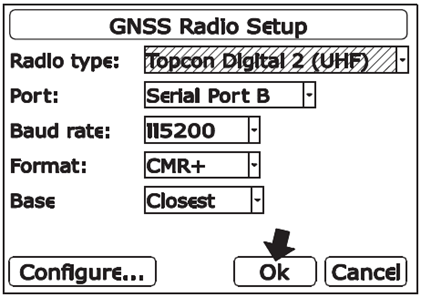
For Topcon Digital 2 (UHF)
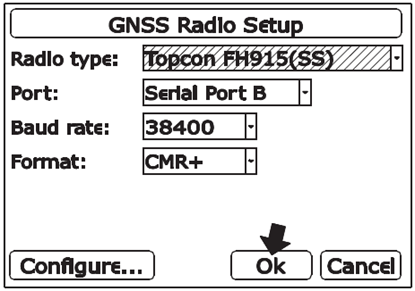
(For Topcon FH915 (SS)
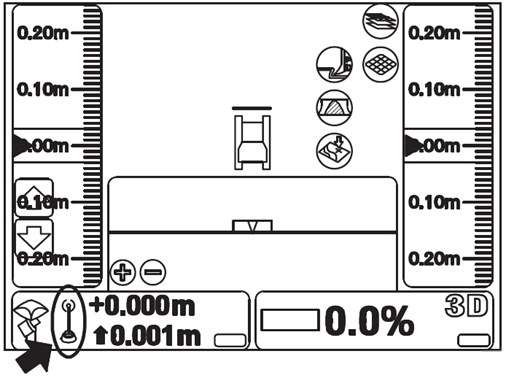
Check that mark "x" on “radio status” of “elevation control key” goes out and the message “Waiting for radio link...” is not displayed. This indicates that the radio wave from the base station is being received.
Please note: While using Topcon Digital 2 (UHF), the radio from the base station cannot be received in some case even if the setting is correct. In this case, set the “Channel” to a different frequency once in step 6, and then set it back to the correct frequency again.