Tap the menu button
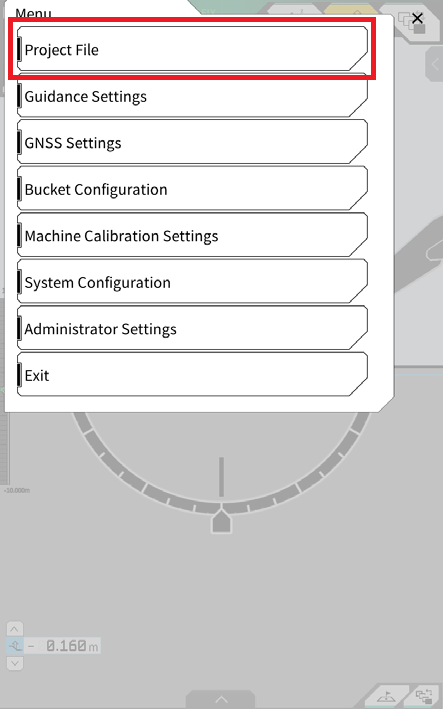
Tap “Project File”
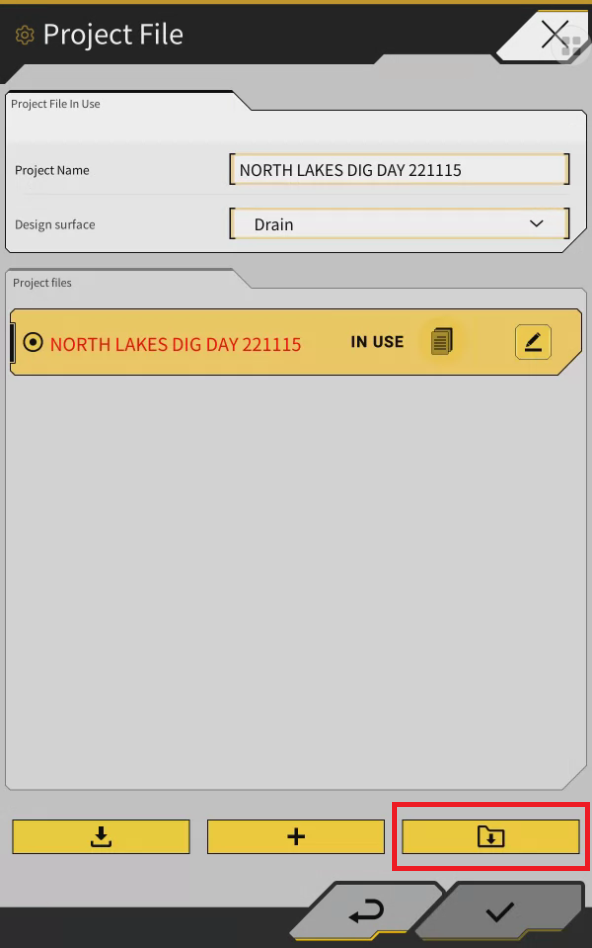
Press the download from folder button
Select my Files icon
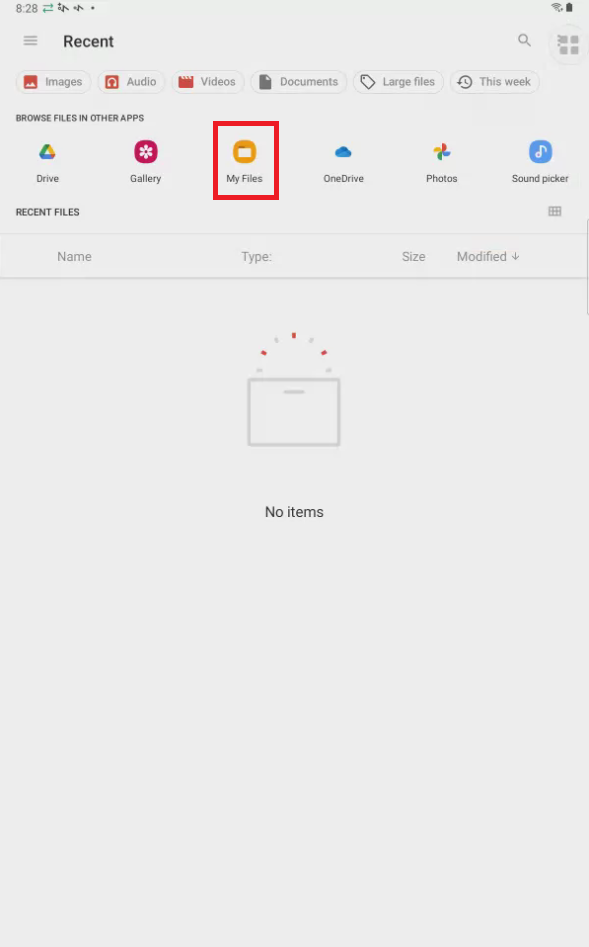
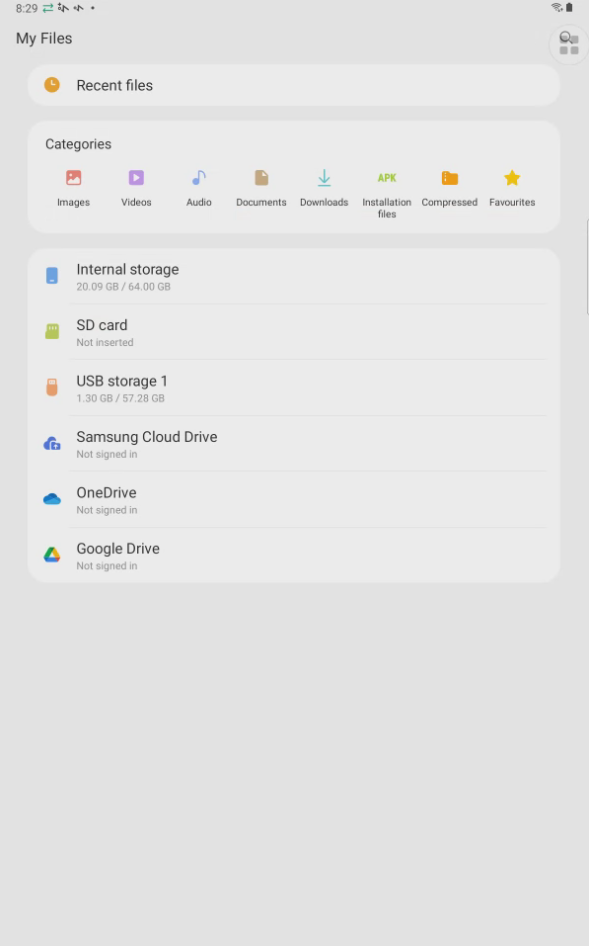
Navigate to where the project files is eg USB stick or My files/downloads
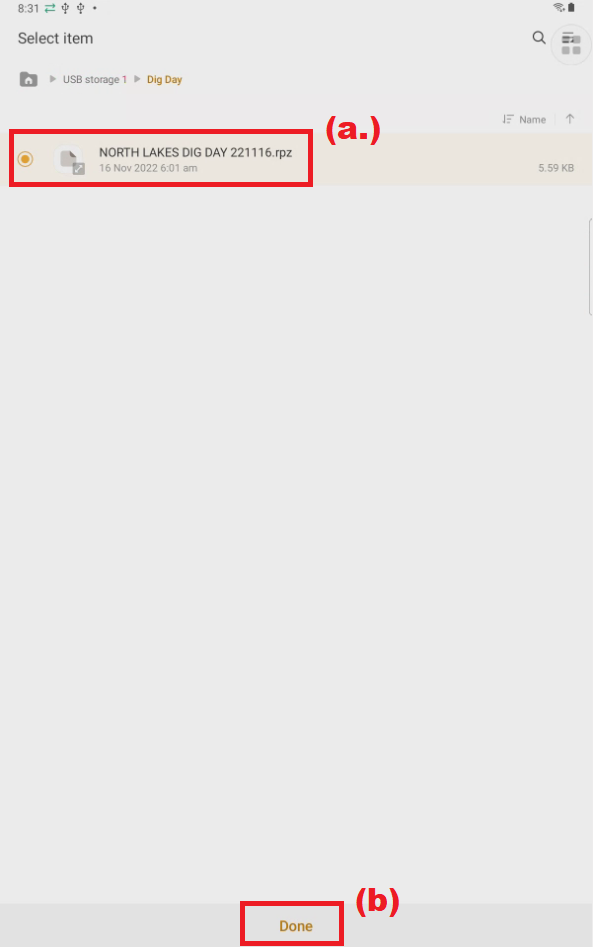
Select the file (a.) and press done (b.)
After downloading, tap ✓ to specify the target project file.
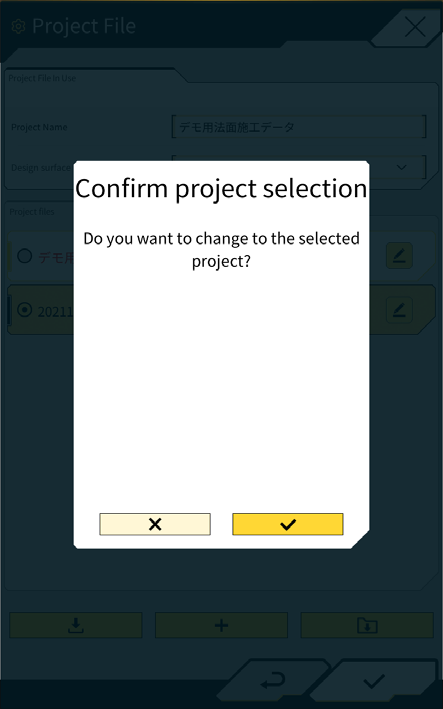
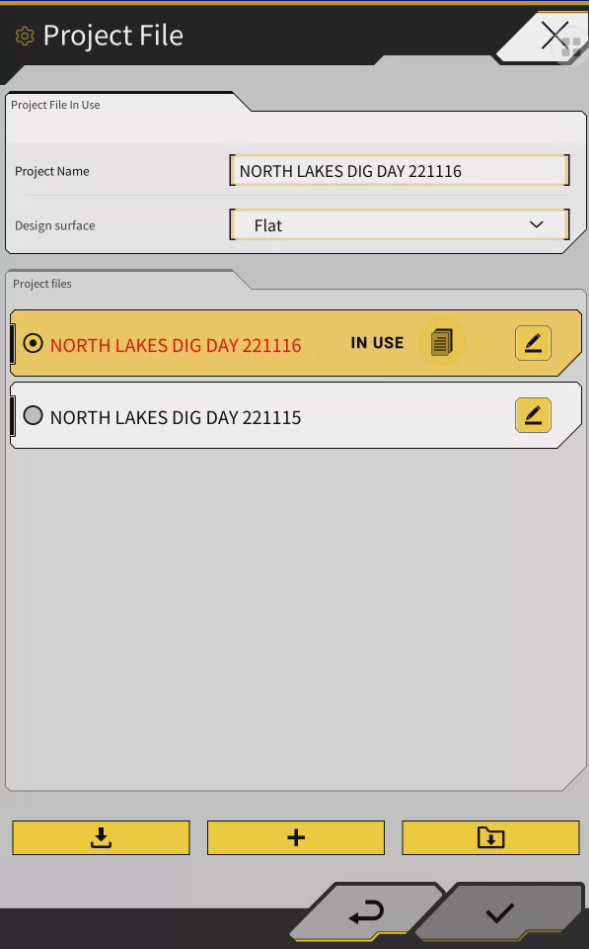
Project file is now selected and showing as “in Use”
Press the back button
Press the x to close the menu