Tap the menu button
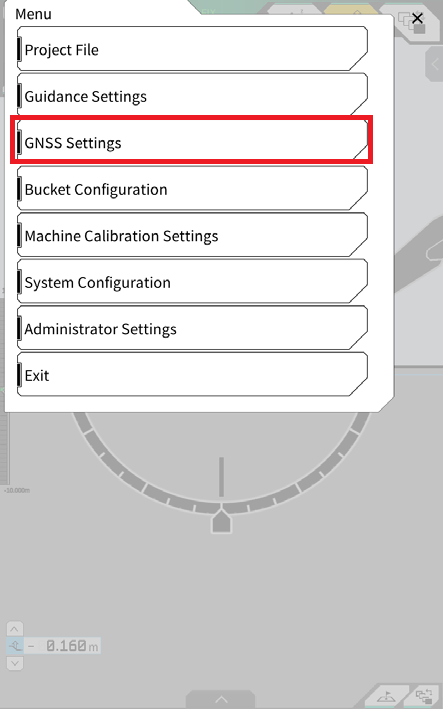
Tap GNSS Settings
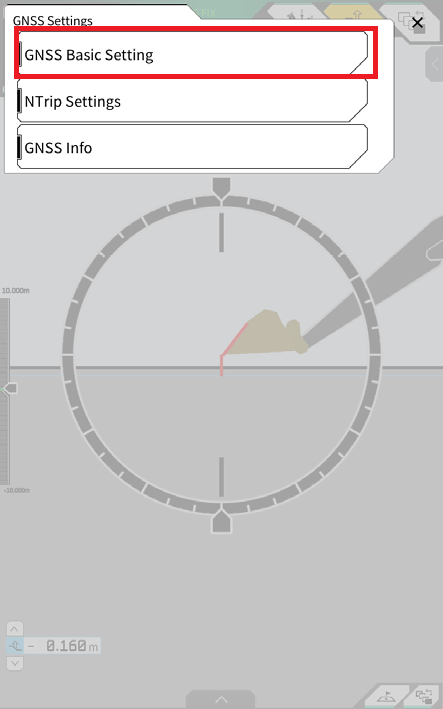
Tap GNSS Basic Settings
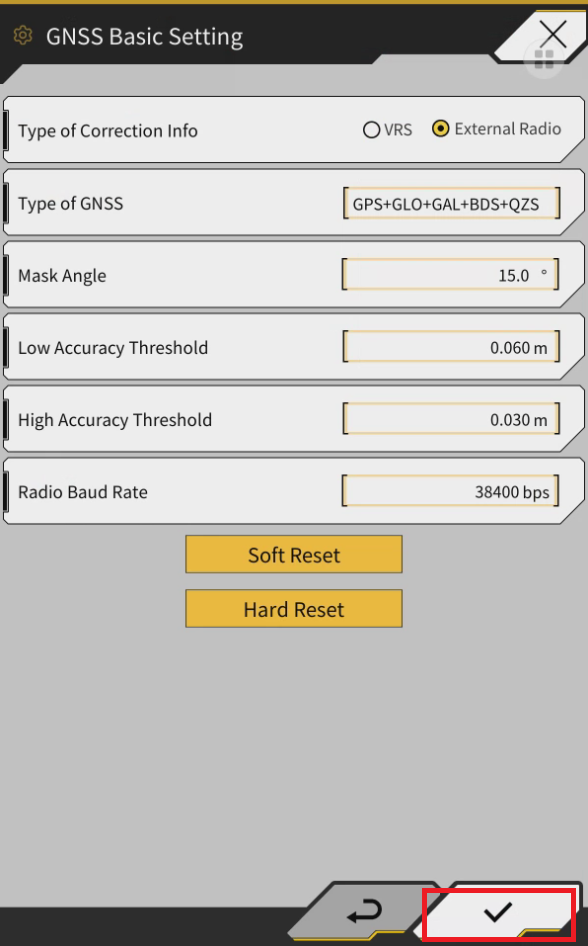
Select “External Radio” for Type of Correction Info
Then select the Type of Corrected Data according to your base settings:
RTCM or CMR
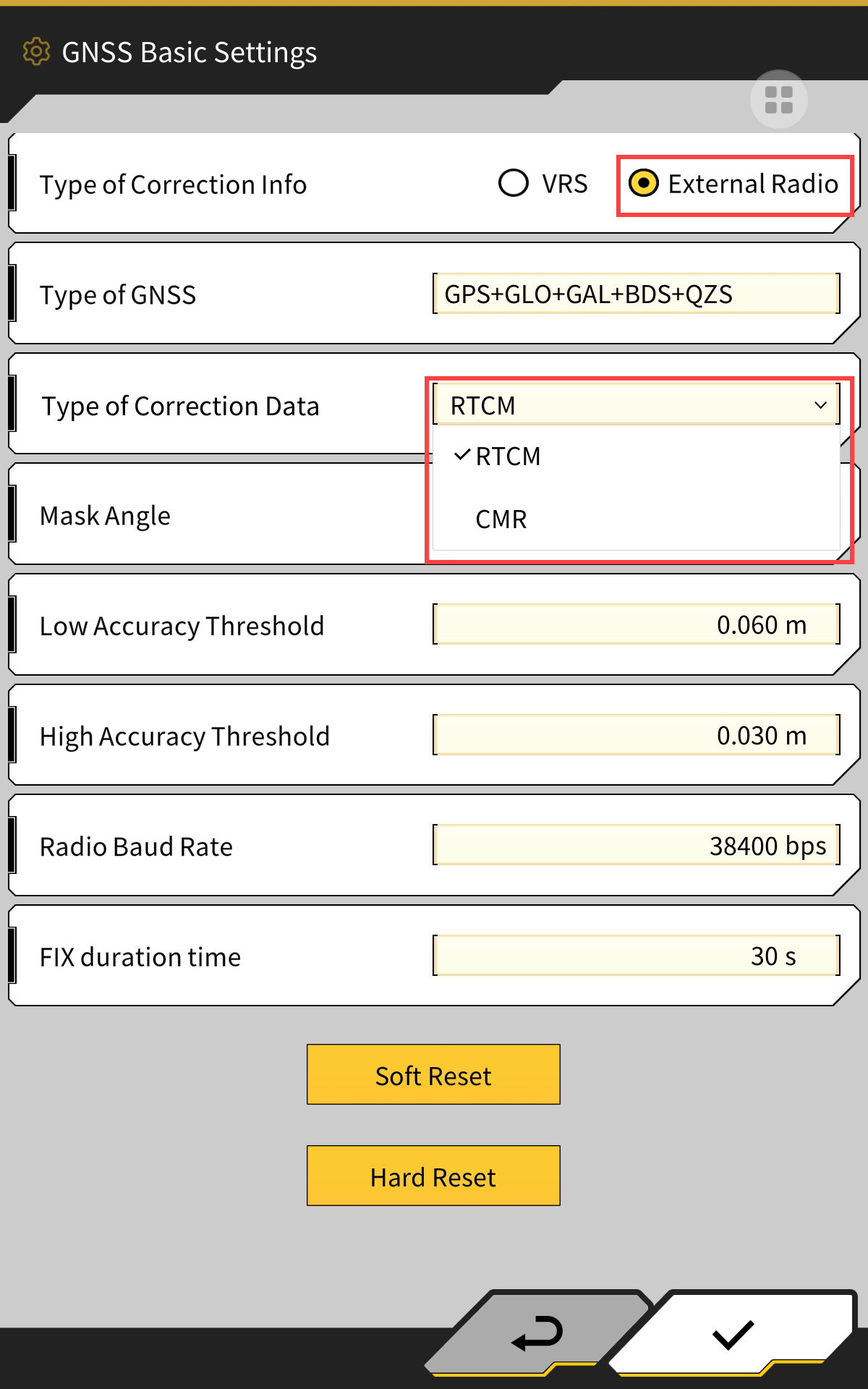
Tap ✓ to apply the setting change
Then configure the Satel as per instruction found here Configure a Satel Easy UHF Radio