-
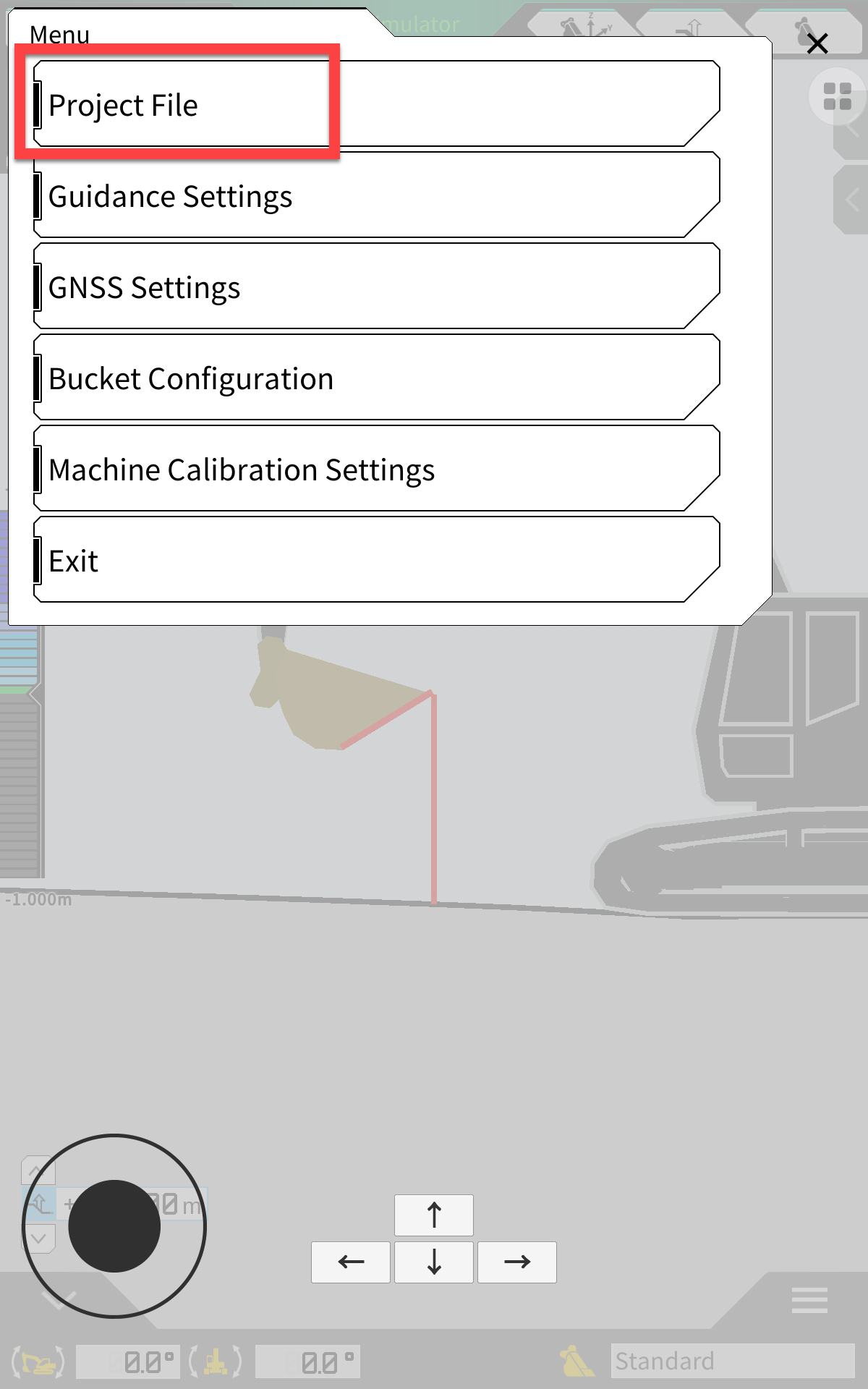
Open the settings menu
-
Click on Project File
-
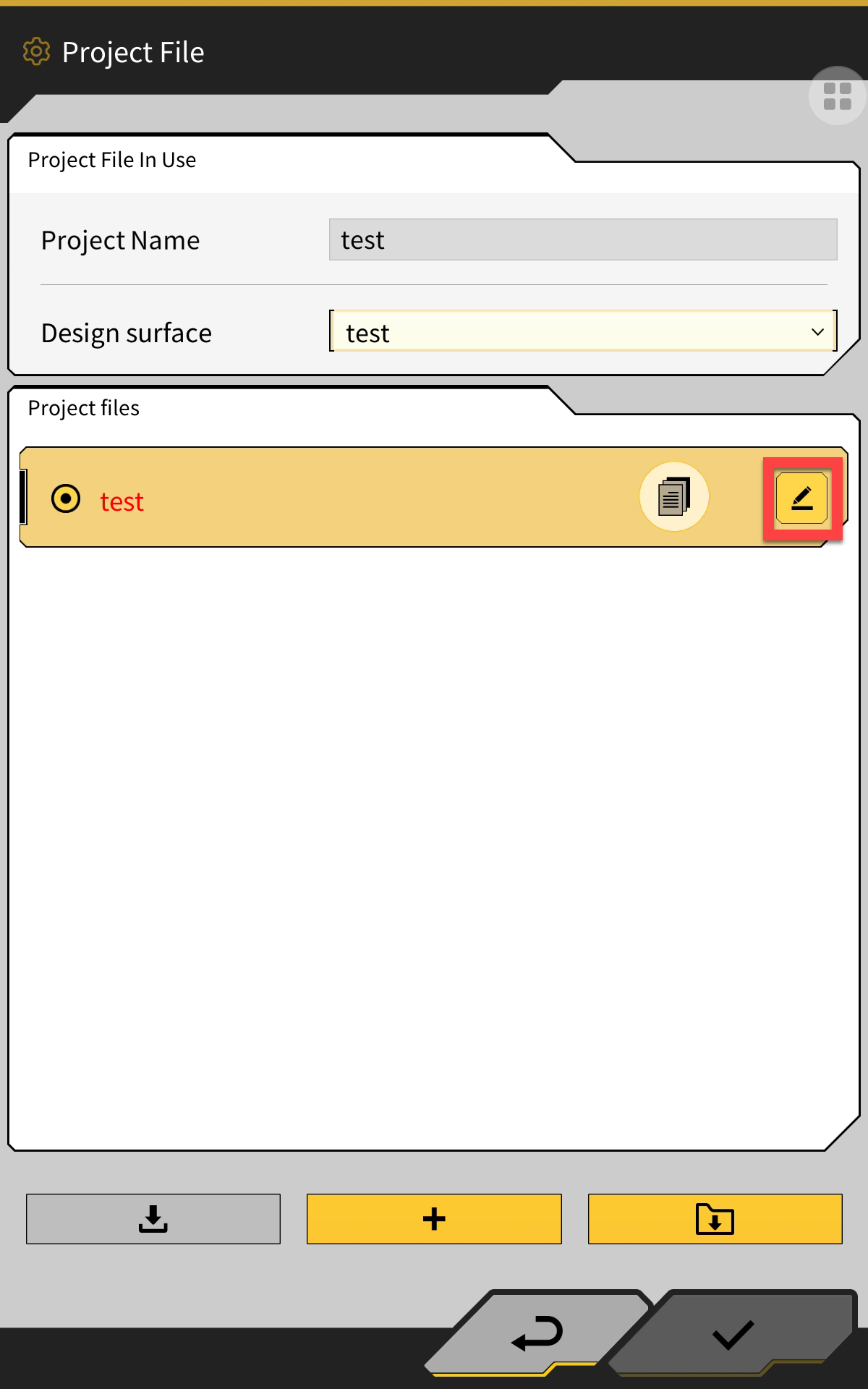
Click on the pencil icon to the right of the project you would like to delete
-
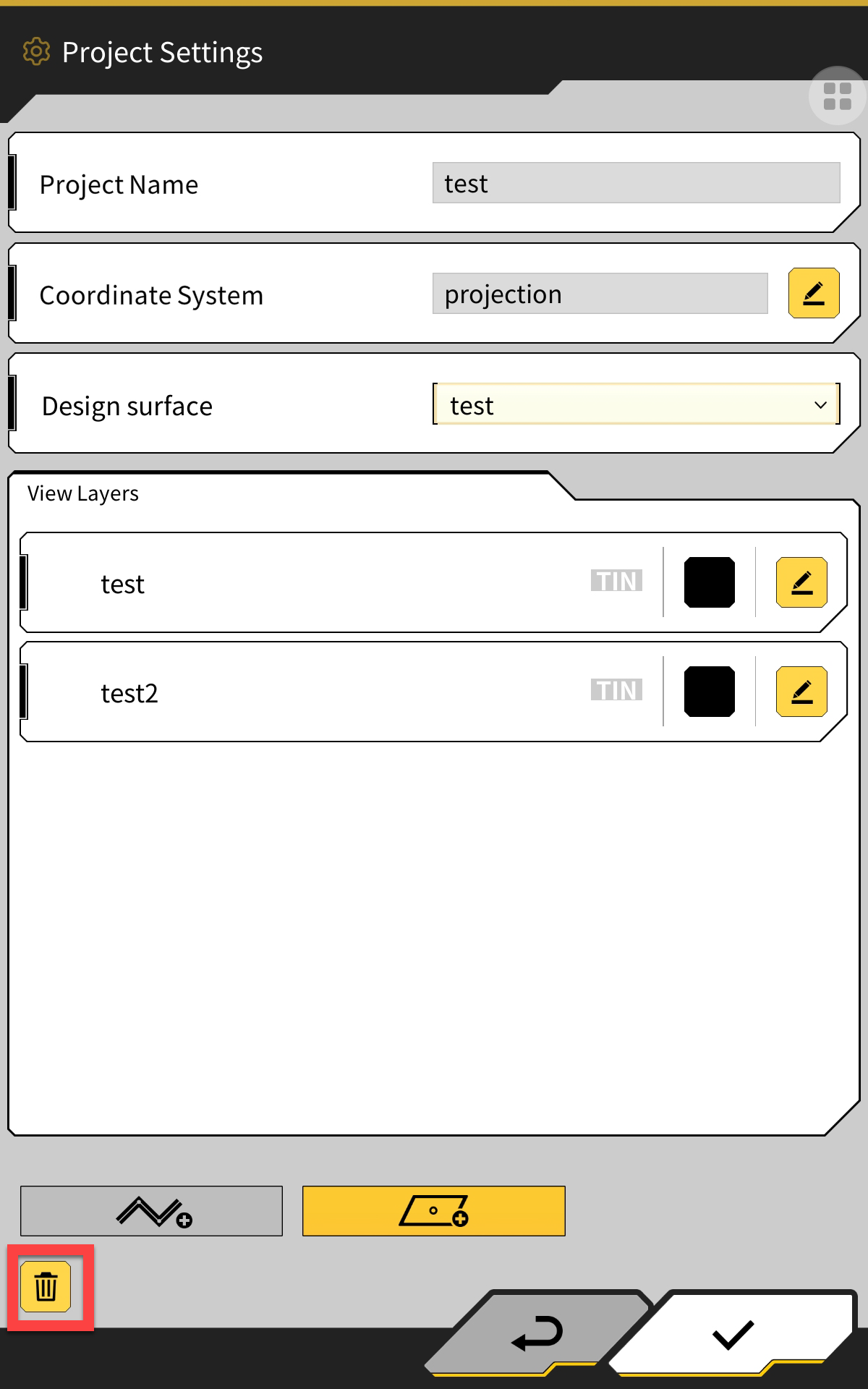
Click on the delete icon (bin) in the bottom left corner

Open the settings menu
Click on Project File
Click on the pencil icon to the right of the project you would like to delete
Click on the delete icon (bin) in the bottom left corner