
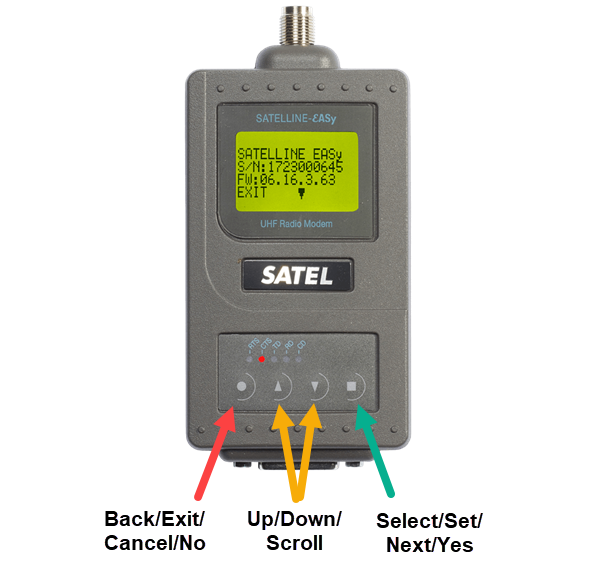
Before programming the Satel, please gather the following UHF base information:
-
Frequency
-
Channel Spacing (12.5khz or 25khz) or Link rate (4800bps, 9600bps, 19200bps)
-
Protocol (Trimtalk, PacCrest, Satel, TransEOT, etc)
-
Modulation (GMSK or 4FSK)
-
FEC (on or off)
-
Format (RTCM3/3.2, CMR/CMR+ [can’t be CMRX])
For 3DMG machines, the format is set in the machine screen: Configure to use UHF corrections - Retrofit - Komatsu SC Knowledge Hub (atlassian.net)
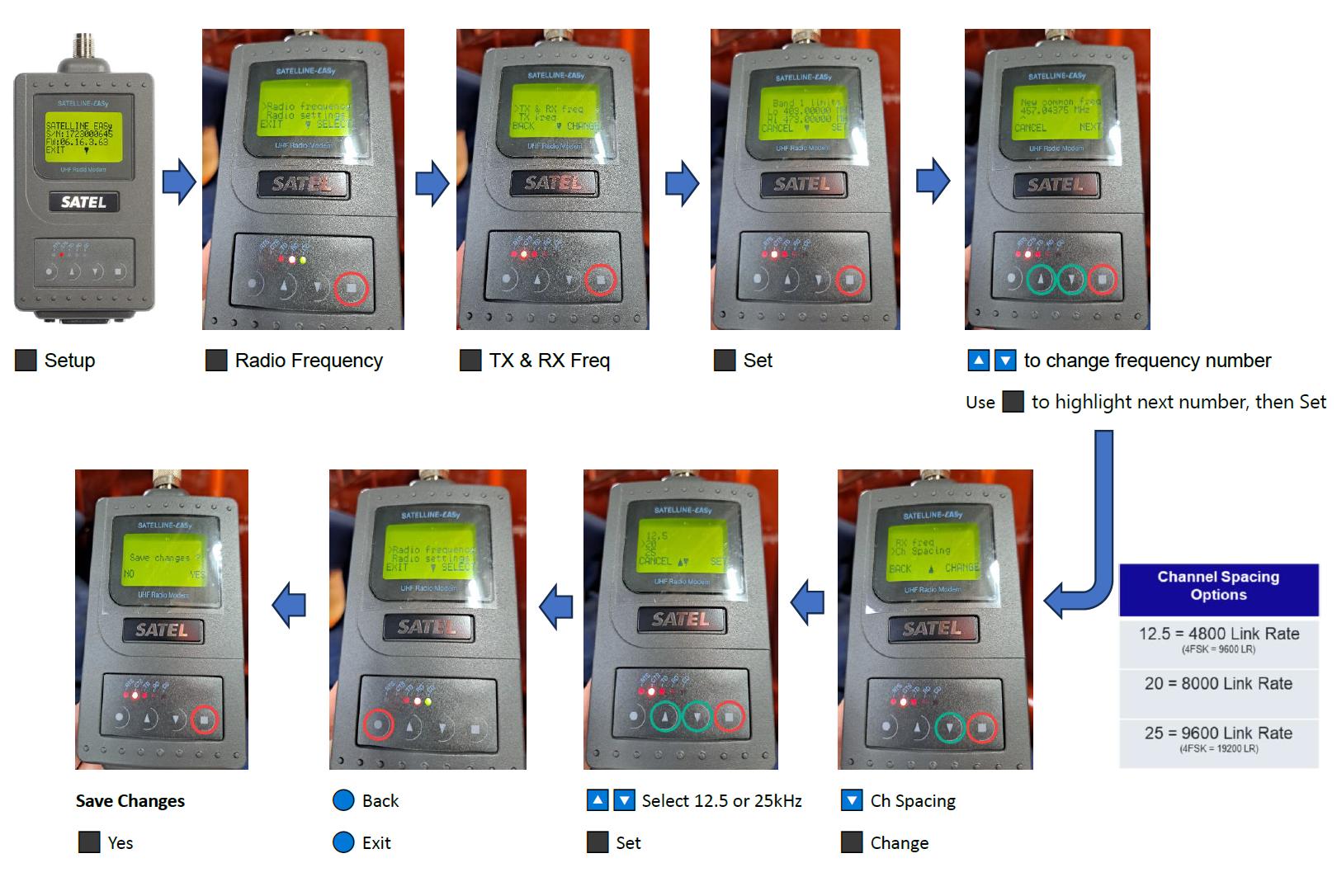
Set Frequency & Channel Spacing
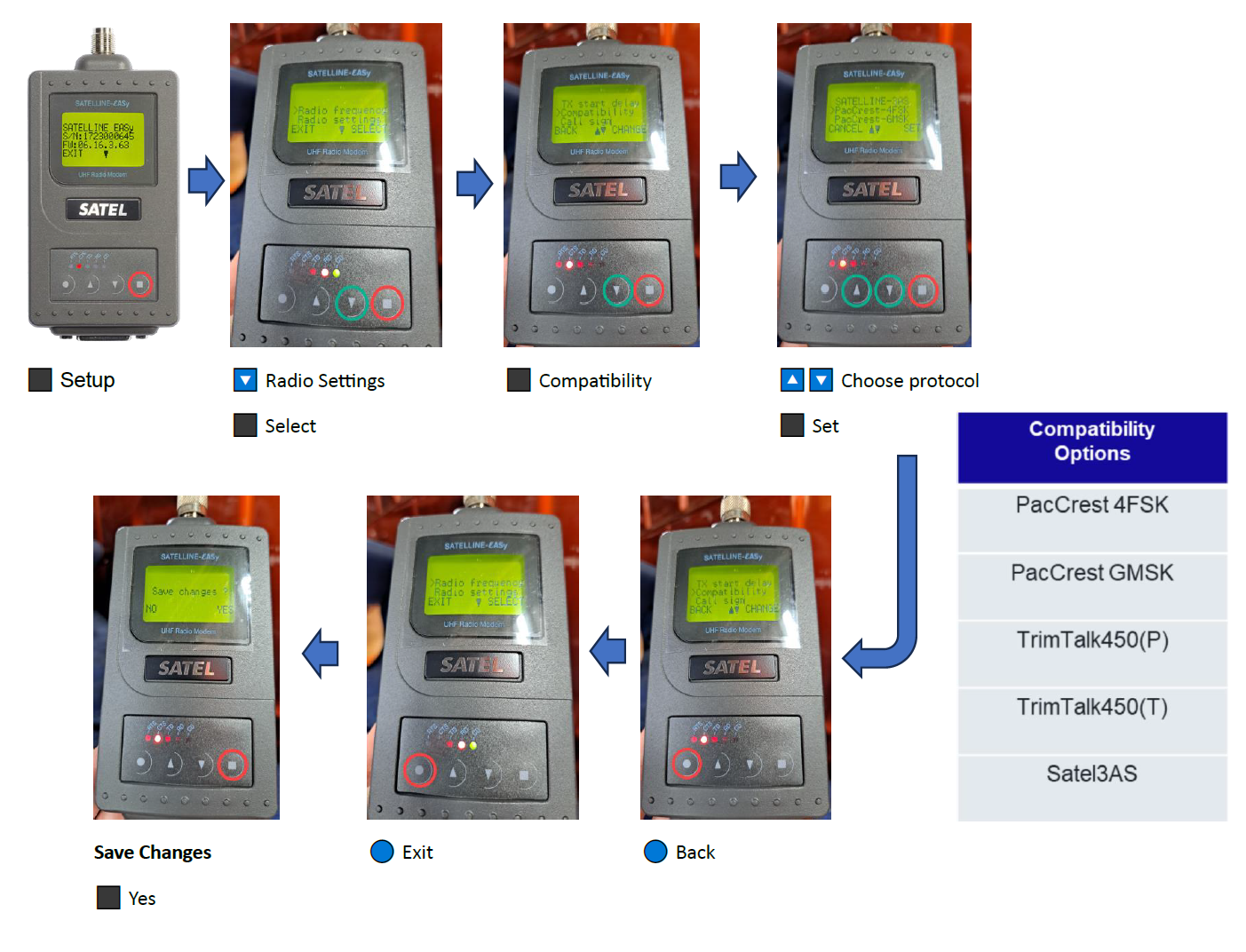
Set Compatibility Options
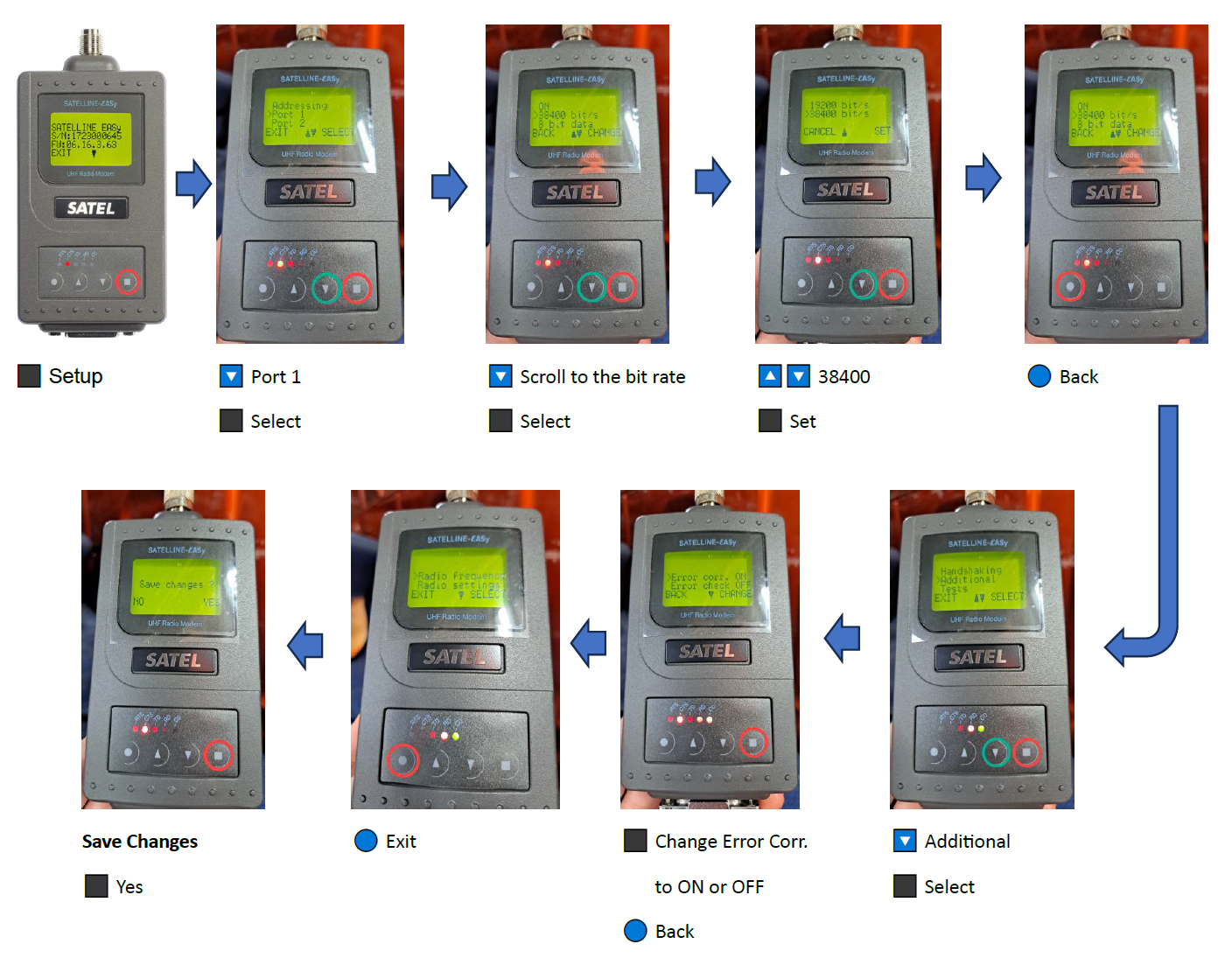
Set Baud Rate & Error Correction (Satel 3AS Only)
Be careful not to confuse baud rate with link rate, and Satel Error Correction with FEC.
-
The Satel's baud rate must be set to match the baud rate specified in SC Pilot App. The setting for best compatibility is to set it as 38400 on both.
-
Error Correction must be set to OFF and is only toggled to ON if the base radio protocol is Satel 3AS with Error Correction ON.
Check Satel Connection
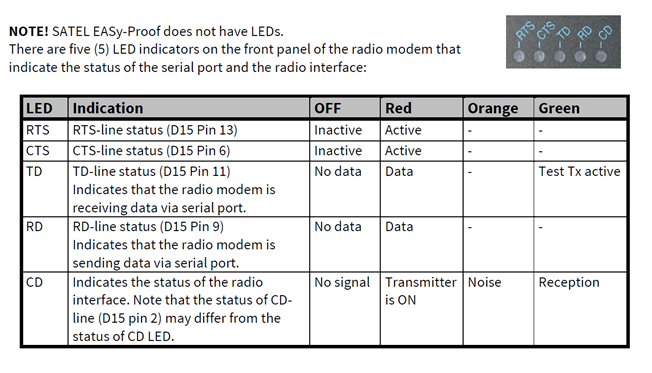
Check the lights on the Satel, they should blink in the following sequence:
(Also refer to the matrix at the top of this page)