Download Project File Converter here:
ProjectFileConverterSetup-x64-1.0.9.0.zip
OR
Download from SC Pilot Web:
Smart Construction Portal
-
Log in to your Smart Construction portal.
-
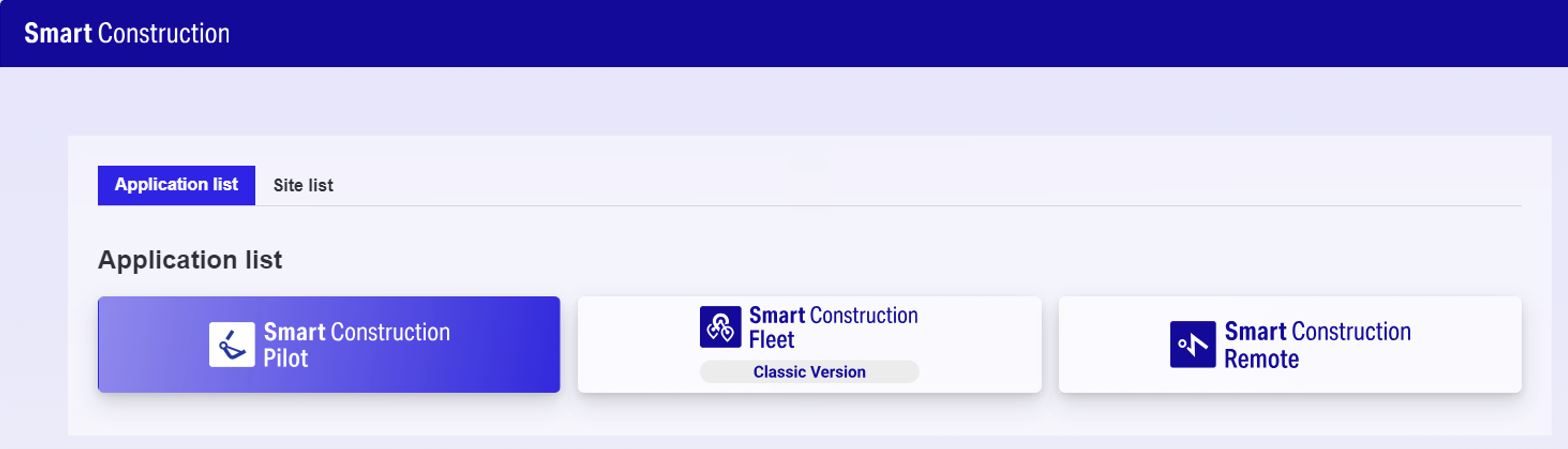
Open Smart Construction Pilot
-
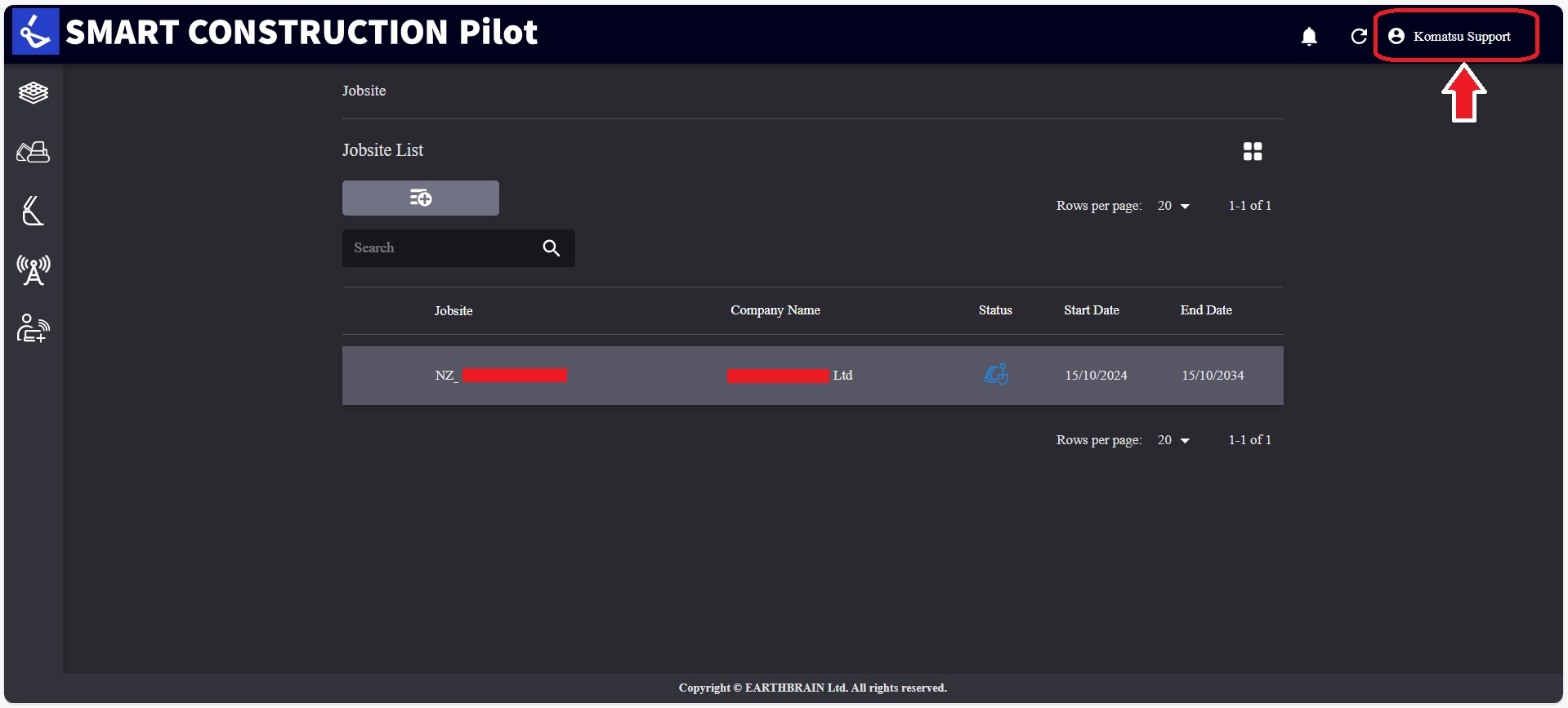
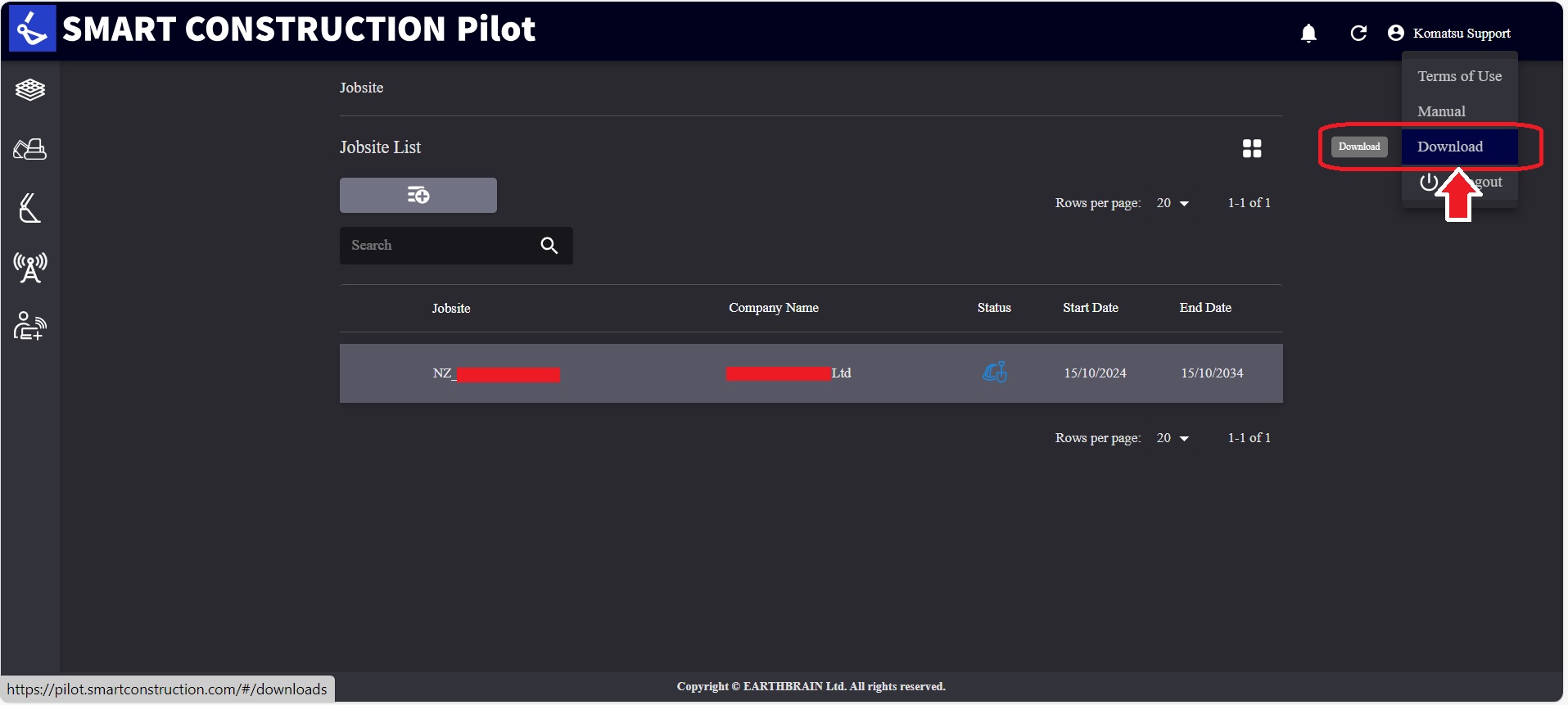
Go to “Komatsu Support”
-
Drop down selections will appear, click “Download”
-
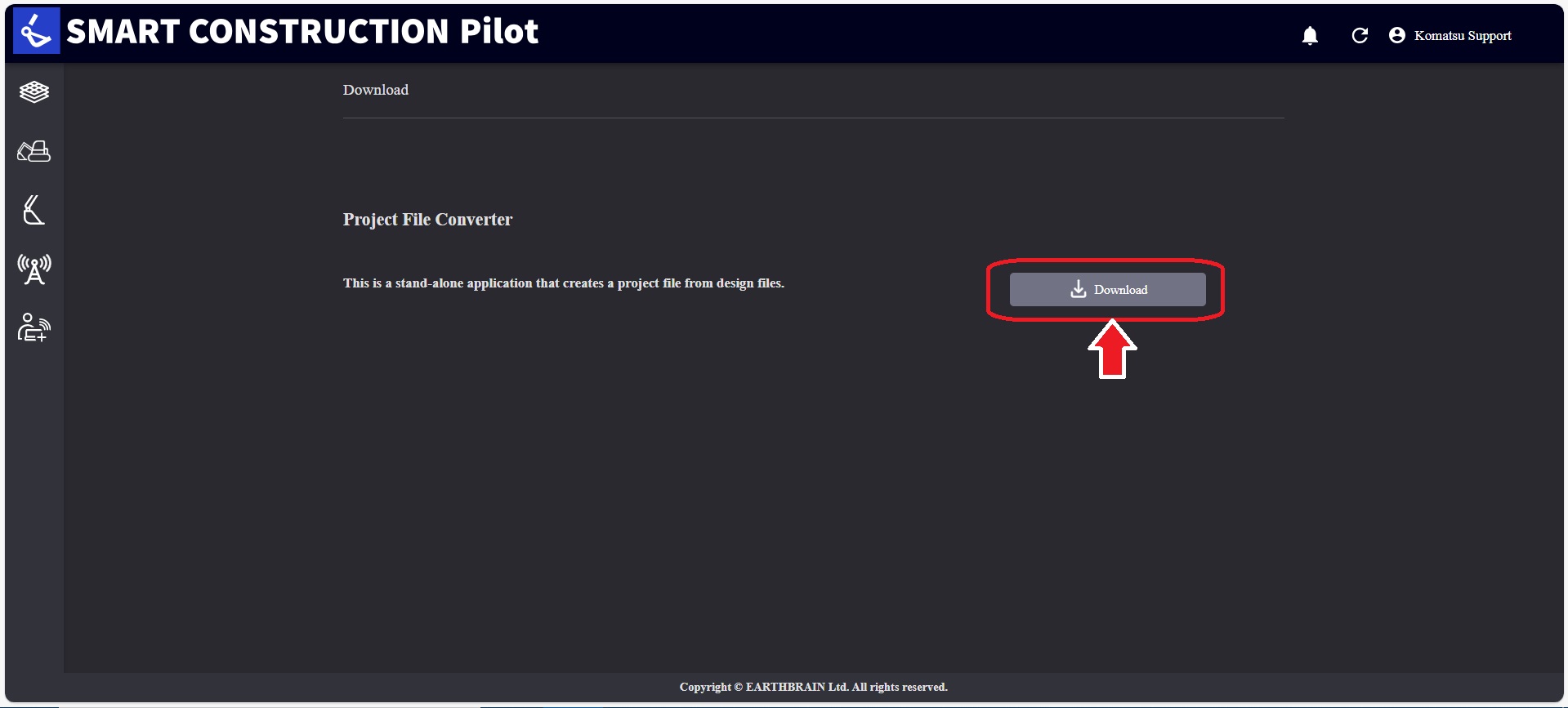
Click “Download”
Install Project File Converter
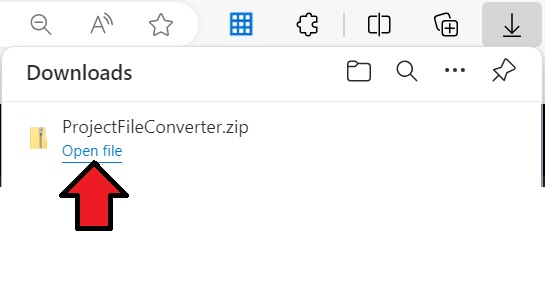
1. Wait for the file to download, then click “Open file”
-
Open the ProjectFileConverter file folder.
-
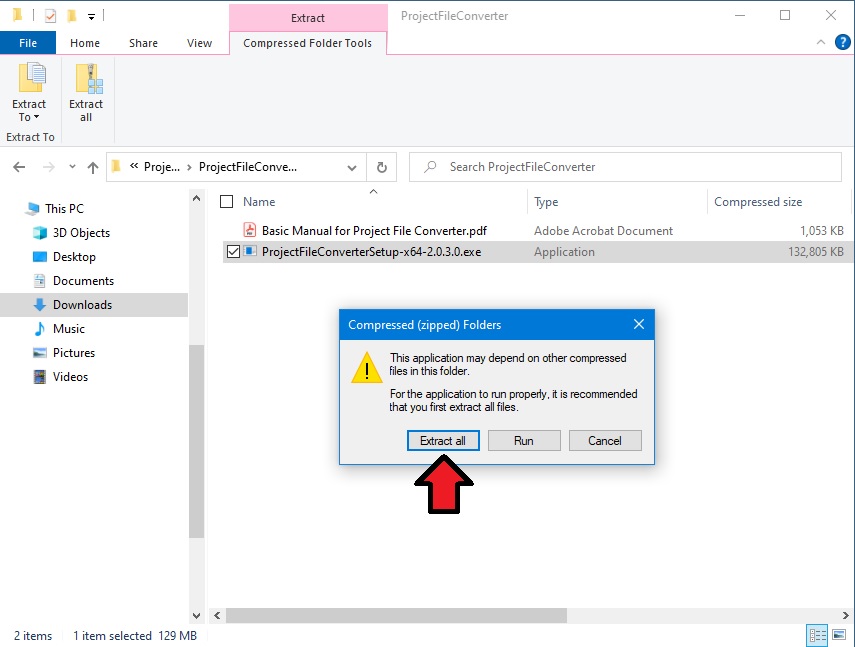
Since this is a zipped file folder, tap “Extract all”. Select a file destination and then tap “Extract”. Wait until the file extraction is complete.
-
Open the extracted file folder and double-click the .exe file.
(Or right click and run as administrator)
-
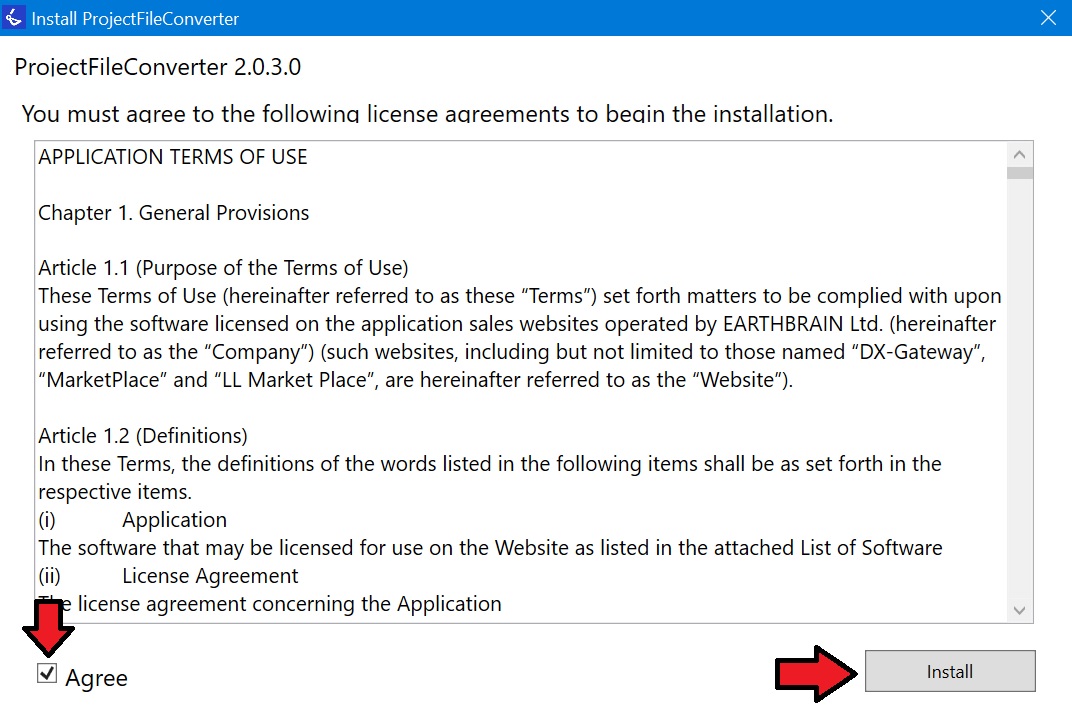
Tick the “Agree” tick box to able continue with installation. Click “Install”.
-
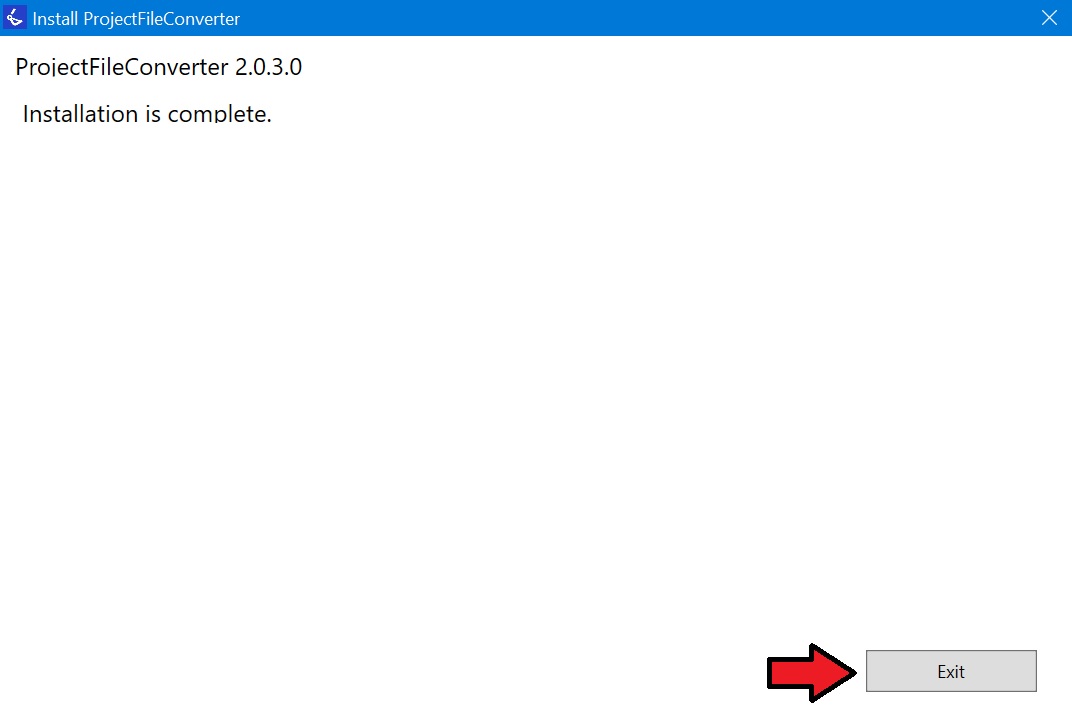
Wait until the installation is complete and tap “Exit”.