
iControl offers support for virtual loaders, which are a perfect solution for static loading units such as bins. By assigning a loader or material to a geofence, any truck loaded while inside that fence is automatically assigned the configured material or loader.
A virtual loader does not take precedence over a true excavator or loader. If a truck pairs with an iVolve equipped loader inside a geofence, it retrieves all load parameters from the paired Nexis rather than the virtual loader.
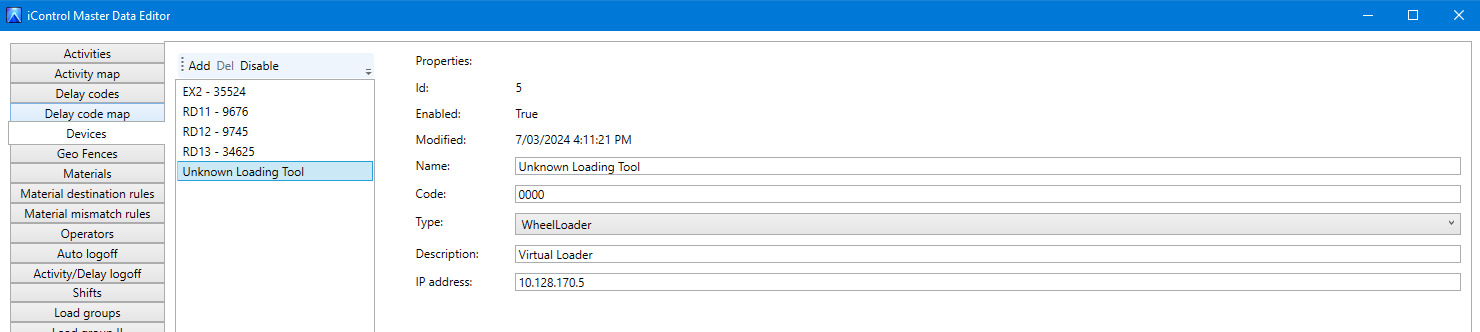
Assigning a material to a geofence means that should a truck become loaded whilst inside the fence, the associated material is automatically selected as well. The same logic works for a loader that is assigned to the geofence. If you want to create a truly virtual loader, you need to create a new loader in the Devices tab to assign to the geofence.
-
Step 1: “Create Unknown Loading Tool”
-
Step 2: Assign to Geofence
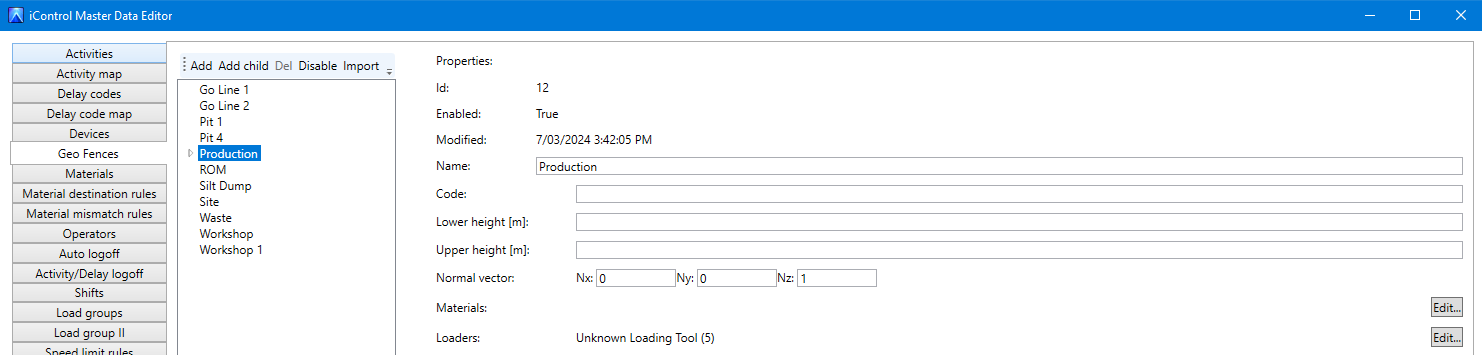
All registered loads that were not loaded by an SQS loading tool will now report as being loaded with an “Unknown Loading Tool”:
Any load that occurs outside a registered geofence by a loading tool that is not equipped with SQS will be assigned as unknow in iReports. This is setup to prevent any gaps in the data.
