-
Download the ICS file to your computer
-
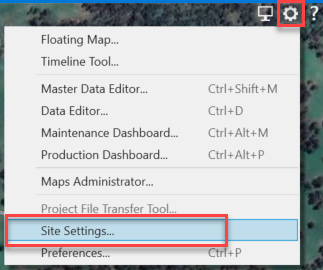
Go to Tools/Cog > Site Settings
-
Click on the “Current Sites Folder” in the top right
-
Copy and paste the ICS file into this folder (if it’s updating an existing site, overwrite the old folder)
-
Go back to iControl
-
The site will now be visible/updated in the column on the left
-
Click OK