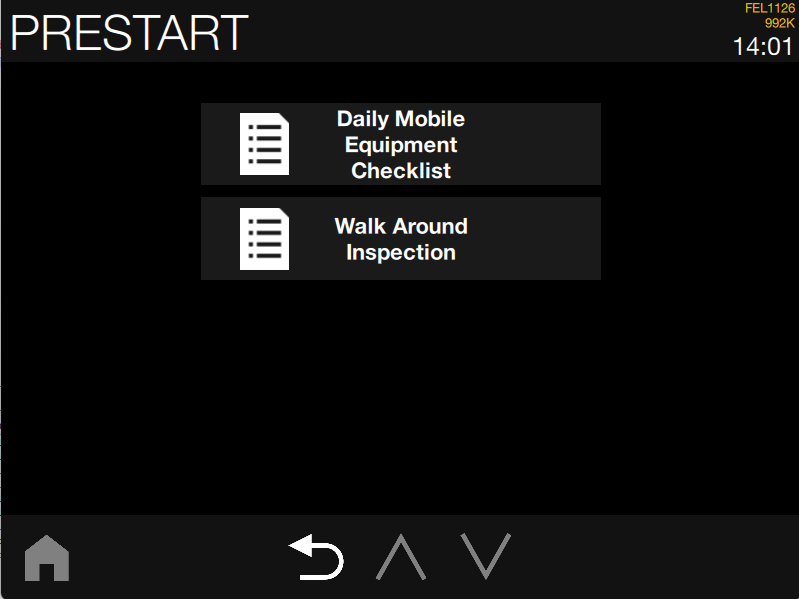
You can configure SQS Prestart base on the customers specific requirements on how they would use the prestart checklist which will determine how often SQS PreStart requires a pre-start checklist to be completed. PreStart policies are configured in the Master Data Editor.
You can choose one of five Policy Options when you assign a PreStart checklist to vehicles:
|
Policy ID |
Description |
|---|---|
|
0 - PreStart disabled |
No PreStart will be required. |
|
1 - First login per shift |
A PreStart is required once per shift when the first user logs in. |
|
2 - Unique login per shift |
A PreStart is required the first time each user logs in during the shift. |
|
3 - Change of login per shift |
A PreStart is required on every change of user during the shift. |
|
4 - Every login |
A PreStart is required each time a user logs in. |
-
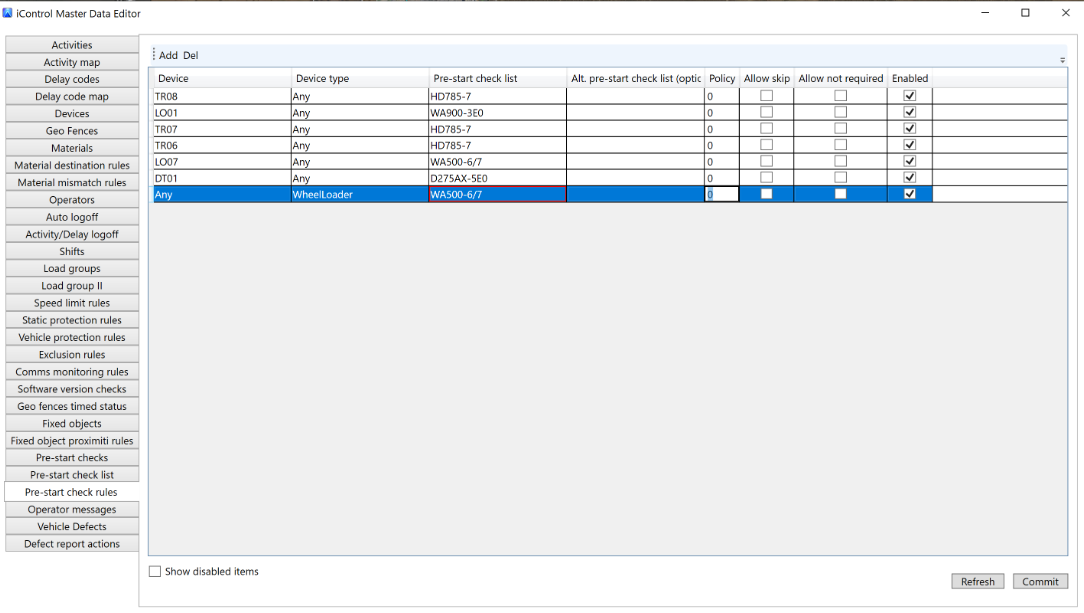
In iControl Master Data Editor, enter a number for the PreStart policy you want to use for each vehicle or vehicle type on the Pre-start check rules tab.
-
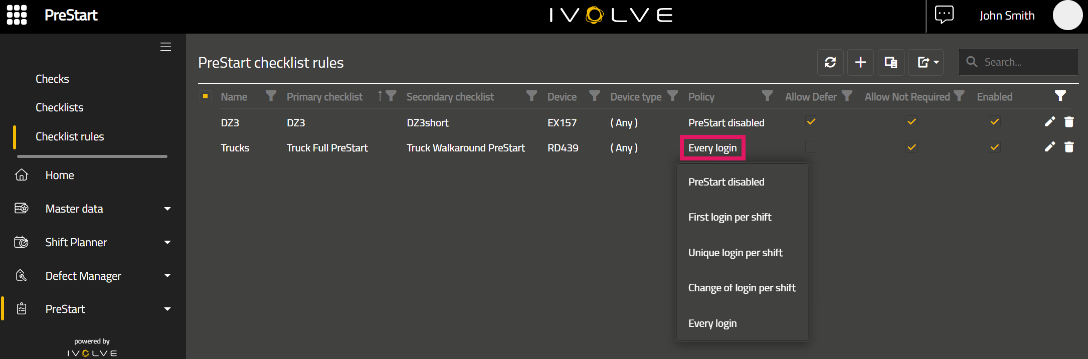
In GoLine Master Data Editor, you select the PreStart policy for each PreStart checklist on the PreStart > Checklist Rules tab.
Some Examples where you might use an “Alternate” PreStart is if the customer:
-
Runs multiple shifts and they Hot seat - In this case customer might want the first PreStart to be detailed and the Hotseat operator PreStart shorterned.
NOTE: Use PreStart Policies to match the application requirement of the customer and site
In Cabin Visualisation, when two PreStarts are selected.
In the case that Policy Option is selected 2 - Unique login per shift A PreStart is required the first time each user logs in during the shift
The Operator must make a choice - Example below: when they login for the first time in a shift