-
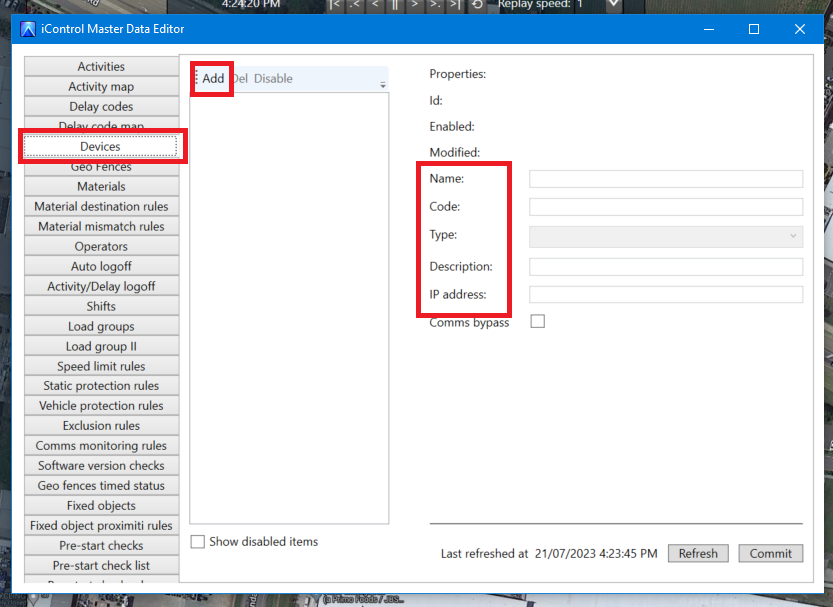
Click on Devices in the menu
-
Click Add
-
Fill in information:
-
Name = Fleet Number
-
Code = Serial Number
-
Type - choose from list
-
Description = Machine Model and type
-
Ip address = Subnet + iControl device ID number
eg; 10.129.156.ID
-
-
Click Commit
-
To get the ID number, finish adding the asset, then the ID is displayed at the top of the device details