-
Open iControl
-
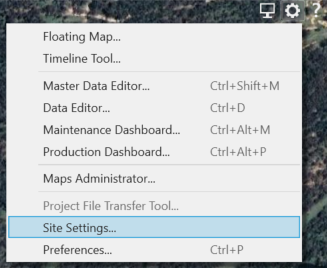
Go to Tools/Cog
-
Click on Site Settings
-
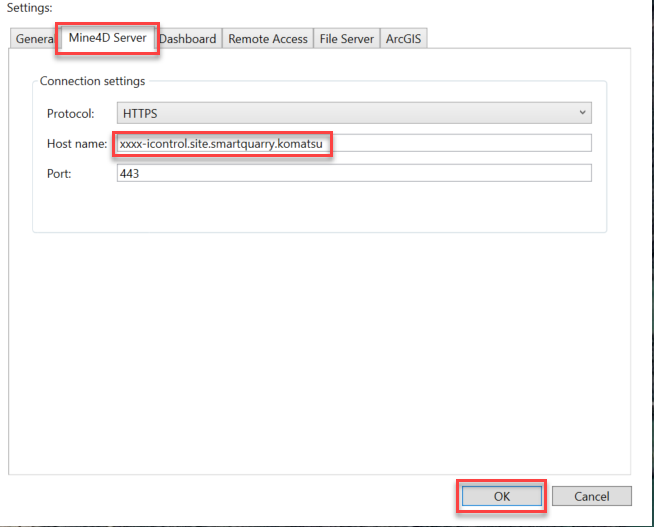
Click on the “Mine4D Server” tab
-
Under Host name, update the following:
-
After the first 4 letters, delete the rest of the URL and replace with:
-icontrol.site.smartquarry.komatsu -
Do NOT change the first 4 letters of the URL (eg; xxxx)
-
-
Click OK
-
Check that your site has connected if you can see this symbol in the bottom right hand corner of iControl

-
If an error code appears in the bottom right corner, please check the URL has been entered correctly
-
Call our support centre if you continue to have any issues - 1300 445 978
Note: This update needs to be performed on all sites a user has access to. Use the site list column under Site Settings to select and update the other sites.