
Streaming RTK Corrections via UHF
Please read UHF Radio Compliance Guide-
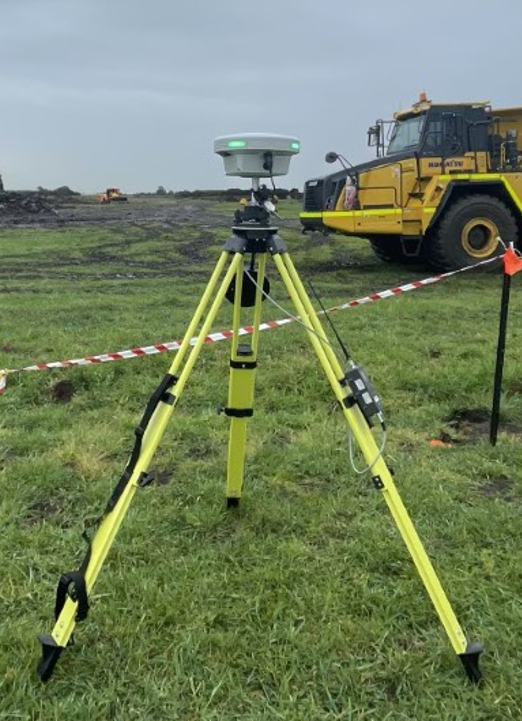
Do not connect the “Serial Cable” before powering On if you need to configure the Radio.
If the radio is Stuck in “Programming” mode.
-
Power off the Radio.
-
Disconnect the serial cable from the Radio
-
Power back On.
On Edge 2 (Base Mode)
-
Select Project and the Control point to start Edge 2 on.
-
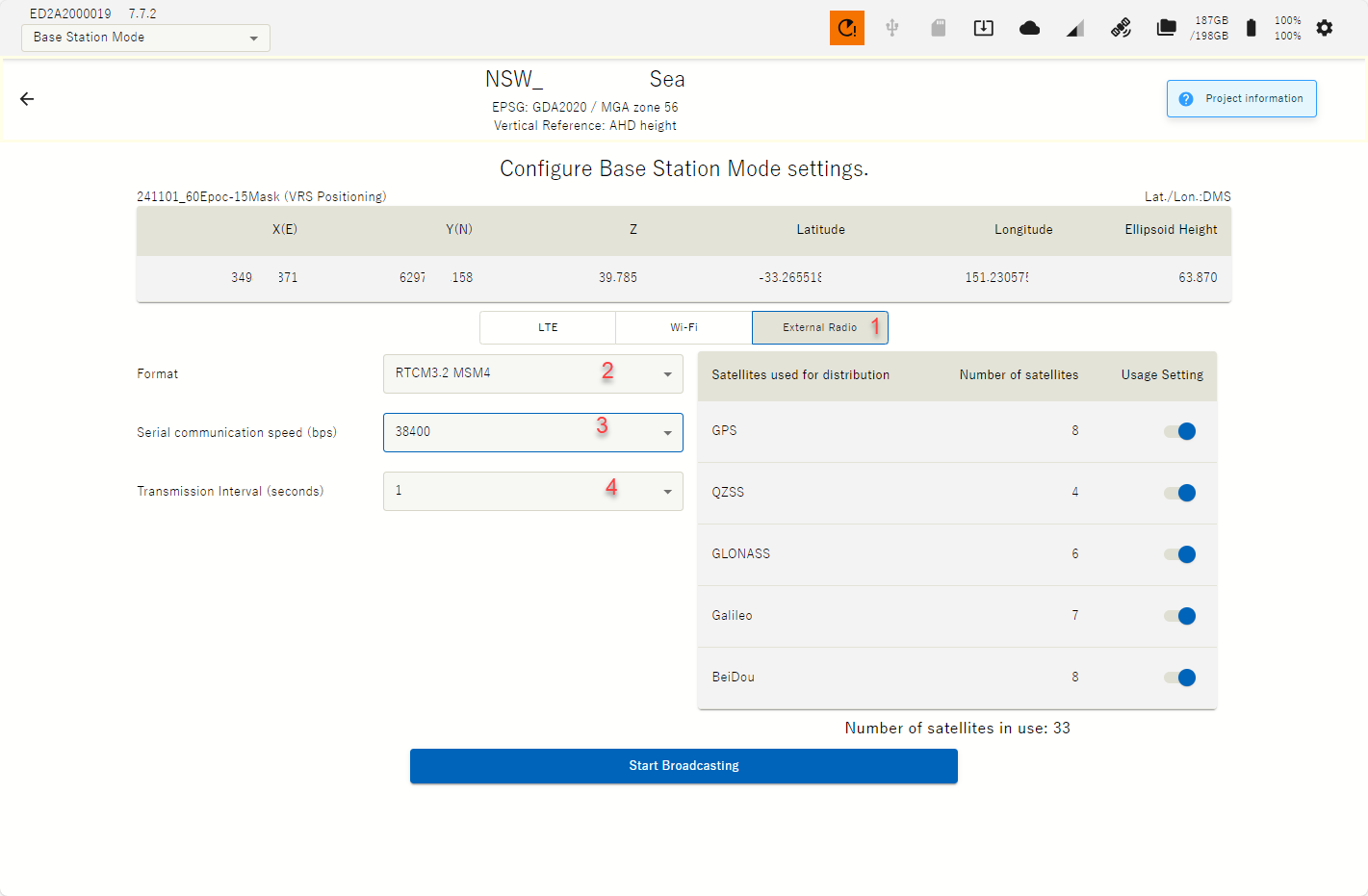
With the USB serial cable plugged into Edge & the UHF Radio configure Edge 2 & Satel Radio as required by following these proposed settings.
-
1. Select “External Radio”
-
2. Select compatible Format:
-
RTCM3.2 MSM4 for Multi-satellite constellation or
-
RTCM3.0 for GPS & Glonass only
-
-
3. Set Serial communication speed (bps): 38400
-
4. Set Transmision interval (seconds): 1
If the radio is Stuck in “Programming” mode.
-
Power off the Radio.
-
Disconnect the serial cable.
-
Power back On.
On Satel Compact Proof
-
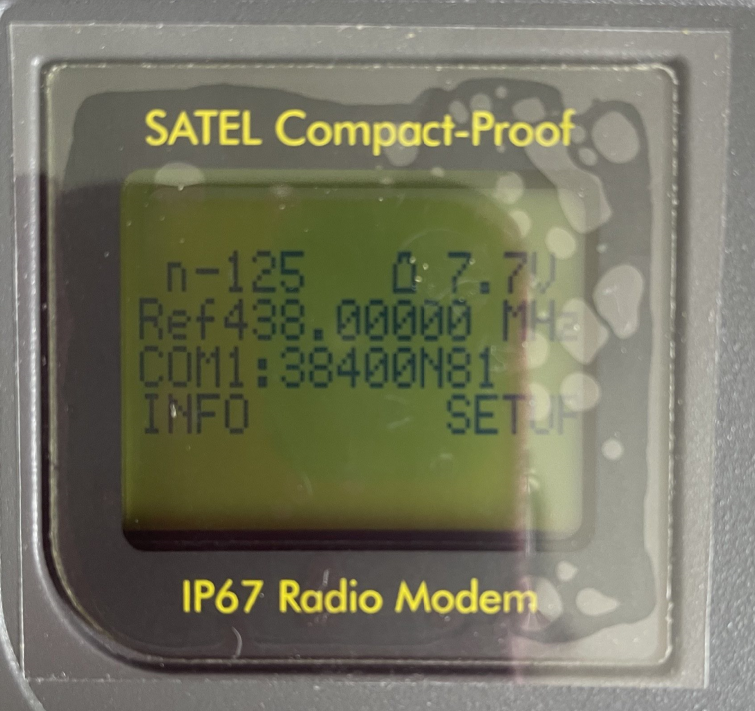
Set Baud Rate: COM1 = 38400
-
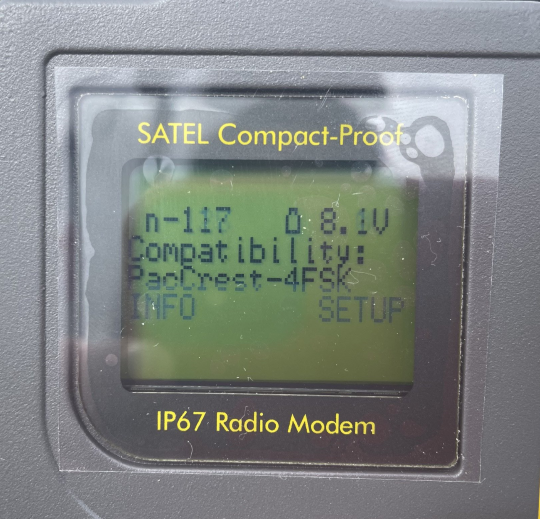
For Komatsu iMC, 3DMG & Topcon
-
Compatibility: PacCrest-4FSK
-
Frequency as per customers ACMA license with appropriate channel spacing i.e 12.5kHz, 25kHz
-
-
For Komatsu iMC, 3DMG, Topcon & Trimble
-
Protocal: Trimtalk
-
Frequency as per customers ACMA license with appropriate channel spacing i.e 12.5kHz, 25kHz
-
Consider turning off one or two of the Satellite Constellations to improve Fix rate.
i.e. Turn off QZZ, & Galileo Constellations