
Always follow this procedure when shutting down Edge2. Follow this procedure to turn off EdgeBox before removing the battery or AC adapter. As it may cause a short circuit and resulting an ignition or an electrical shock.
-
Tap Settings icon

-
Scroll down to tap “Shut Down SMART CONSTRUCTION Edge” in “Information and Operations” section of the Settings screen.
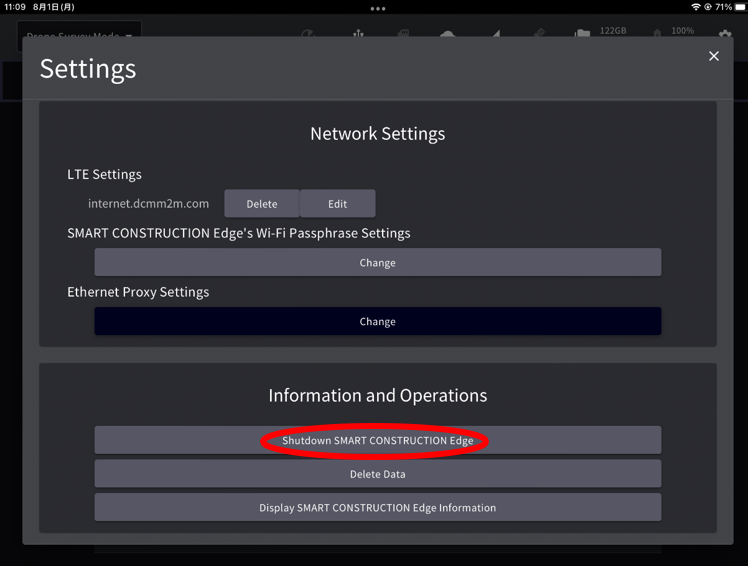
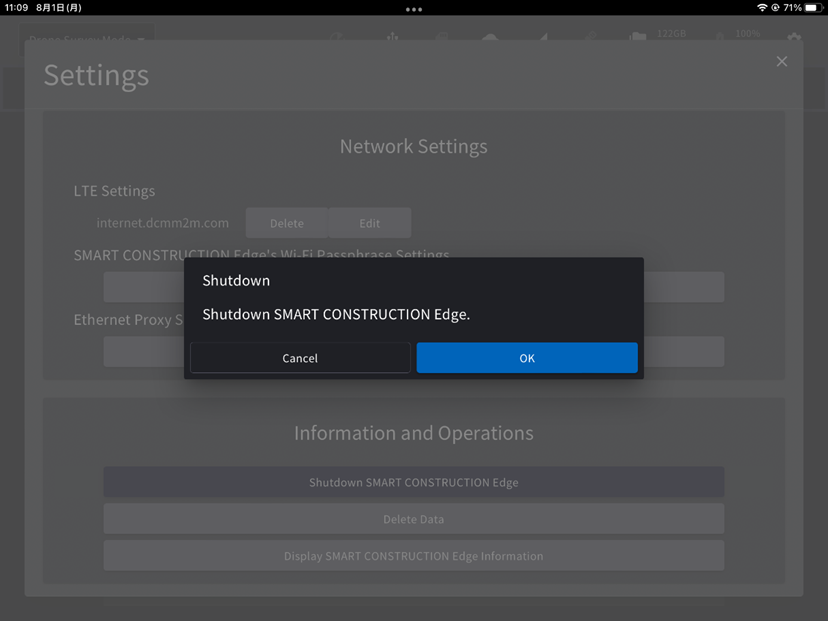
-
You can also turn off the power by pressing and holding the power button on the main body for about 4 seconds.
The Status LED on the main body will flash green during the termination process. The Status LED will go off when the exit process is complete.
Shutting off EdgeBox while doing the following can lead to data corruption or system unavailability. Please turn off the power AFTER these processes are completed.
・Point cloud creation
・ PPK logging
・ Data Transmission
・ Exporting data