
Turn on Edge2
-
Press and hold the power button on the EdgeBox for about 4 seconds.
The Status LED on the unit will flash in green while the main unit is running, and the Status LED will turn green when the starting process has completed.
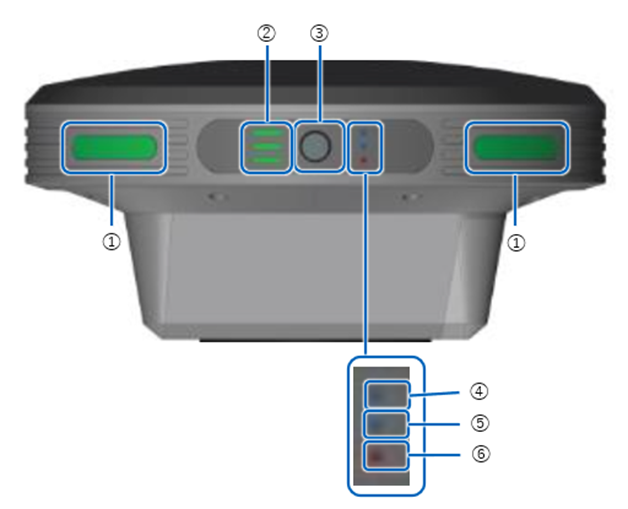
① Status LED
② Battery Indicator
③ Power Button
④ GNSS reception status LED
⑤ PPK logging status LED
⑥ Error / Update status LED