
SC Edge user requires a SC Cloud SfM Licenses on SC Dashboard for this feature.
You can select to send the flight data the flight data(Photos) to SC Cloud SfM for Processing if the project is linked to Dashboard indicated by the Dashboard icon


1. Selecting Destination of the generation process - SMART CONSTRUCTION Cloud
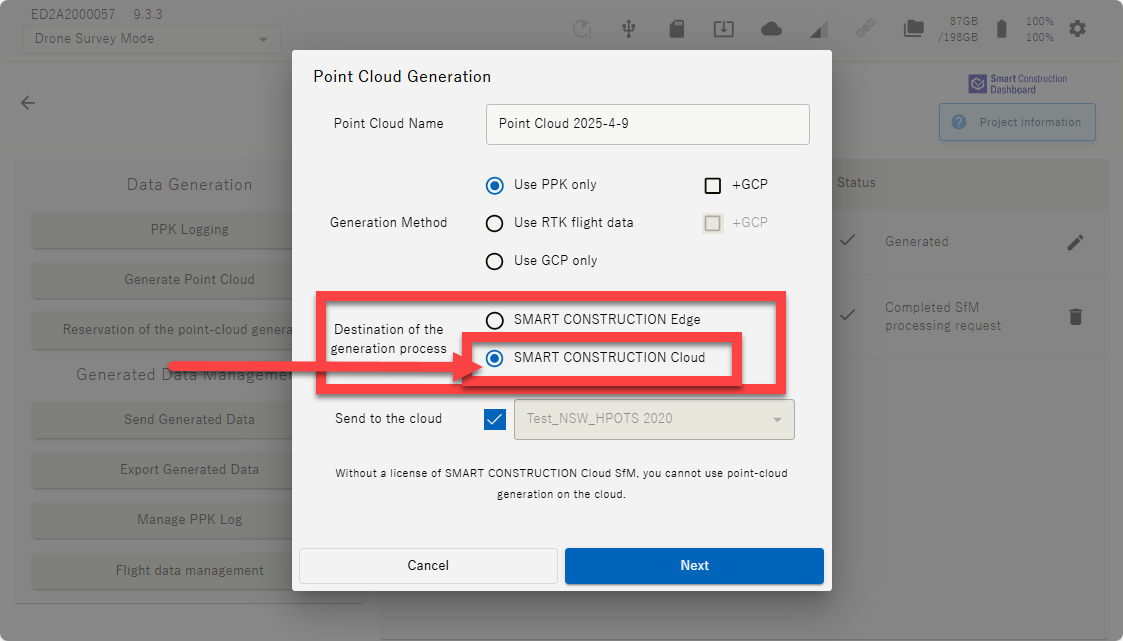
Your flight data will upload to the cloud and will be process on SC Cloud SfM.
The Quality of the drone data processed will be **ppm for Point cloud & *cm for the Orthophoto.
-
When selecting the processing parameters you need to set the Object removal filter, 10 for Extreme(Removes all objects & more in some cases) & 0 for No filter(All objects remain).
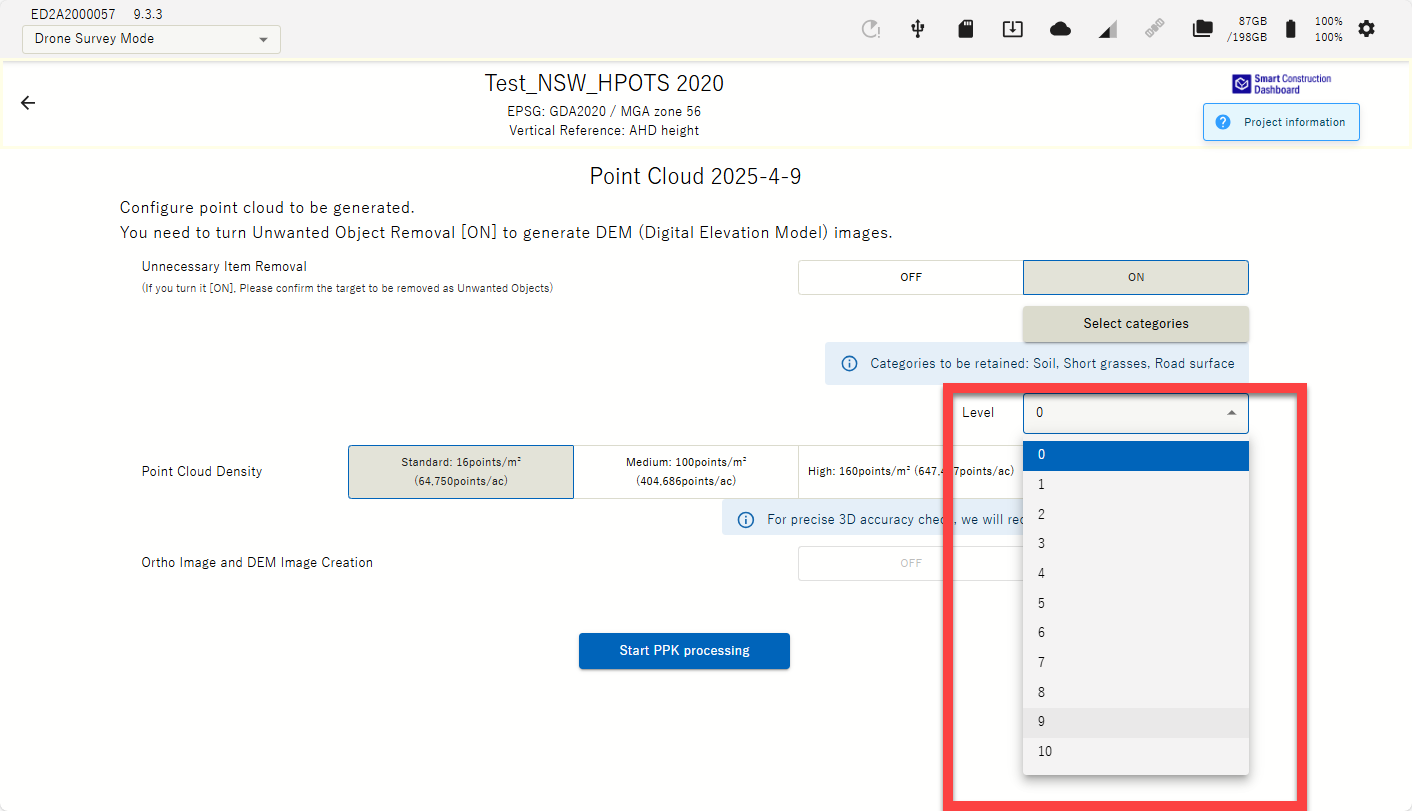

-
You will need to check after a while if your data is processed though SC Dashboard “Add data layer” function to add SC Edge2 data
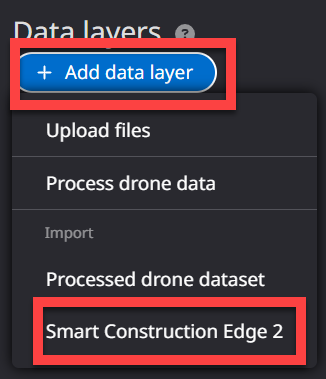
-
Selecting your dataset to import the individual data (Ortho, point cloud, dtm, etc) and press Next to start the tilling.
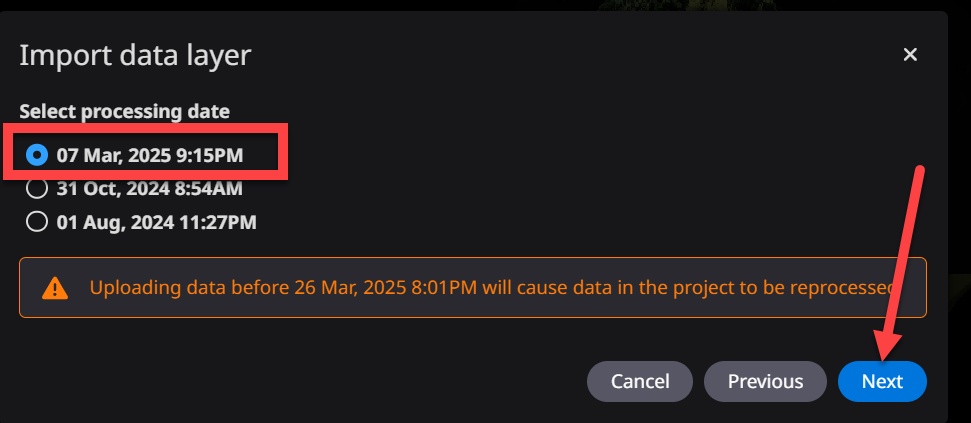
The point cloud density & object removal filter will be as predefined on Edge2.
The Orthophoto will be 1cm quality.