Introduction
This article provides a detailed explanation on how to set for managing the payload weight of owned construction equipment.
By registering payload construction equipment, the loading results will be displayed in “Payload Result”.
*To display the dump list of the job site where the payload construction equipment is registered on the tablet of a machine, settings must also be made on the tablet side.
Need to set hyper link to how to set up for PLM in a tablet(Confluence)
Procedures and Explanation
-
When linking a company's own construction equipment to the company's job site
-
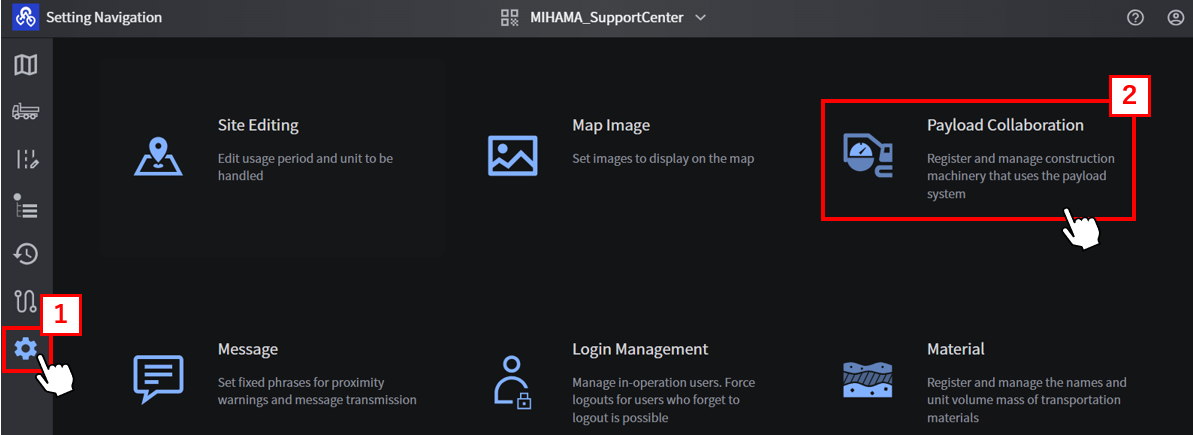
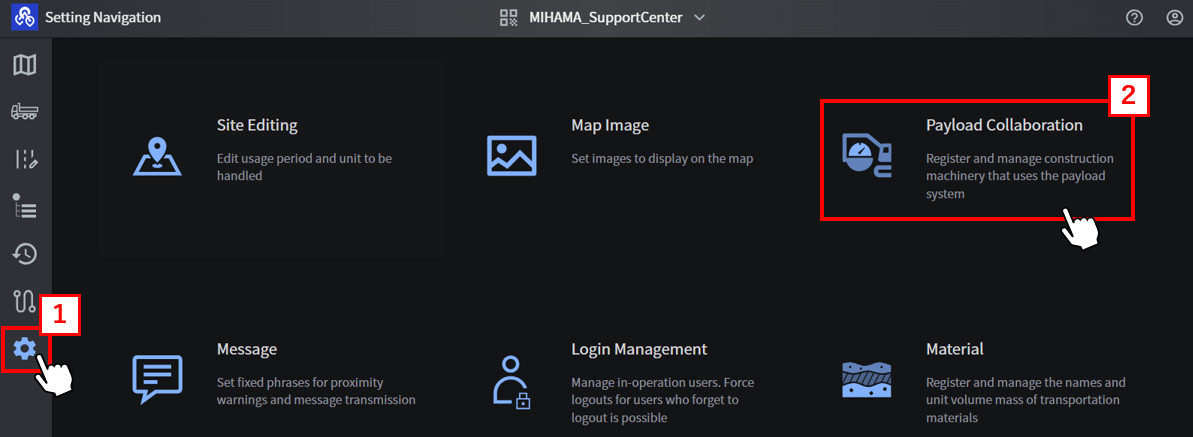
Log in with the user ID of the company that owns the construction equipment, and click 【“1” Setting icon】 then select 【“2” Payload Collaboration.】
-
Click 【“3” Use registration】 on the “Payload Collaboration” screen.

-
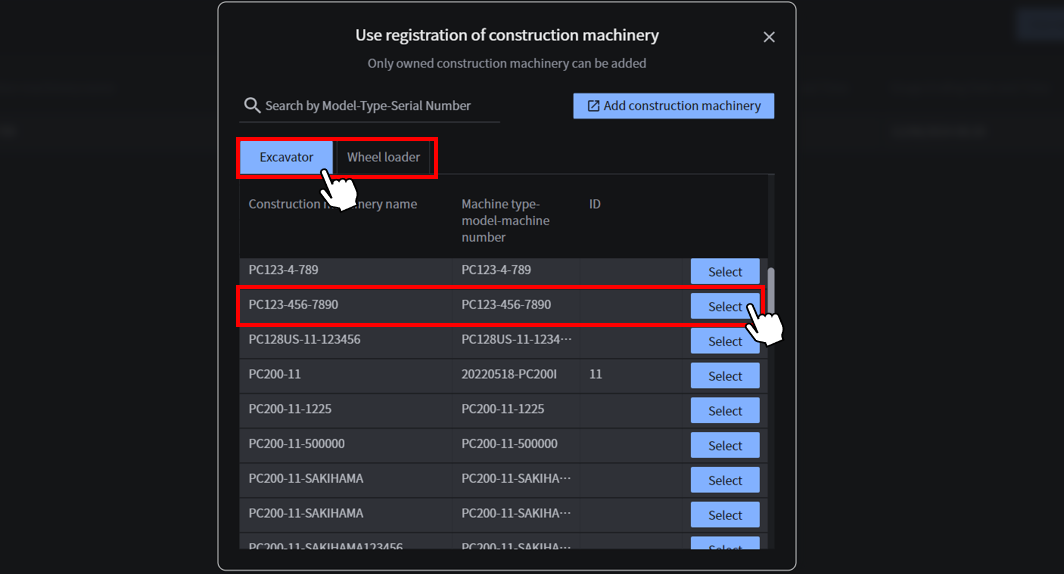
Select the type of construction equipment, and then choose the machine you wish to add.
-
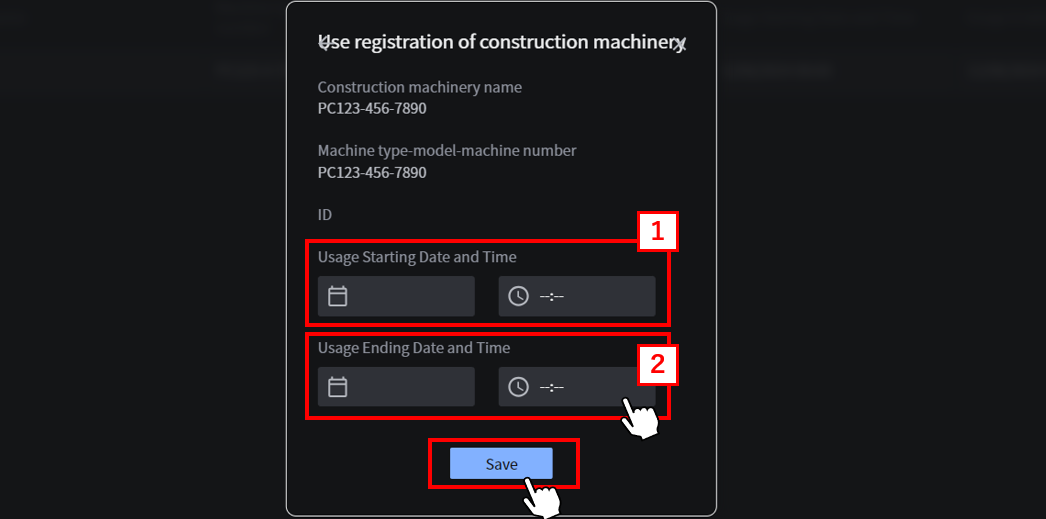
Register the 【“1” Usage Starting Date and Time】 and 【“2” Usage Ending Date and Time】, check that the information is correct, and click “Save”.
After the usage ending date, the connection will be disconnected.
Please allow plenty of time to set the connection time, and confirm the end of the connection each time you move to another site.
5.Registered payload construction equipment will be displayed.

-
When connecting the construction equipment owned by the company to another company's site
Invite the account of the owner of the construction equipment to the project site of another company, and perform steps 1 to 5 above with the account of the owner of the machine.
Supplementation
If you have not registered your construction equipment, you will not be found when searching.
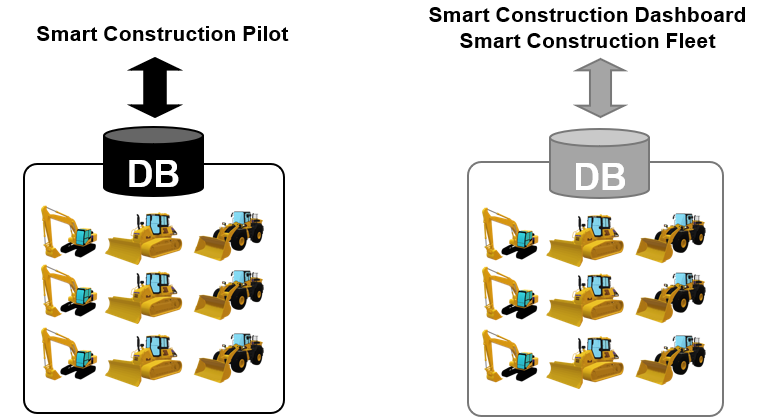
The construction equipment database used by Smart Construction Fleet is a different database from that used by Smart Construction Pilot (web app), so even if your construction machine is registered in Pilot, you may need to register it in Fleet.
The construction equipment registered in Fleet will be listed in the database of machine that can also be used in the Smart Construction Dashboard.
*Please make sure that you do not make any duplicate or incorrect registrations.
Registering construction equipment information Registering construction
in addition to controller information equipment information
-
Log in with the user ID of the company that owns the construction equipment, and click 【“1” Setting icon】 then select 【“2” Payload Collaboration.】
-
Click 【“3” Use registration】 on the “Payload Collaboration” screen.

-
Click 【“1” Add construction machinery】 and register it.