
Introduction
This article provides a detailed explanation on how to check the time required from the loading point to the unloading point.
The time required for one cycle from loading to unloading can be checked by vehicle and by location, and is useful for examining routes and managing the number of dump trucks.
Procedures and Explanation
-
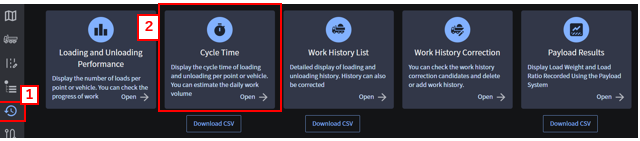
Click on the 【“1”Results】 icon, and then select 【“2” Cycle Time.】
-
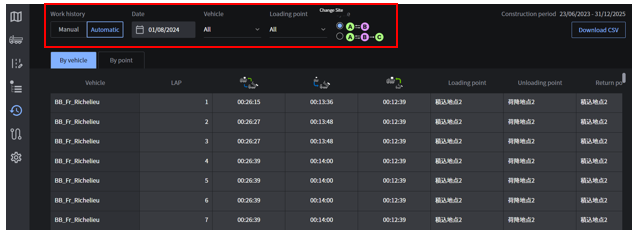
Select the work history you want to view cycle time for, or specify the date, the loading/unloading results will be displayed.
*There are two ways to calculate the cycle time, so please select the way you want to check.
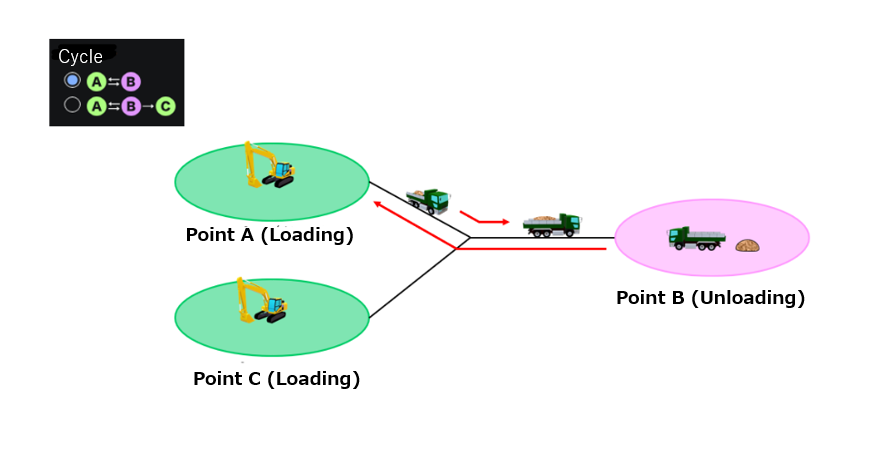
Calculation Patterns of Cycle Time
A ⇔ B: One cycle is counted as the return to the same loading point.
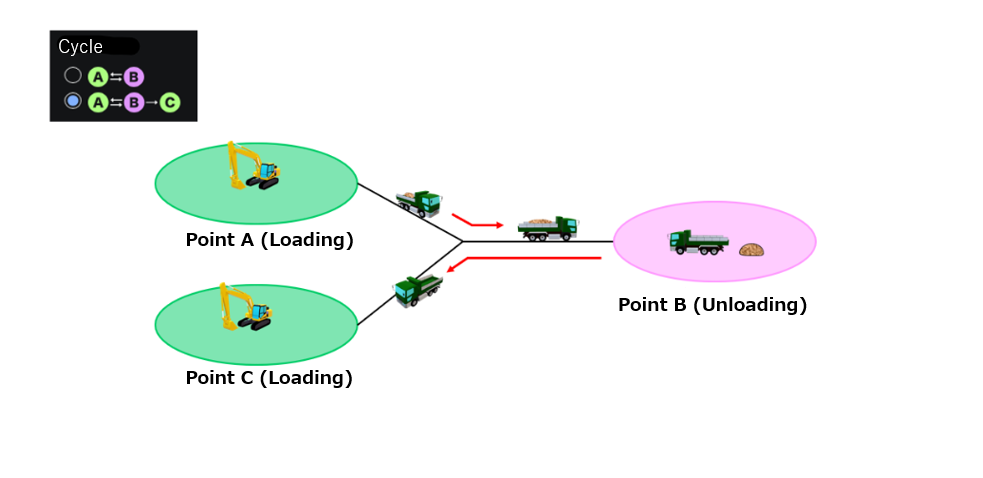
A⇔B→C: All the cycles from loading area to unloading area (or from unloading area to loading area) are counted as one lap, regardless of the loading point.
Display of cycle time results
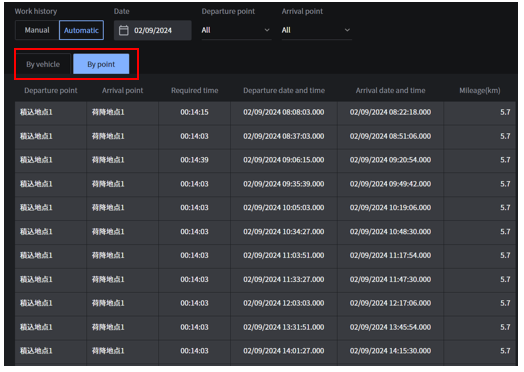
Cycle time results can be displayed by vehicle and by point.
Supplementation
How to output cycle time data
-
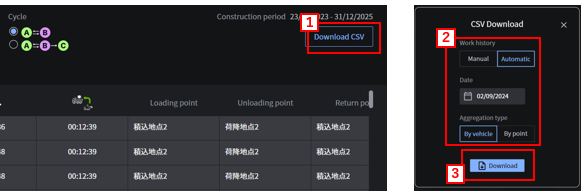
Click 【“1” Download CSV.】
-
Select the registration method of 【“2” work history (Manual/Automatic), date, and aggregation type (By vehicle/ By point)】 and click 【"3” Download】 to output the data in csv format.
The following is the output data.
Aggregation Type: By vehicle
Output items
Vehicle, LAP, loading - time required for loading, loading - time required for unloading, unloading - time required for loading, loading point, unloading point, return point, registration method, travel distance
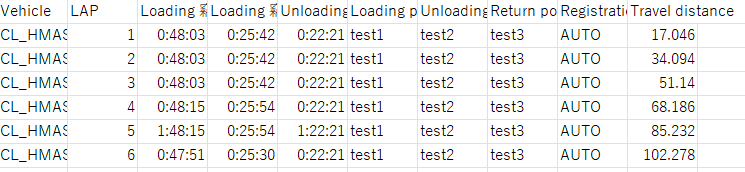
Output file name:
“operationHistory-daily-pointHistoryCycles-{construction site ID}-{yyyyMMdd}.csv
Aggregation Type: By Point
Output items
Departure point, arrival point, travel time, departure date, departure time, departure time (milliseconds), departure time (time zone), arrival date, arrival time, arrival time (milliseconds), arrival time (time zone), registration method, travel distance
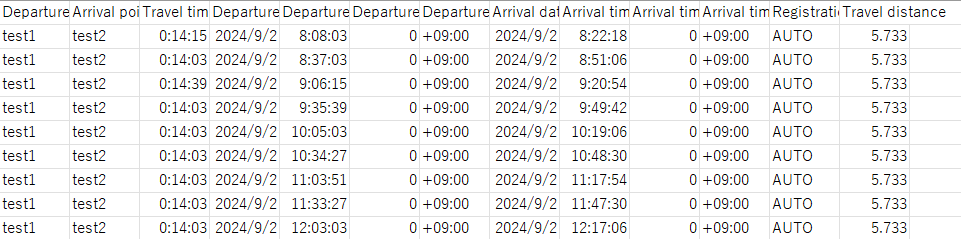
Output file name:
“operationHistory-daily-pointPairCycles-{construction-siteID}-{yyyyMMdd}.csv”