-
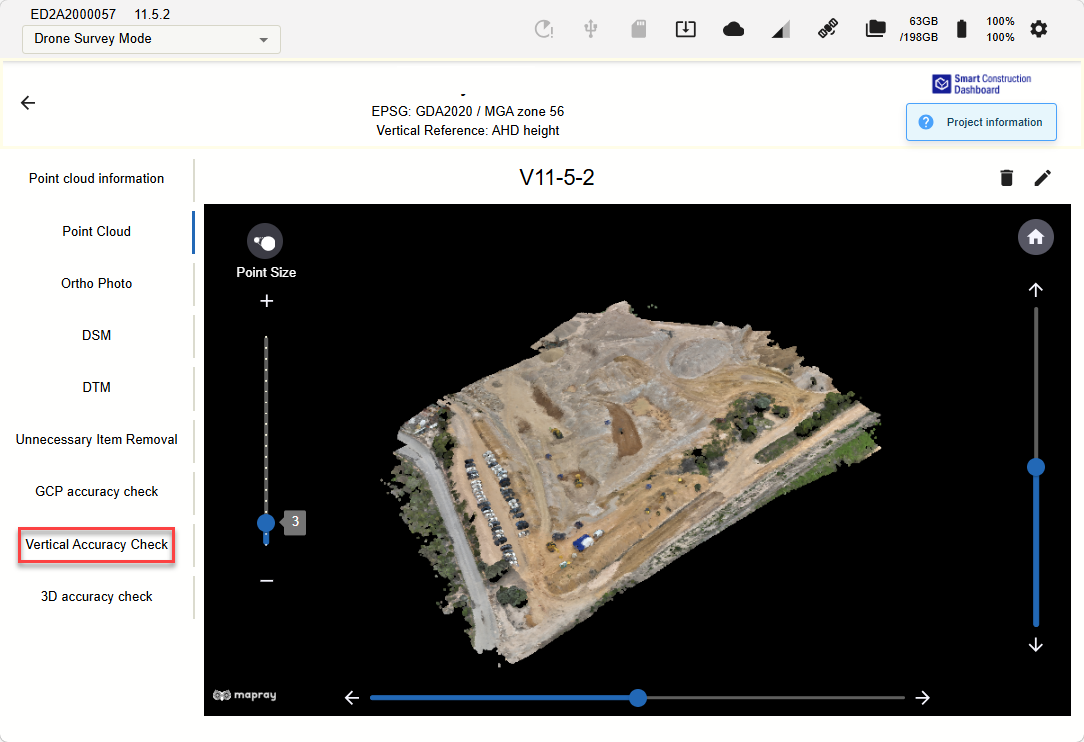
Press the “Vertical Accuracy Check” function
-
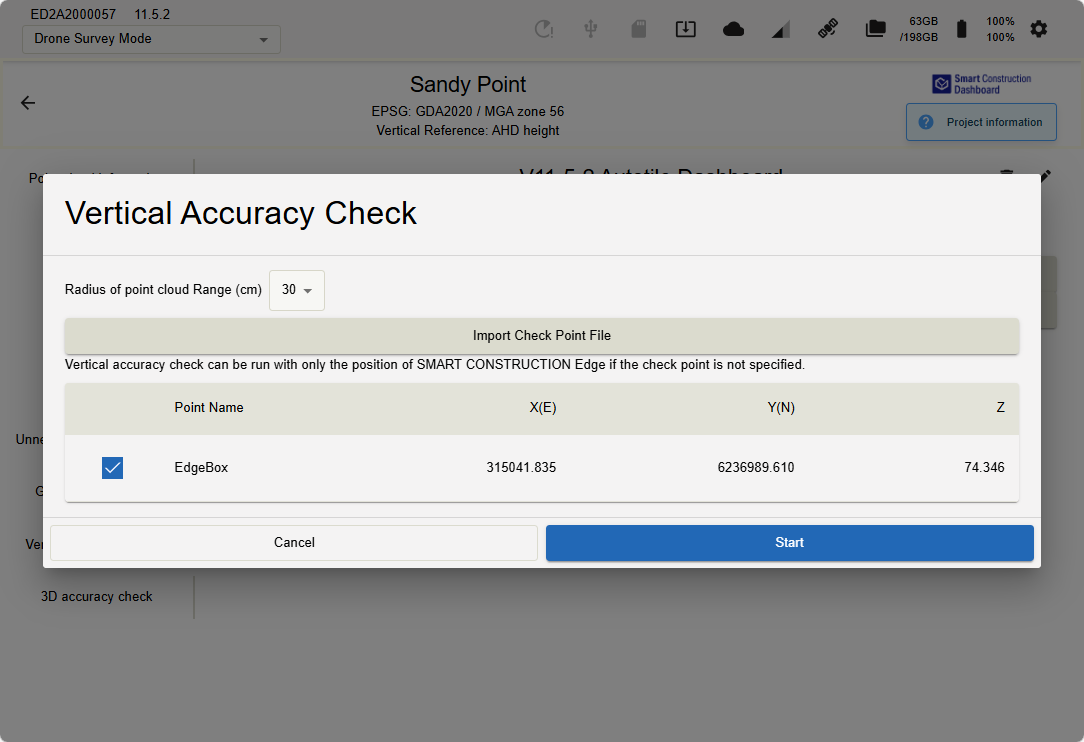
If the Edge was within the flight plan, the Edge will be used to check & adjust the point cloud
-
If the Edge was outside for the flight plan “Import Check Points File”
-
Import from USB the first time
-
2nd time import from the Edge
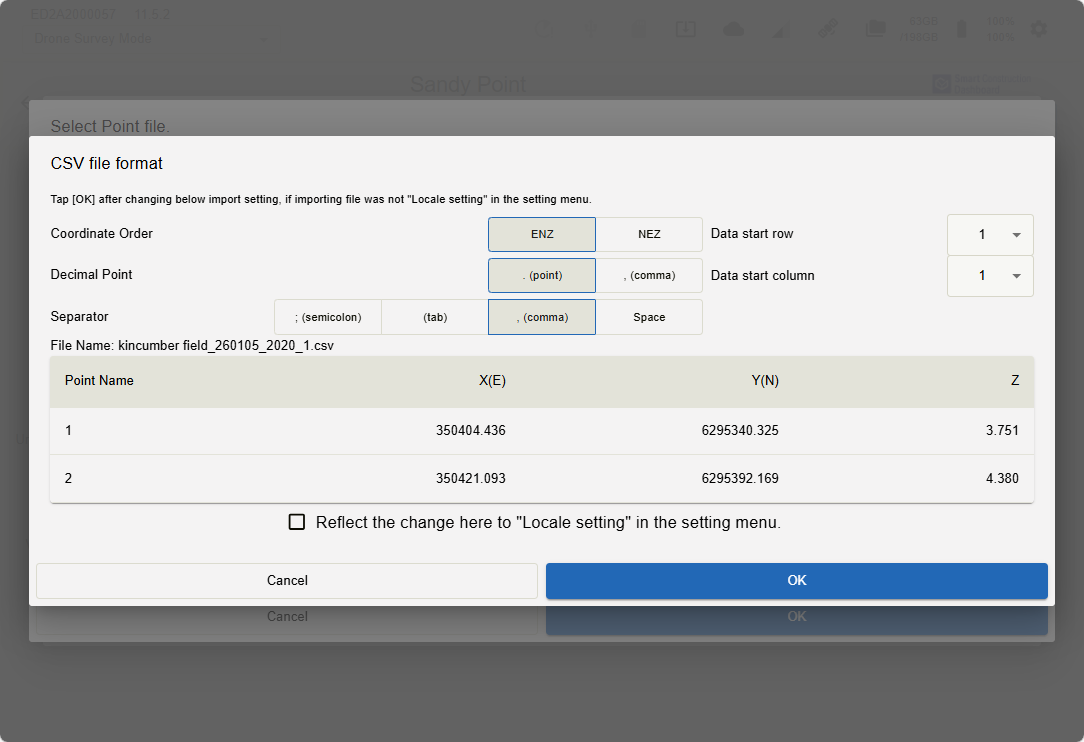
Import the selected Check Points/GCP’s
-
-
-
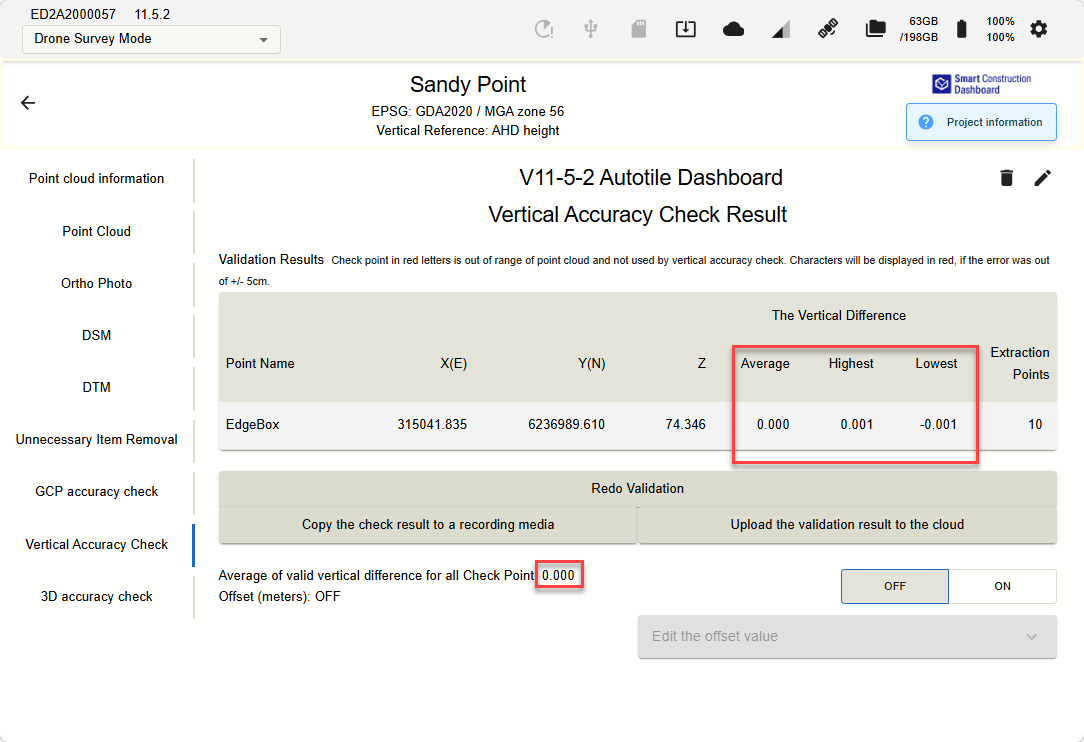
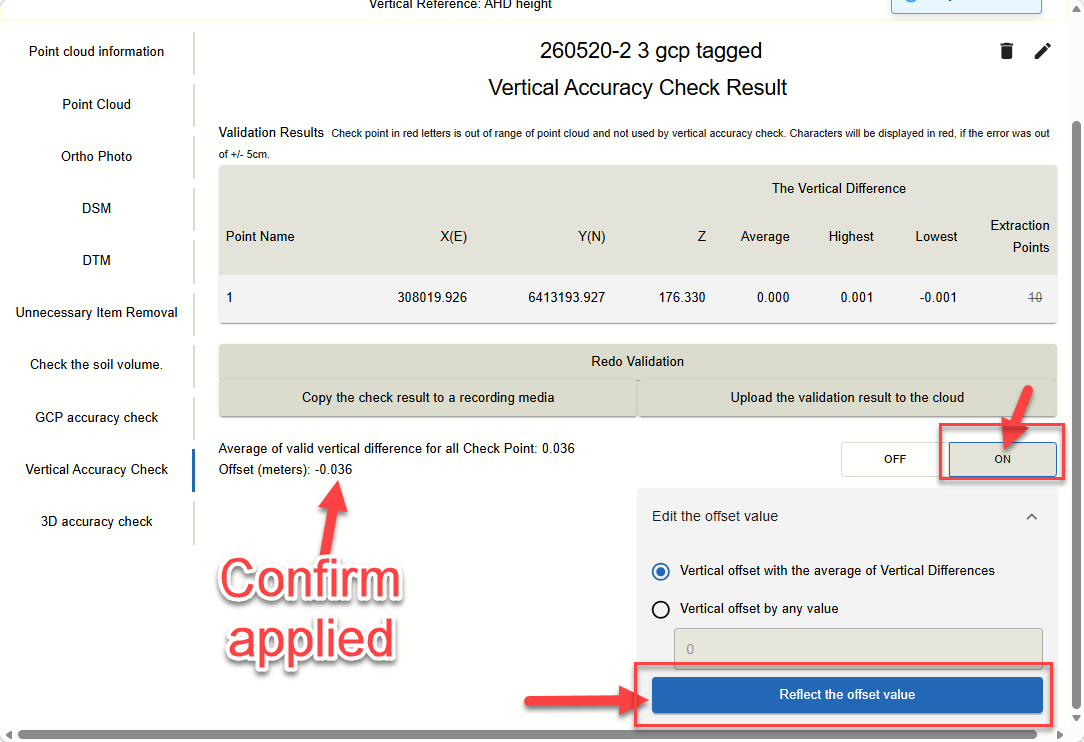
Review the results
-
Apply the vertical offset by pressing
-
“ON”
-
“Reflect the offset value
-
Confirm its applied
-
