
POINT CLOUD VIEWER SCREEN PART NAMES
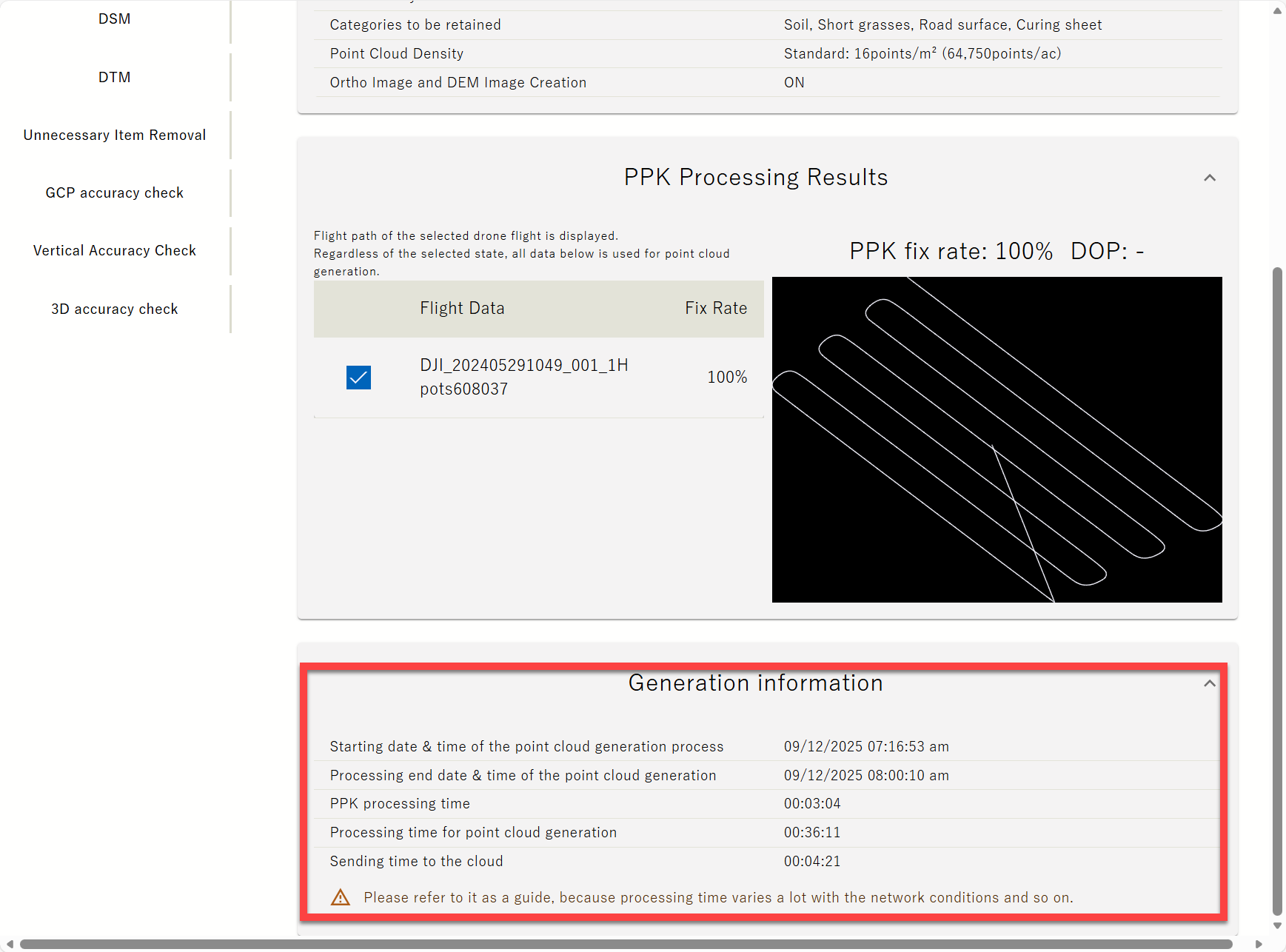
In point cloud information Scroll down to "Generated Information" is displayed
Point Cloud: Displays the generated point cloud
Ortho Image: Displayed only when the Ortho image option and DEM image option was "ON" upon the point group generation. Select to display the ortho image.
DSM/DTM: Displayed only when the Ortho image option, DEM image option and Unwanted Object analysis was "ON" upon the point group generation.
Vertical Accuracy Check: Enables you to verify the accuracy of the generated point cloud.
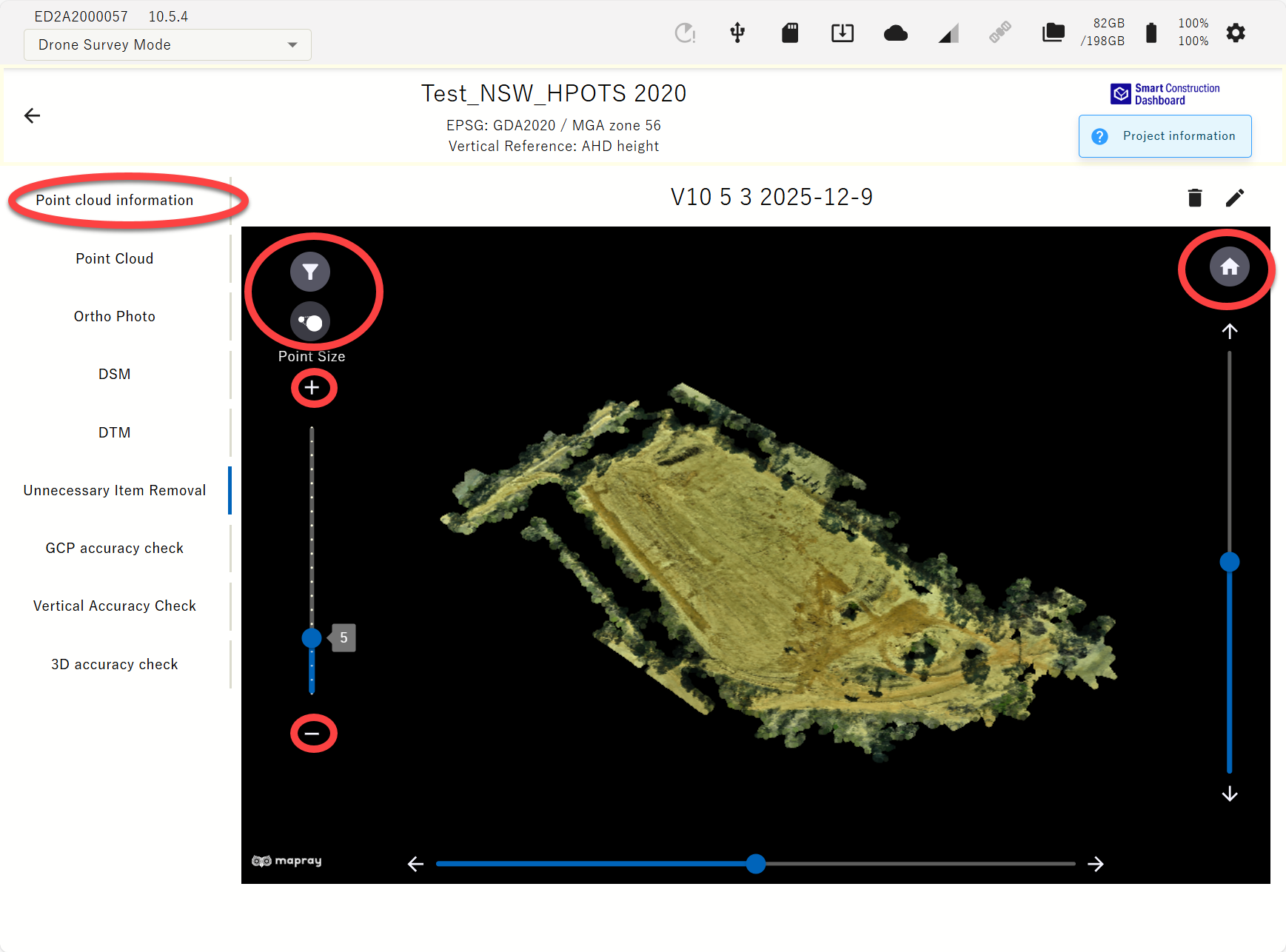
Unwanted Object Removal: Only displayed when Unwanted Object Removal was "ON" upon point cloud generation. If this was selected, displays a point cloud with the Unwanted Object Removal filter applied. You can also change the strength of the filter by tapping the “Filter” icon. The intensity of object removal can now be changed with the +/- buttons as well as the slide bar.
The point cloud displayed in the Viewer area can be ・ Shrink/Enlarge: Pinch in/out Vertical/Horizontal Rotation: The slider in the Viewer Area is displayed vertically and horizontally.
You can also use the arrow buttons to fine-tune
・ Reset: Tap the icon “Home” to reset the Viewer Area operation to the initial conditions
Tap the trash icon to delete data from the viewer screen
DRONE FLIGHT PATH DISPLAY (ONLY WHEN ORTHO IMAGE WAS GENERATED)
-
Tap “Ortho Image” in the Point Cloud Viewer screen
-
Tap the icon in the upper left corner of the viewer
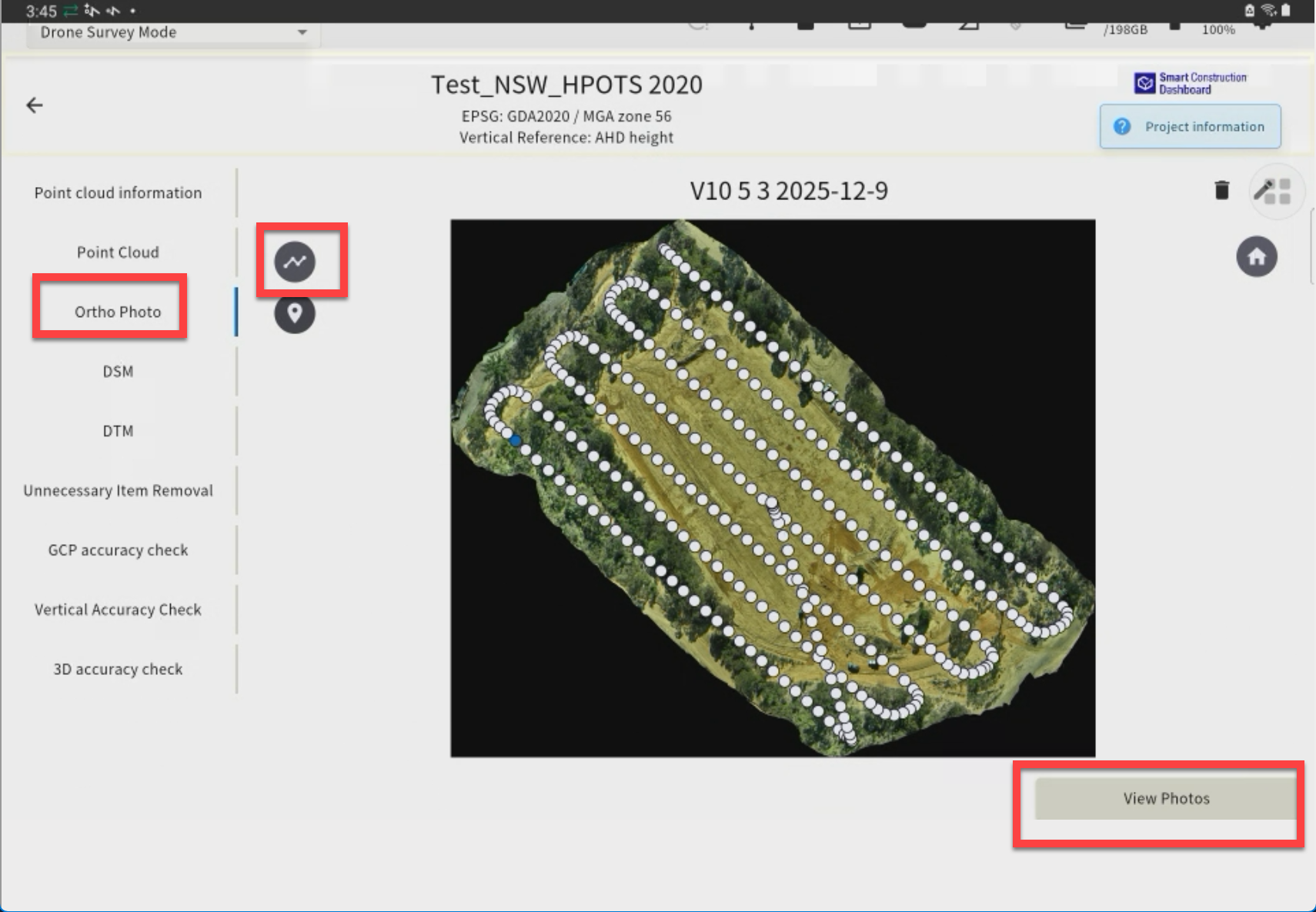
Displays the flight path of the drone. Tap ○, then tap the "View Photo" button to show the image taken at that point.
UNWANTED OBJECT REMOVAL FROM THE POINT CLOUD
EdgeBox's Unwanted Object Removal feature uses a proprietary algorithm to calculate the "Unwanted Object Likeliness" score, and you can change the filtering strength.
CHANGE THE STRENGTH OF POINT CLOUD JUNK REMOVAL
1. Tap “Unnecessary object Removal” in the Point Cloud Viewer screen 2. Tap the icon in the upper left corner of the viewer and use the slider to adjust the strength of the unwanted object removal.