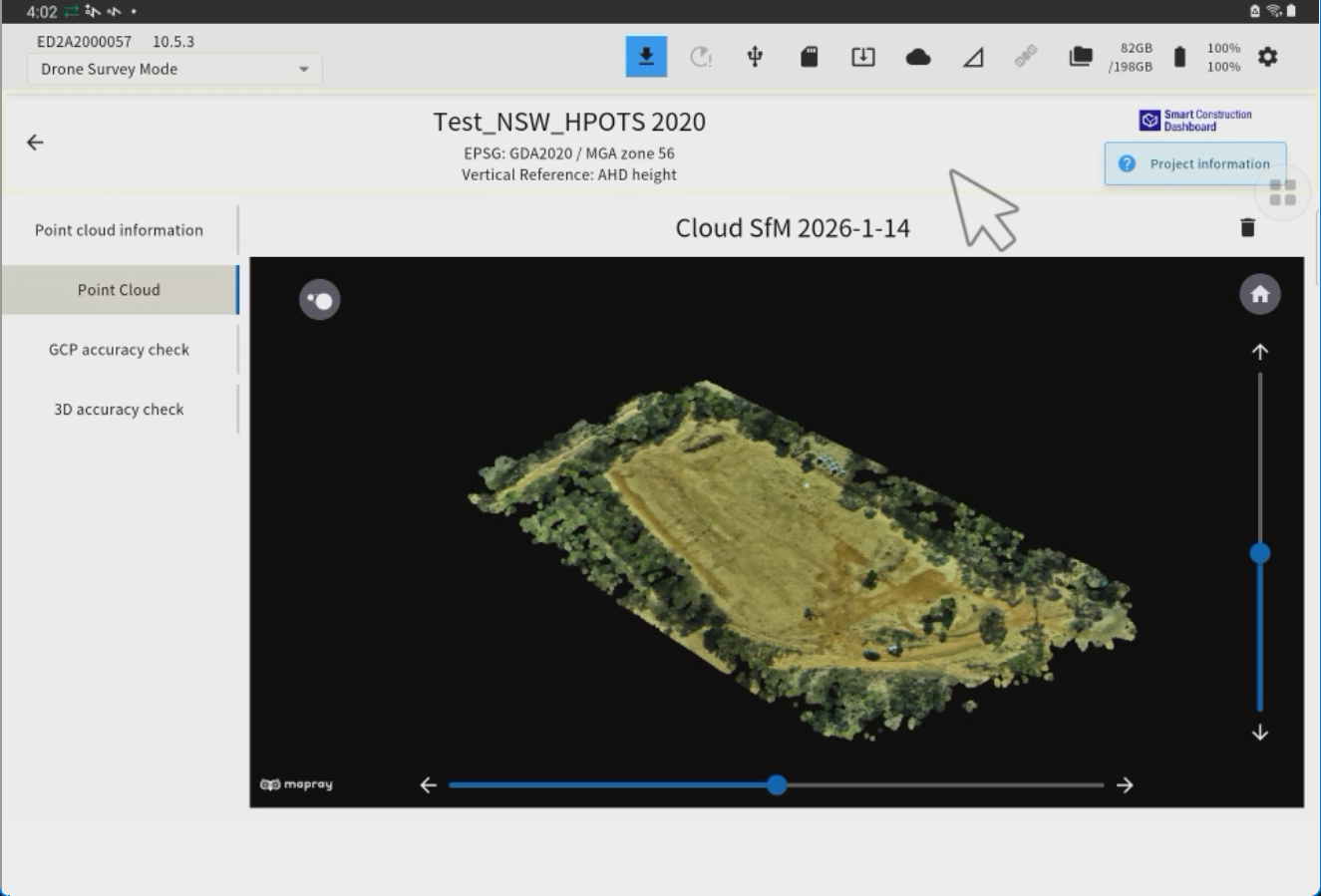
We have added a new feature that allows point cloud generation, visualisation, and accuracy verification using Cloud-based SfM processing for large-scale sites that cannot be handled within Edge2.
The SfM processing results (point clouds) completed on SC Cloud can be viewed in the Edge2 application.
The Edge2 application tracks the progress of SfM processing on SC Cloud until completion.
Tap ‘’ Generation Point Cloud’’
“Select “SMART CONSTRUCTION Cloud” and the cloud destination, then tap Next.
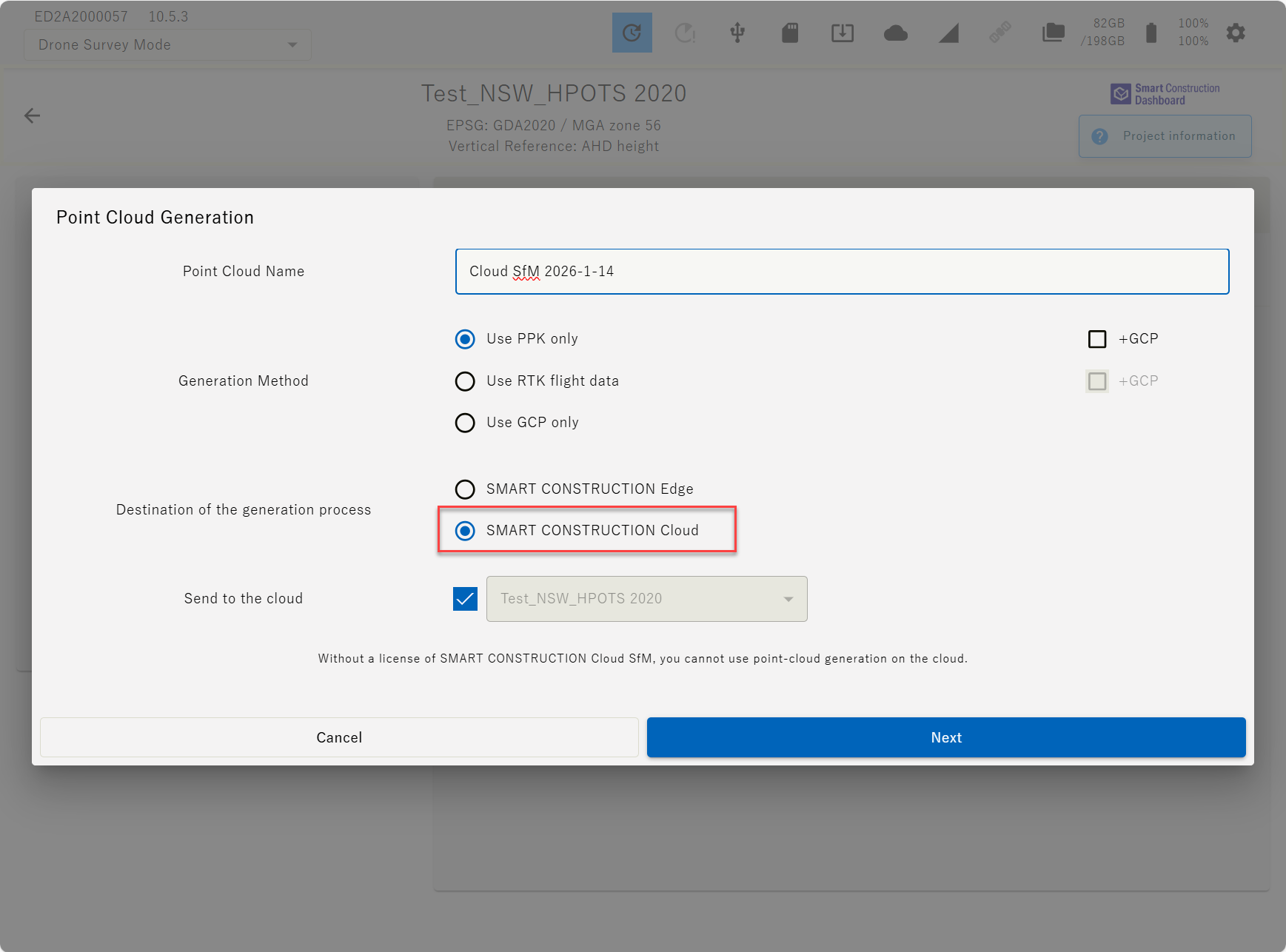
Display Conditions for SMART CONSTRUCTION Cloud
-
Network must be online
-
Cloud account must be logged in
-
UI language must be set to Japanese or English
Select the flight data, then tap Next.
Set the conditions for the point cloud to be generated, then tap “Start PPK Processing.”
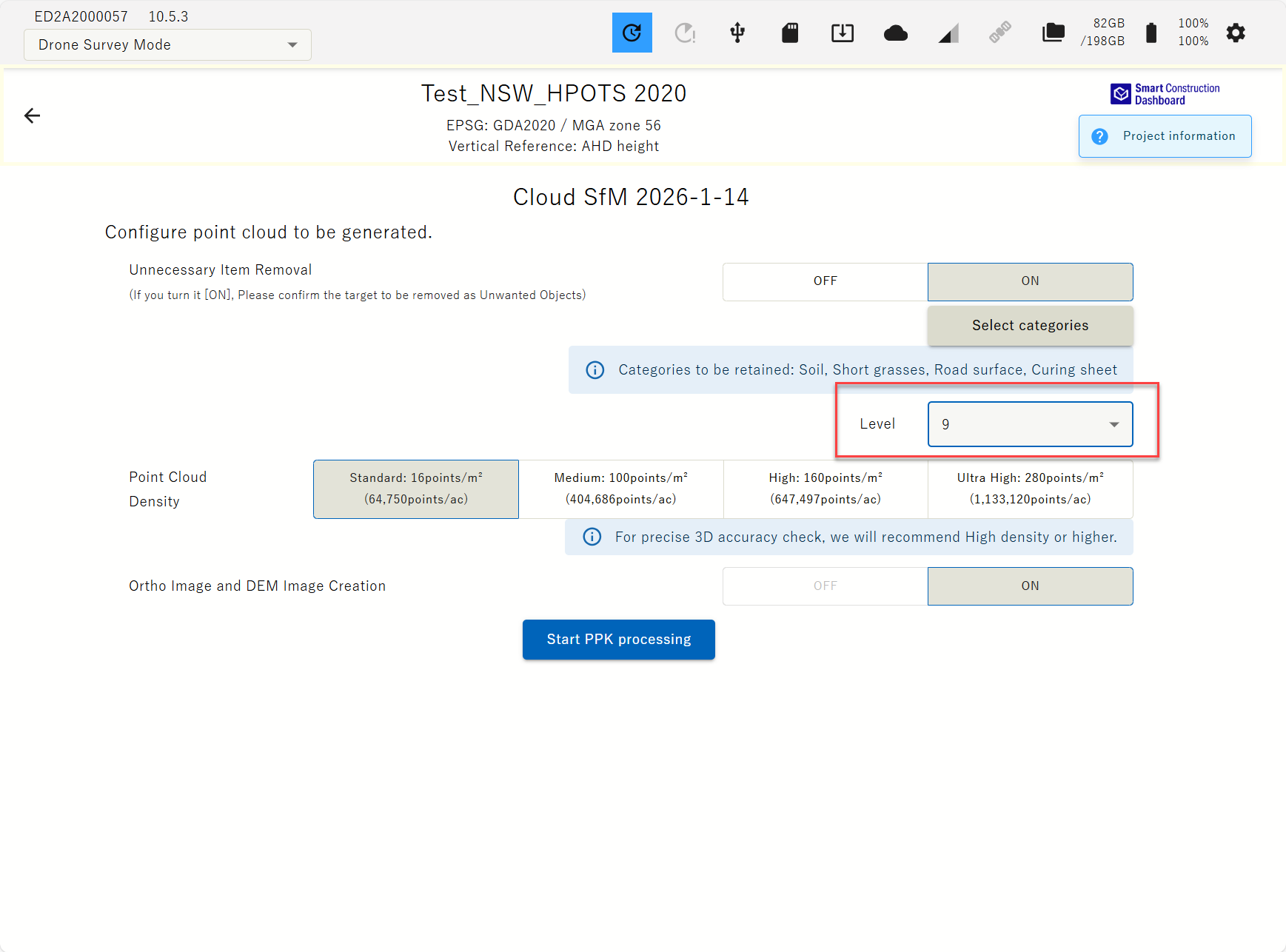
Predefine the object removal strength based on your previous experience.
1-4 removes some noise
5 removes most noise
6-10 removes more noise
Once PPK processing is complete, tap “ Generation Start.”
Sending flight data
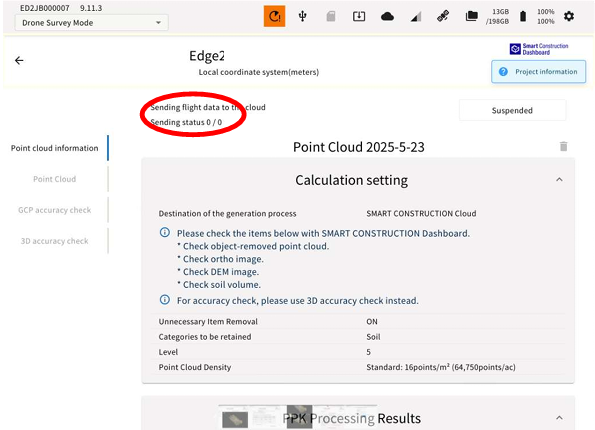
Generating point cloud on cloud
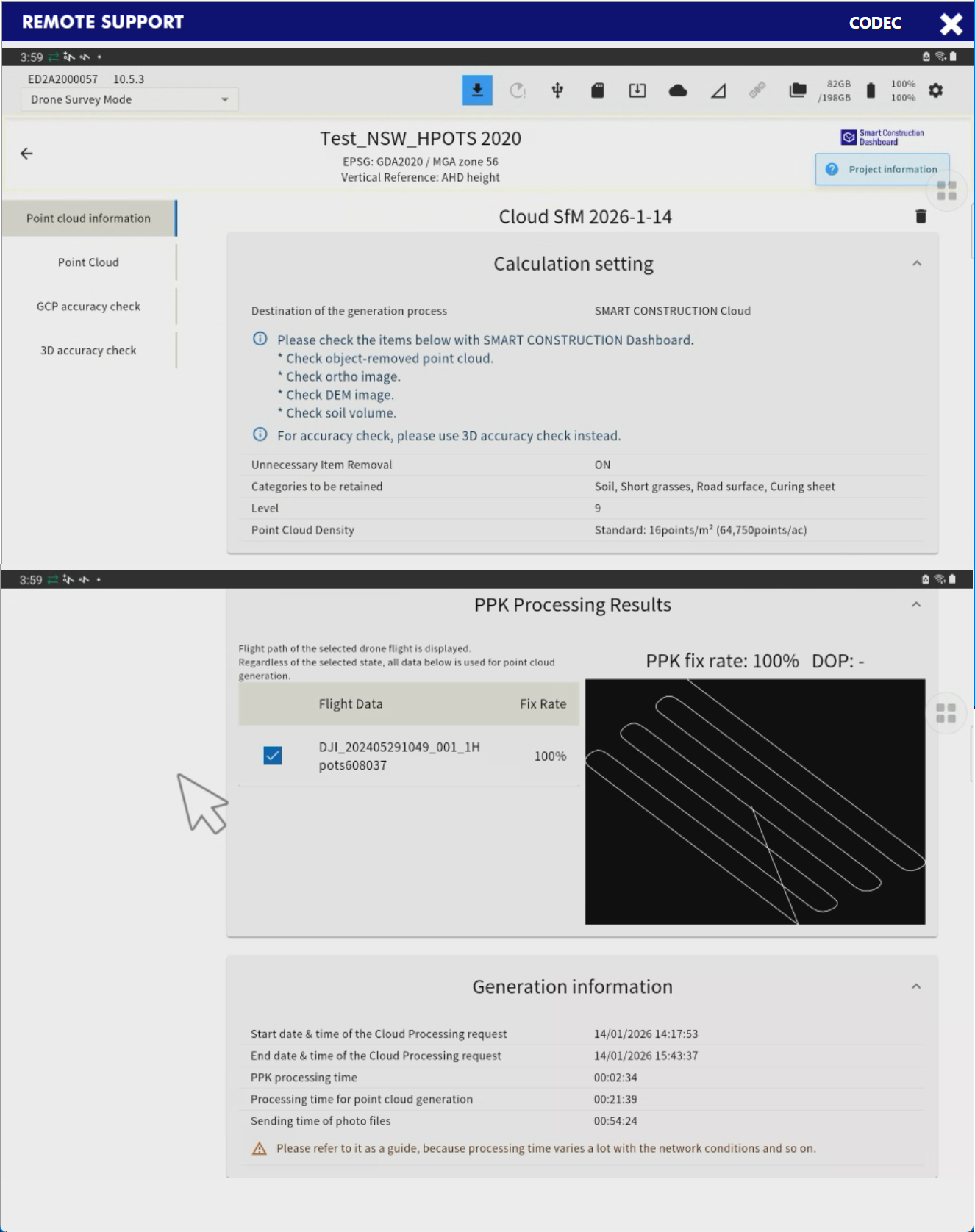
Once point cloud generation is complete, the point cloud will be displayed in the Edge2 application. (Display only; the point cloud data will not be downloaded to Edge2.)
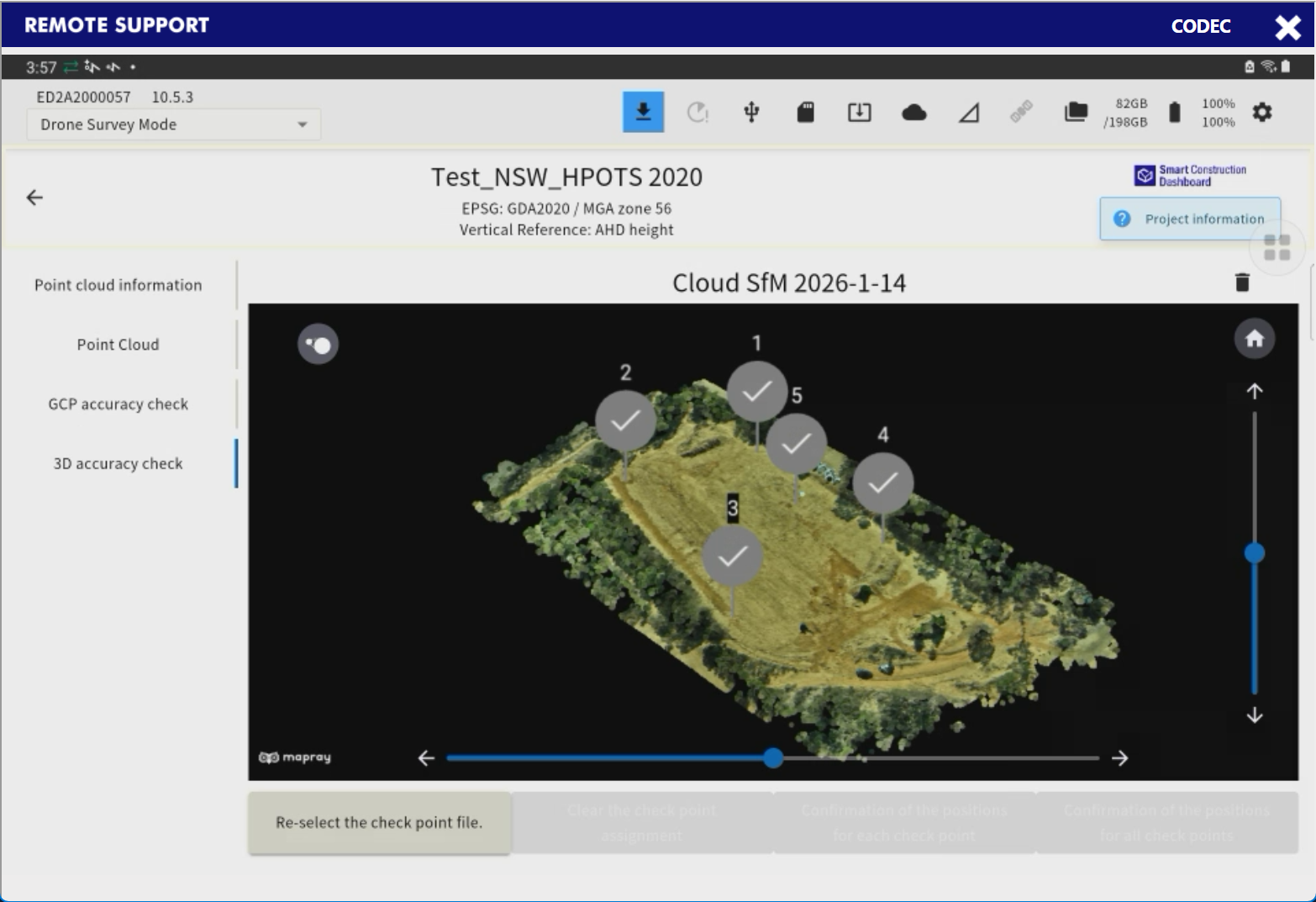
Accuracy verification on Edge2 app
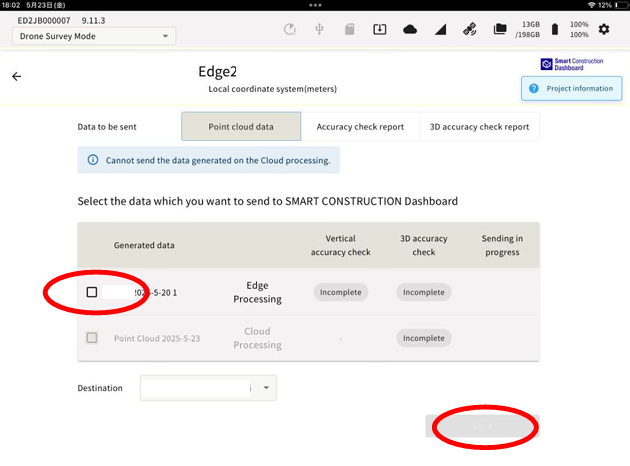
Select the results you want to send and tap “Send
View the generated point cloud