
You must enable the Messages app in SQS before an operator can receive and acknowledge messages.
To enable the Messages app:
-
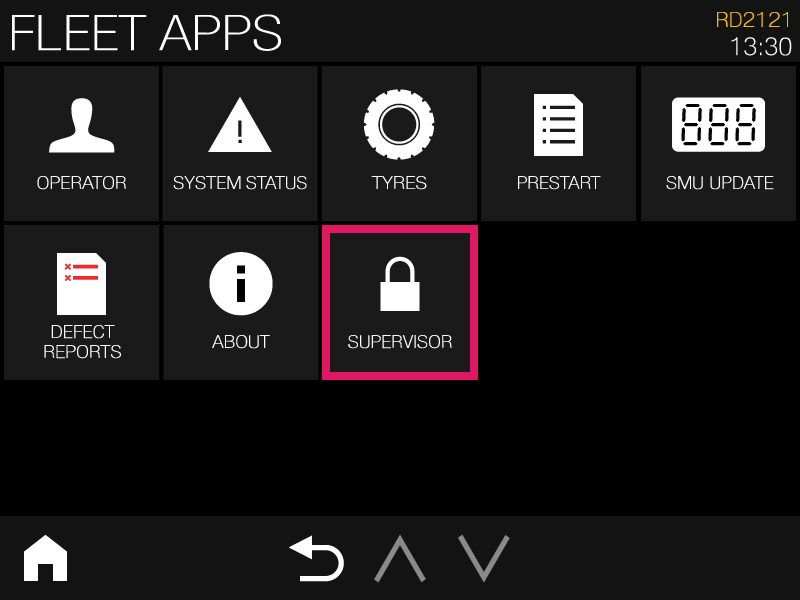
Unlock Supervisor tools in the Fleet Apps page.
-
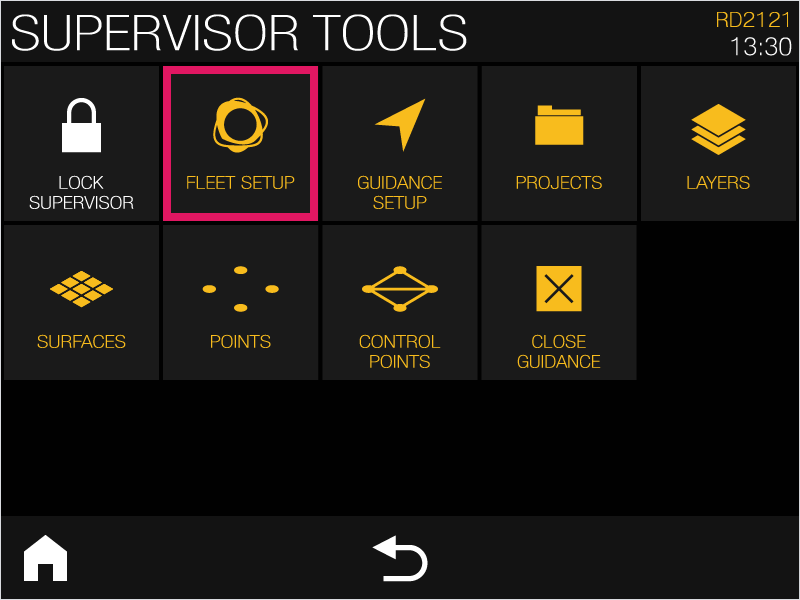
In the Supervisor tools page, select Fleet Setup.
-
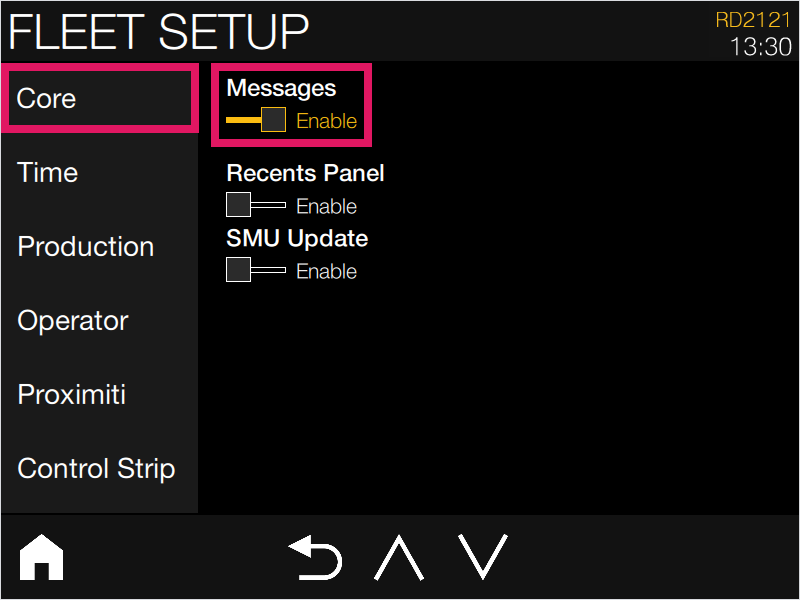
Select the Core tab from the list of modules, then tap the Messages slider to enable messages.
-
Restart the display.
The Messages app is enabled; the operator can now receive and acknowledge messages on the Home screen and in the Messages app, which is available in the Fleet apps menu.