
The load bar appears automatically on the bottom of the home screen for trucks while they are in a loading state. It also appears on loaders if they are paired with a truck currently in the loading state.
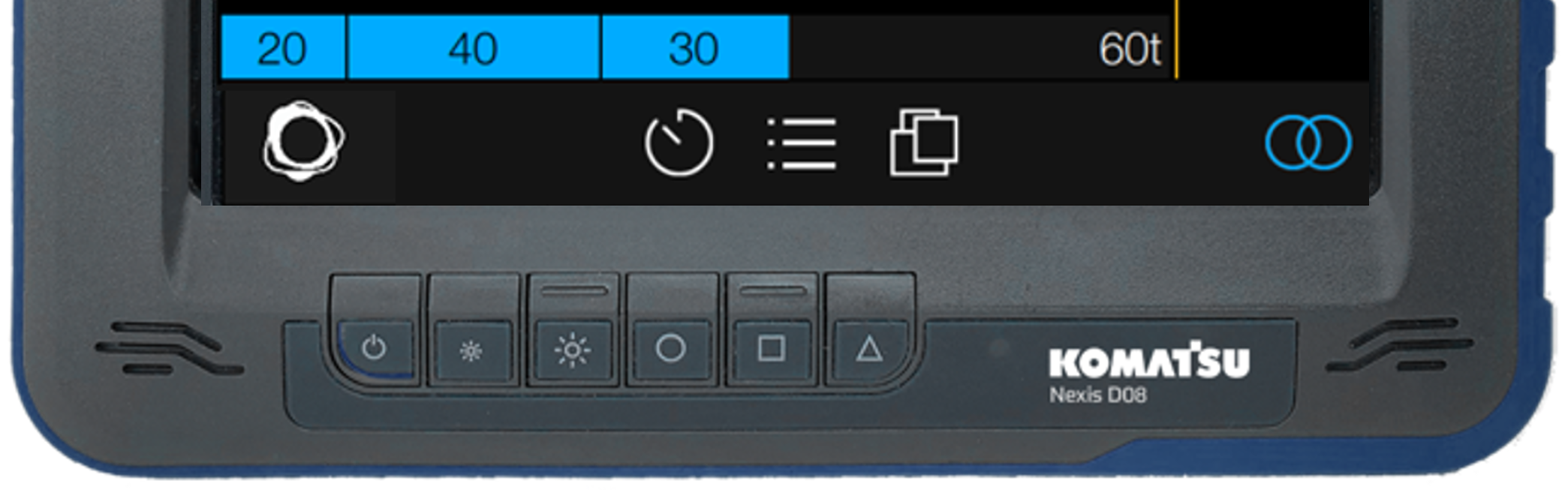
When the iVolve system on the truck registers a new load pass in the tray, the load bar updates automatically to reflect that pass. Passes appear as coloured rectangles with the pass tonnage printed in their centre. The far right side of the load bar contains the remaining tonnage or BCM. The bar fills progressively from the left of the display as the truck is loaded, until the target tonnage is reached.
The load bar also changes colour to reflect the following load weights:
|
Load weight |
Load bar colour |
|---|---|
|
<100% of Target |
Blue |
|
>100% of Target |
Green |
|
>110% of Target |
Yellow |
|
>120% of Target |
Red |