
1.0.07.1 requires an updated controller license for SC Pilot. Ensure License is up to date and valid (Common settings → License) prior to updating to this version
New Features
3DMG Basic
3DMG Basic has been released for the Oceania region.
Check out 3DMG Basic for information how to use the feature.
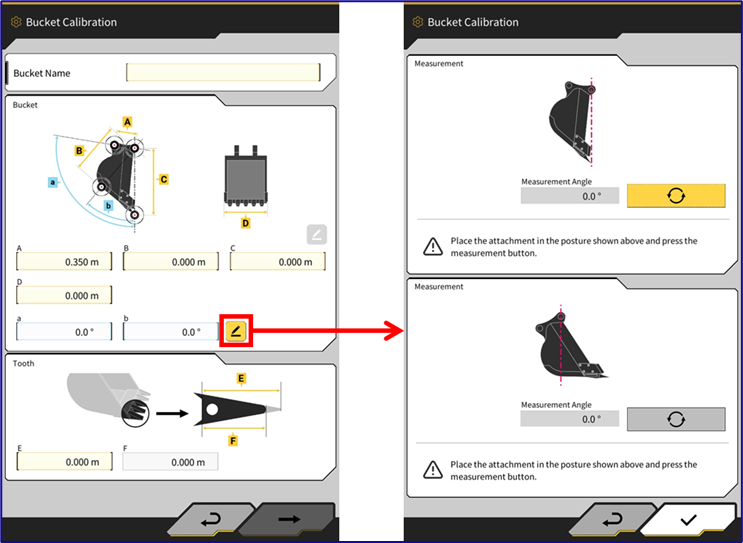
Simplified Bucket Calibration
This version has introduced a feature to simplify the a and b angle measurements for bucket calibration
The angles can now be automatically calculated by leveling the reference points directly under the bucket pin (by use of plumb bob, theodolite etc).
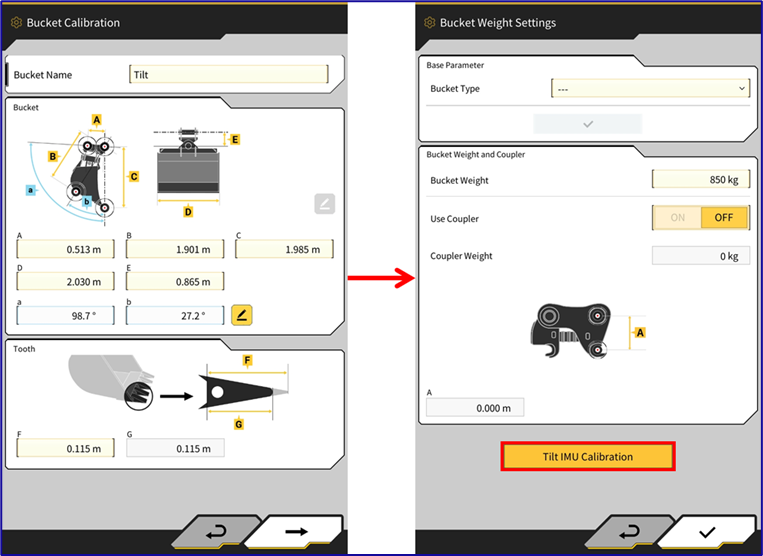
Changes to Bucket Calibration Flow
The tilt bucket calibration steps have been separated into a different section of the bucket calibration process so that they don’t have to be repeated when any changes to the bucket measurements, cutting wear or weights are adjusted.
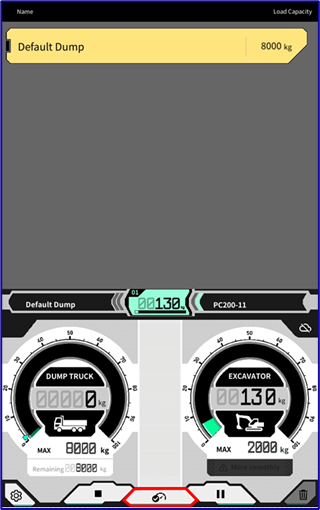
Manual Tip-off button for Payload System
Users now have the ability to press a button to trigger a manual “tip off” in the payload system. This can be used for performing tests on check weights or manually triggering a tip off if the system has not detected it.
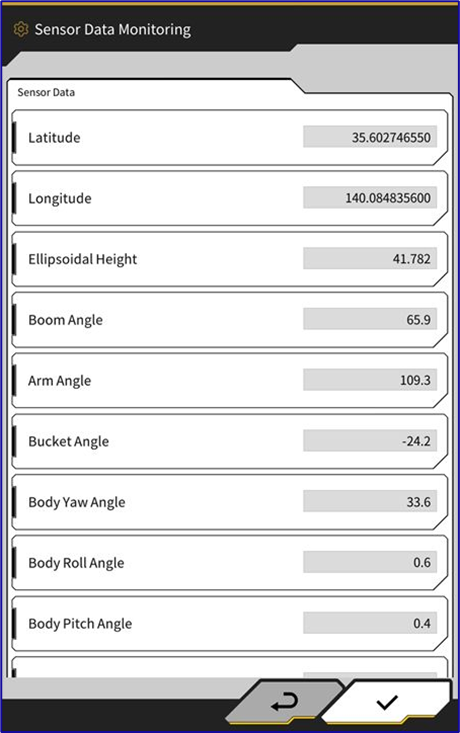
Diagnostics Monitoring Screen
A new diagnostics monitoring page has been added
Misc/Bug Fixes
-
System log upload button has been added to send diagnostic information (administrator use only)
-
If an optional sensor is found to be missing, menu option will be automatically disabled in system settings
-
Default value of max baseline changed
-
Heading Unusable Error message delay is now configurable in application settings
-
Fixed a bug causing the machine image to break/shake due to control points or transformation error
-
Payload Calibration B is now saved in each individual bucket file
-
Fixed issue where internal/external storage is not accessible on fresh installations on some versions of android