
1.0.13.0 contains new features that also requires controller firmware update. Please run Pilot Updater app to update the controller prior to installing 1.0.13.0
New Features
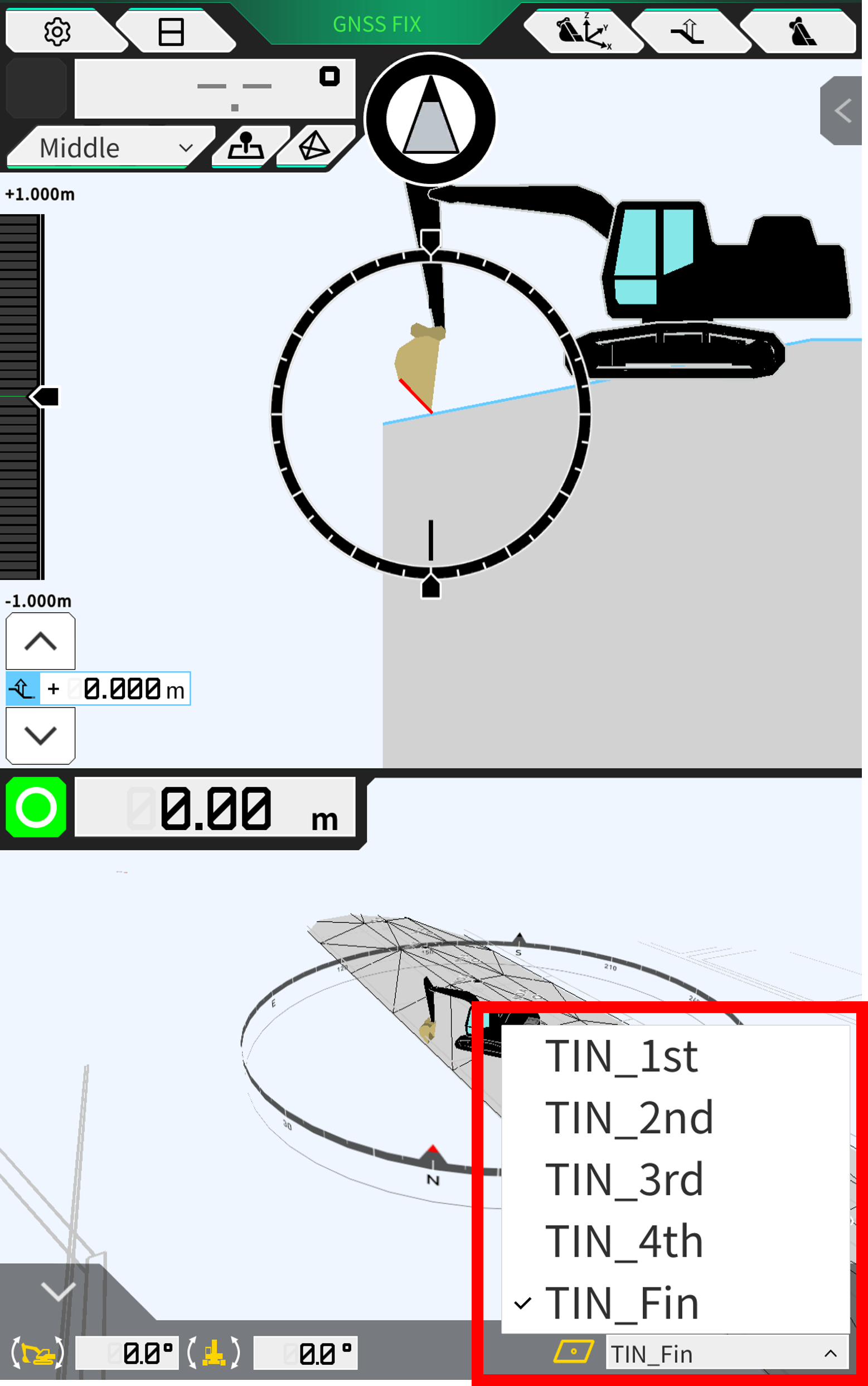
Quick Design Surface Switch on Main User Interface
Users can now easily switch between design surfaces within a project file by pressing and holding on the current active surface name at the bottom of the screen.
A window will appear showing all surfaces in the current project file.
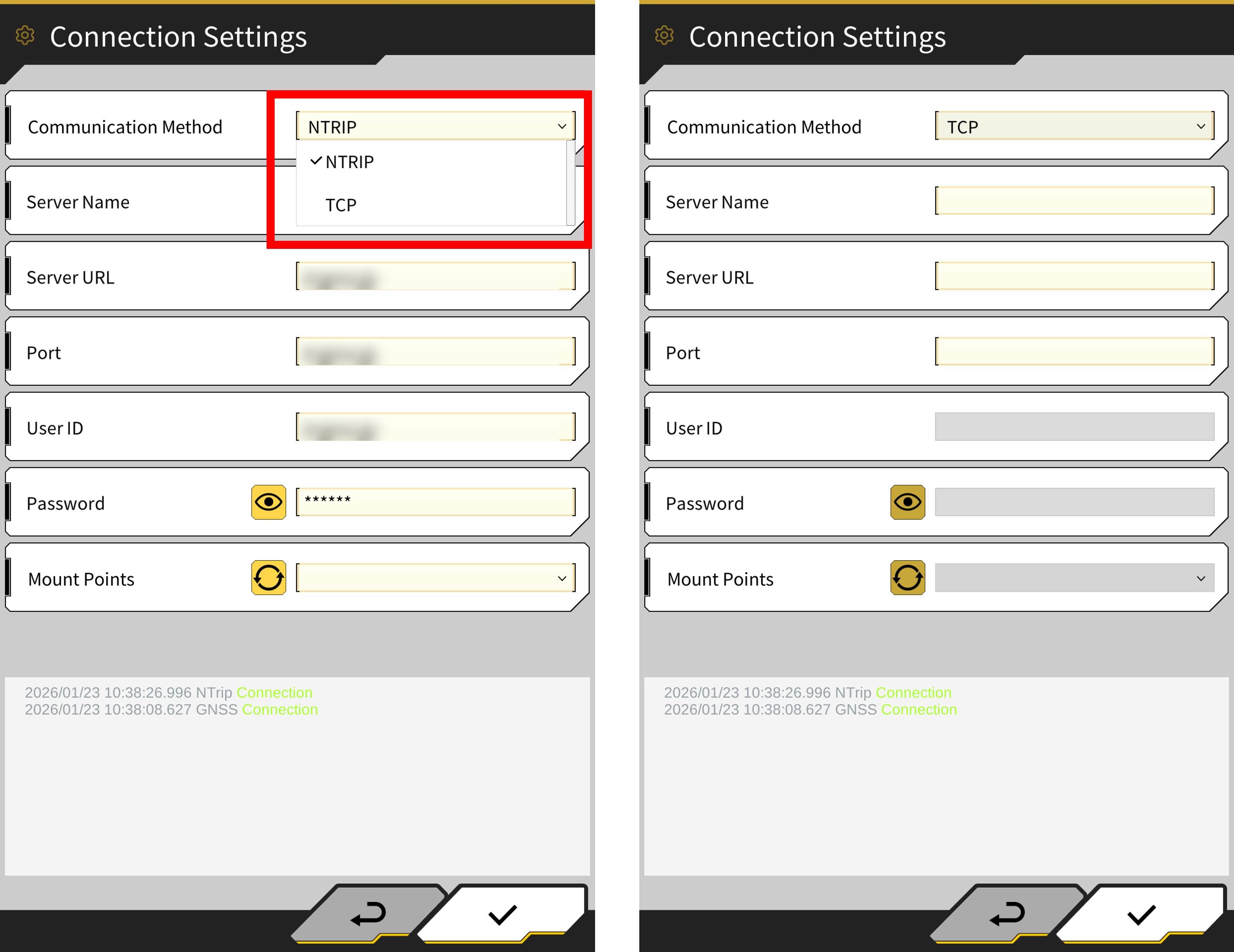
TCP IP Communication Method added to GNSS Correction Data
Support for direct TCP/IP RTK correction connectivity has been added to the GNSS correction data methods in addition to the existing NTRIP method.
This can be changed in Menu → GNSS Settings → Connection Settings
When using NTRIP, select “NTRIP” for communication method.
When using TCP IP, select “TCP” for communication method.
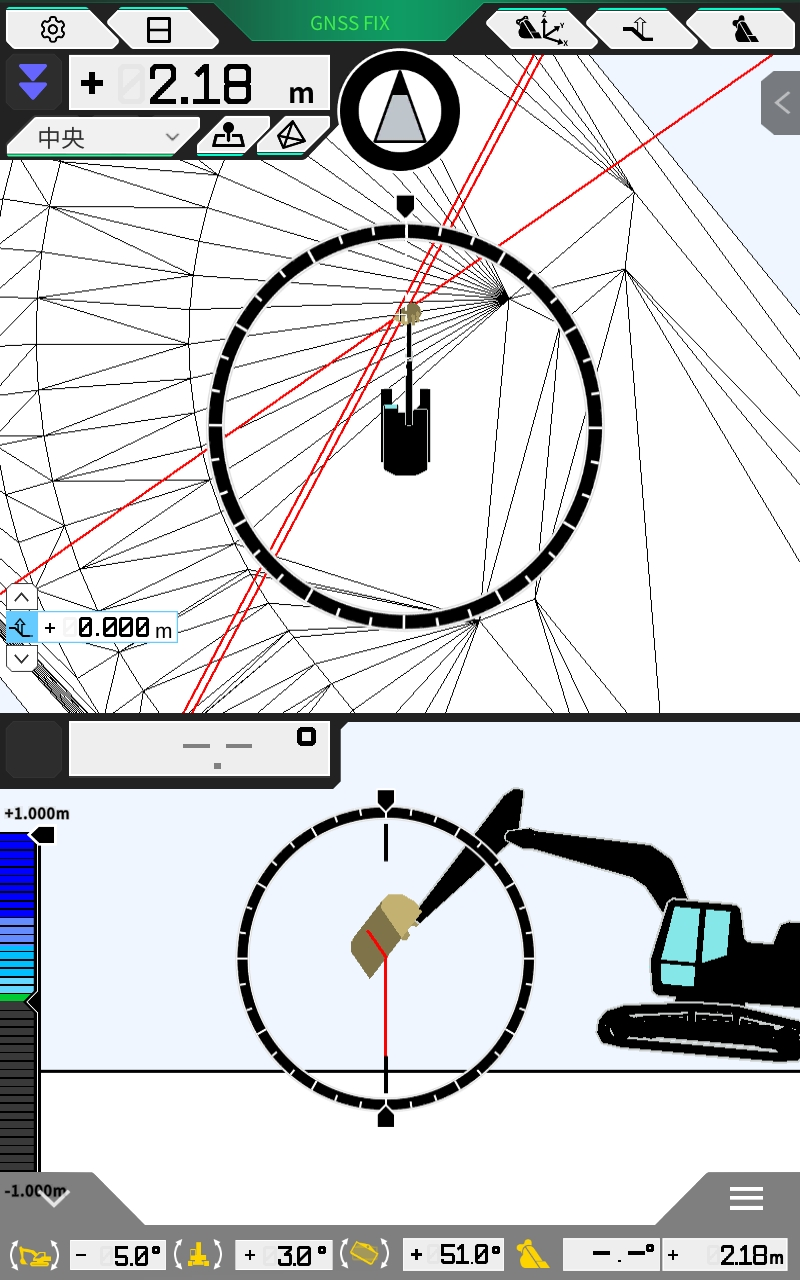
Bucket Width Lines - Setting to remain parallel when the bucket is tilted
When the bucket width line direction is set to “Rotation”, the bucket width lines will remain parallel to the bucket even during tilting.
Before
When the bucket bottom became nearly vertical, the width lines were not displayed in parallel
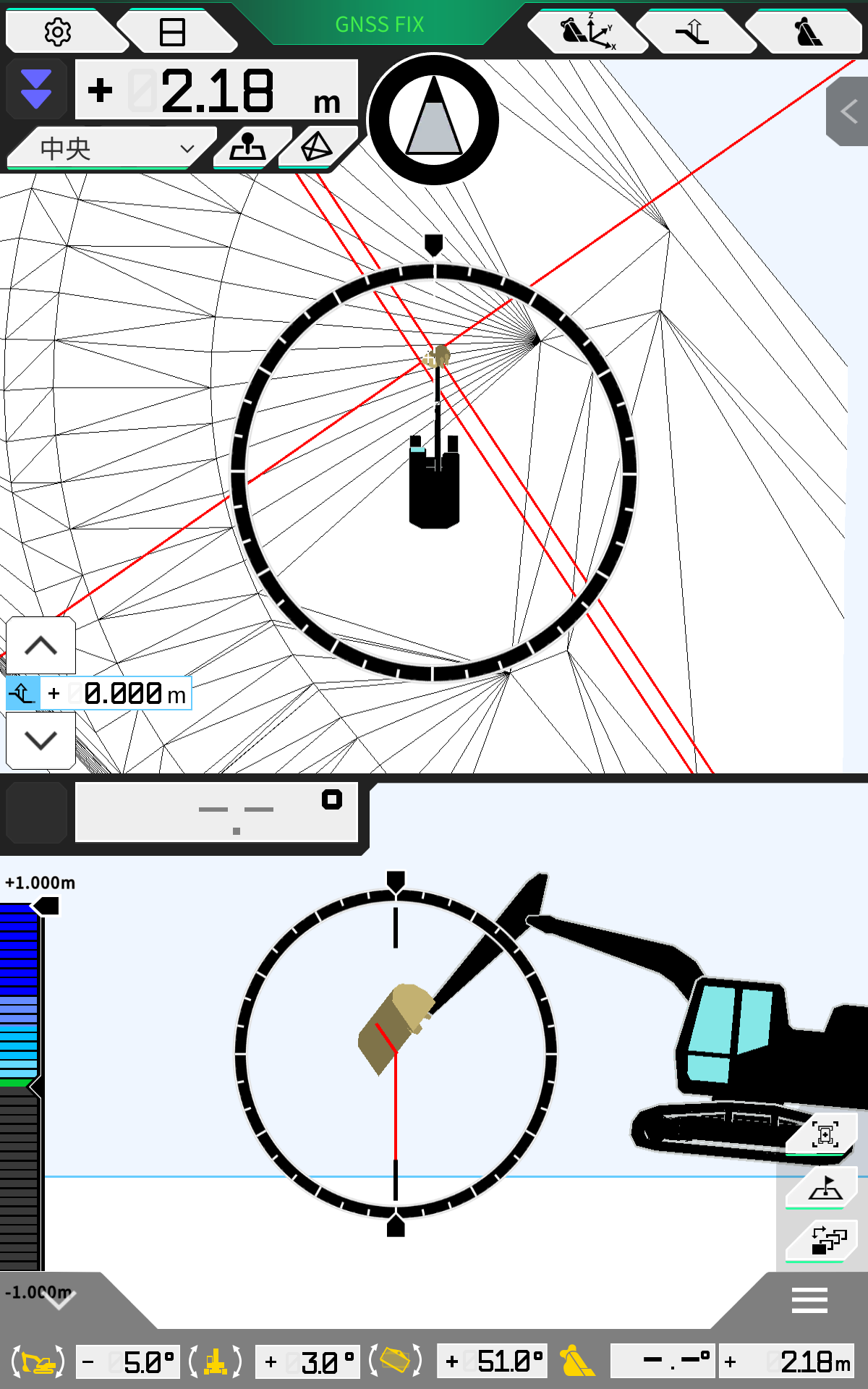
After
The width lines are displayed parallel to the bucket.
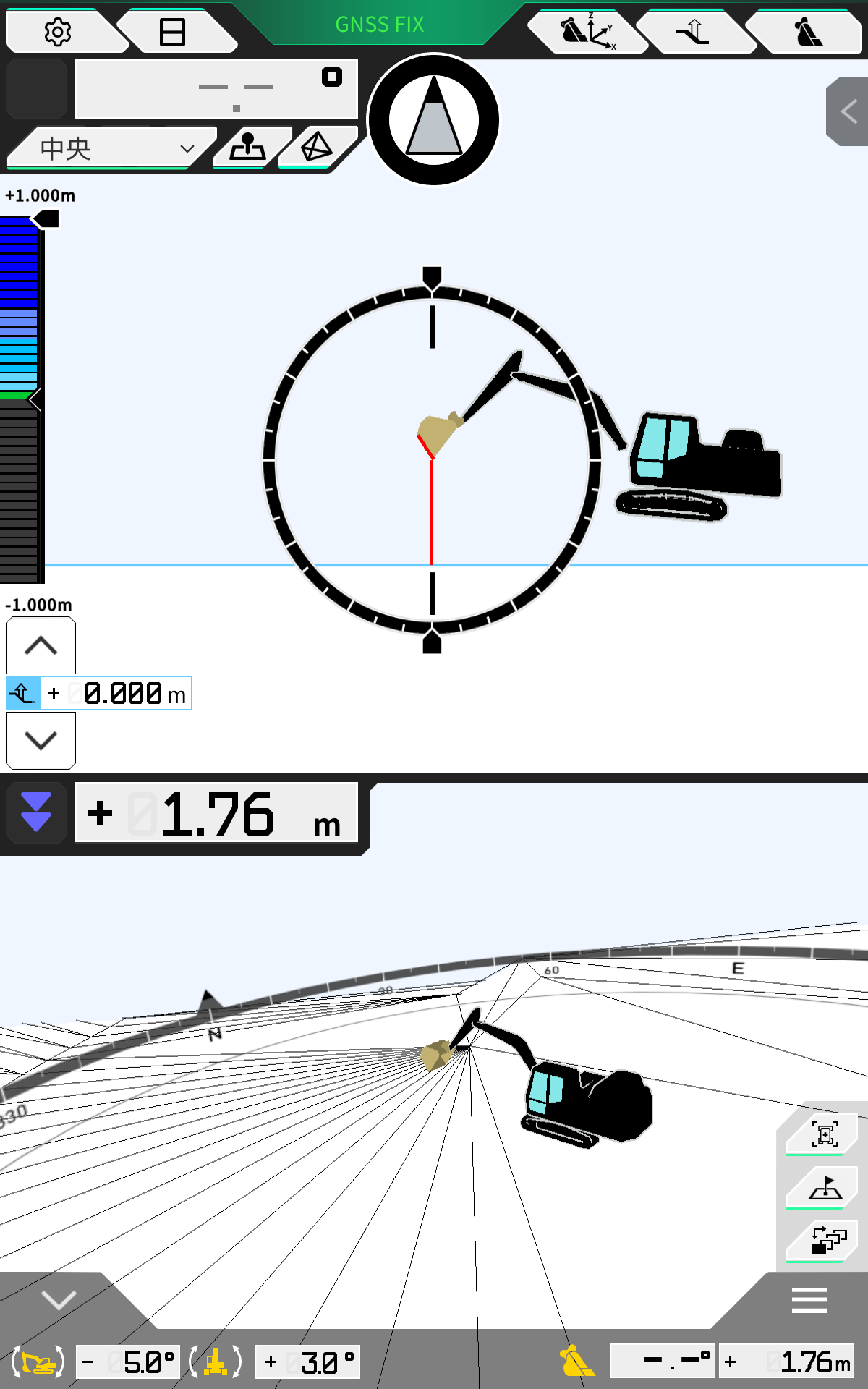
Machine Image Size Adjustment Feature
The machine image displayed for the work equipment in the user interface is now automatically adjusted based on the calibration results.
Before
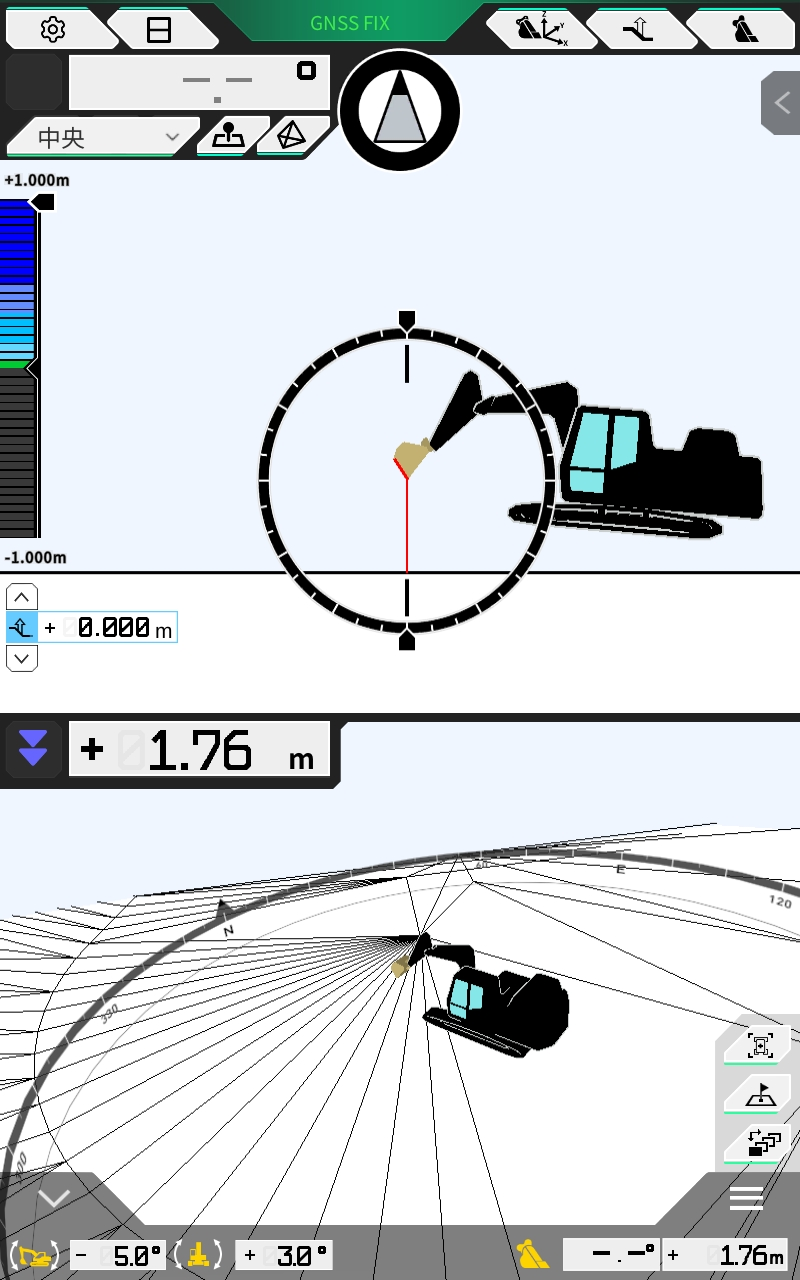
After
Satel Radio Configuration
This feature requires controller version 2.7.3 or later. Please update controller using Pilot Updater app prior to attempting to use this feature.
Functionality has been confirmed with Satel Easy. Other Satel products, such as Compact Proof, have not been independently verified.
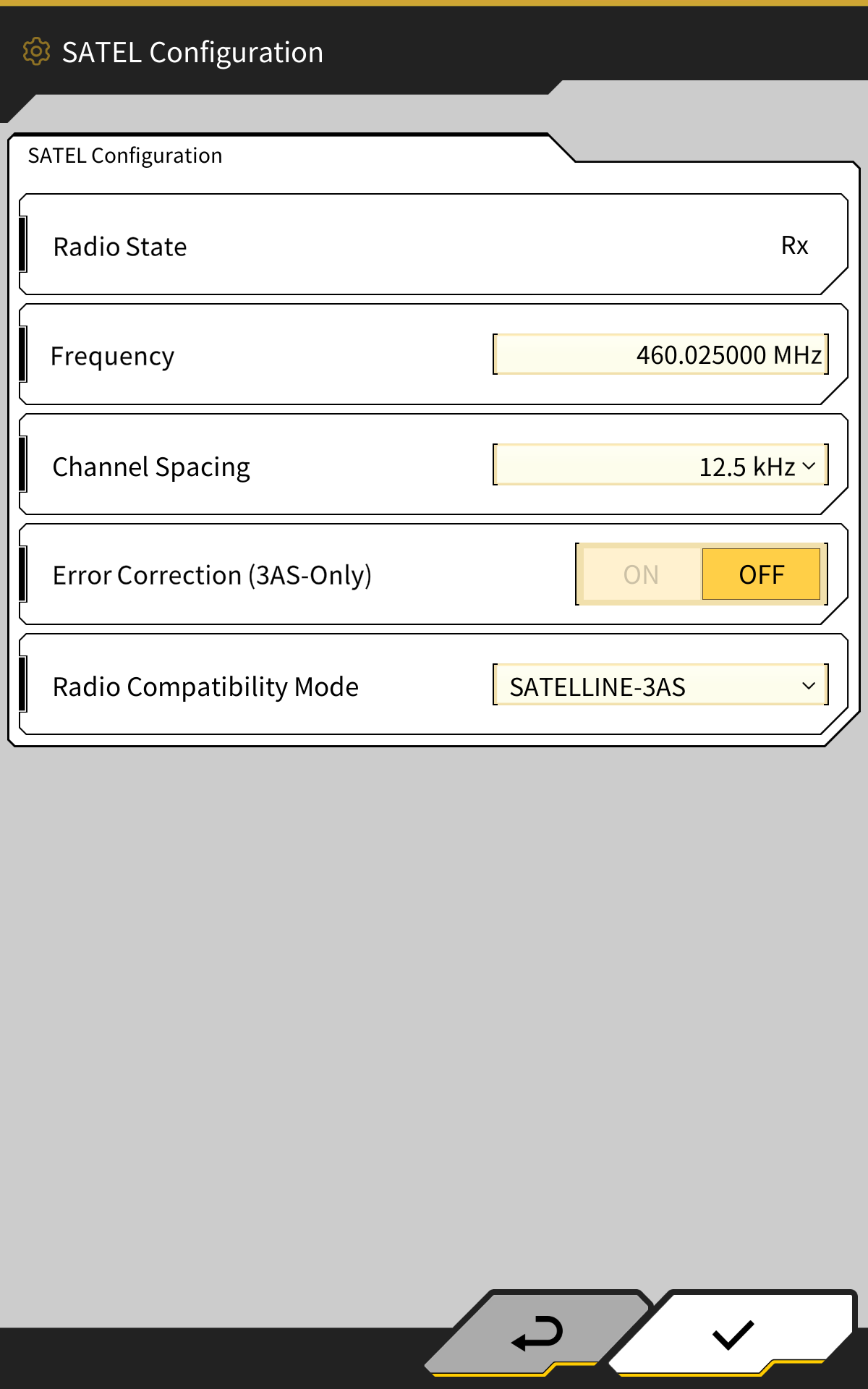
The basic radio settings of the Satel Radio can now be configured from withing the Smart Construction Pilot app. The below settings are supported;
-
RX Frequency
-
Channel Spacing
-
Error Correction (applicable to Satel 3AS ONLY)
-
Radio Compatibility mode
For more details around specific parameters and settings of the Satel radio, consult the Satel product manual.
This menu can be accessed from Menu → GNSS Settings → SATEL Configuration
When accessing this feature, the controller will automatically apply the configuration to change radio state to RX-only.
Other Updates and Bug Fixes
-
Improved GNSS information to support gen2 controller
-
Since new controller uses heading receiver, Horizontal/Vertical RMS for sub-antenna are no longer applicable and are now hidden.
-
-
Increased the size of the quick offset buttons on the main guidance screen for easier usability.
-
Fixed a bug that could cause linework on the plan view screen to appear to change while the machine was moving of if the viewpoint was changed.
-
Fixed an issue where the operation indicator was not displayed in the plan view screen.
-
For machine guidance only licenses, bucket weight in bucket calibration settings can now be skipped.
-
Improved loaded calibration so that calibration value B is adjusted together with the existing calibration value A.