
1.0.10.1 requires an updated controller license for SC Pilot. Ensure License is up to date and valid (Common settings → License) prior to updating to this version
1.0.10.1 contains updates from 1.0.9.0 which was previously unreleased
New Features
Improved Bucket Changing Workflow
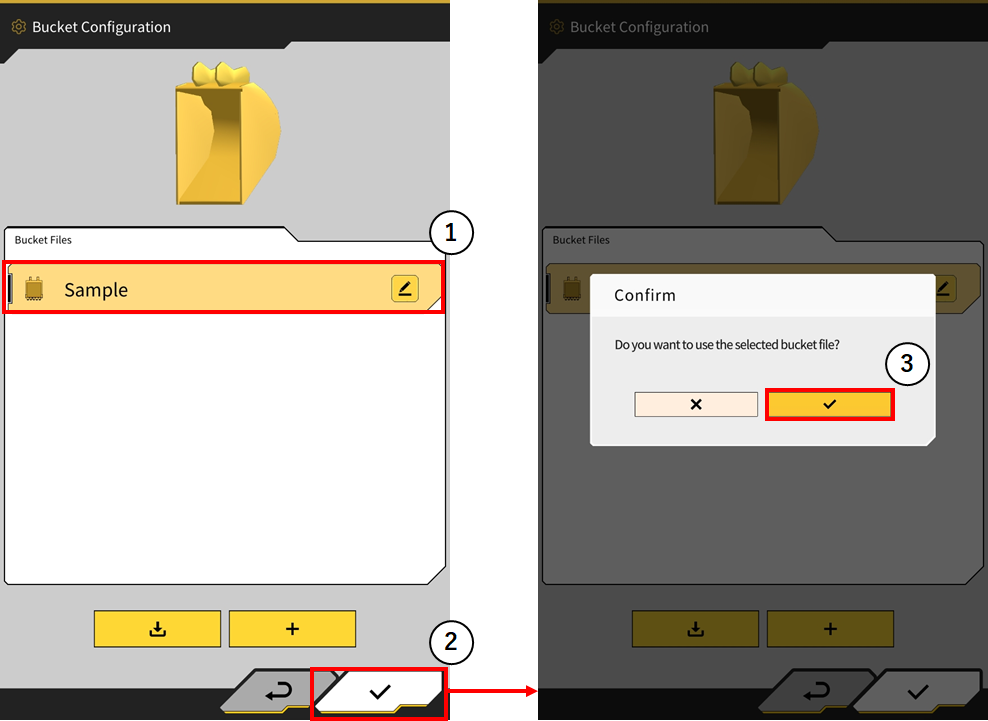
The bucket attachment button has been removed. Users can now select the bucket they require and press the check (tick) in the bottom right corner and the bucket will be automatically selected after the users accepts the confirmation.
Display the name of design surface in use on main user interface
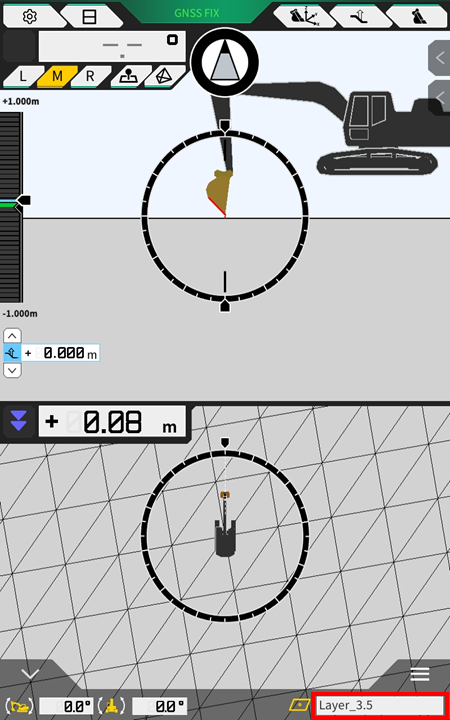
The name of the currently selected design surface is now displayed on the bottom info bar.
Note: by tapping the area highlighted, the content displayed will change between bucket angle/distance to surface → Bucket name → design surface name
New truck load on payload auto start
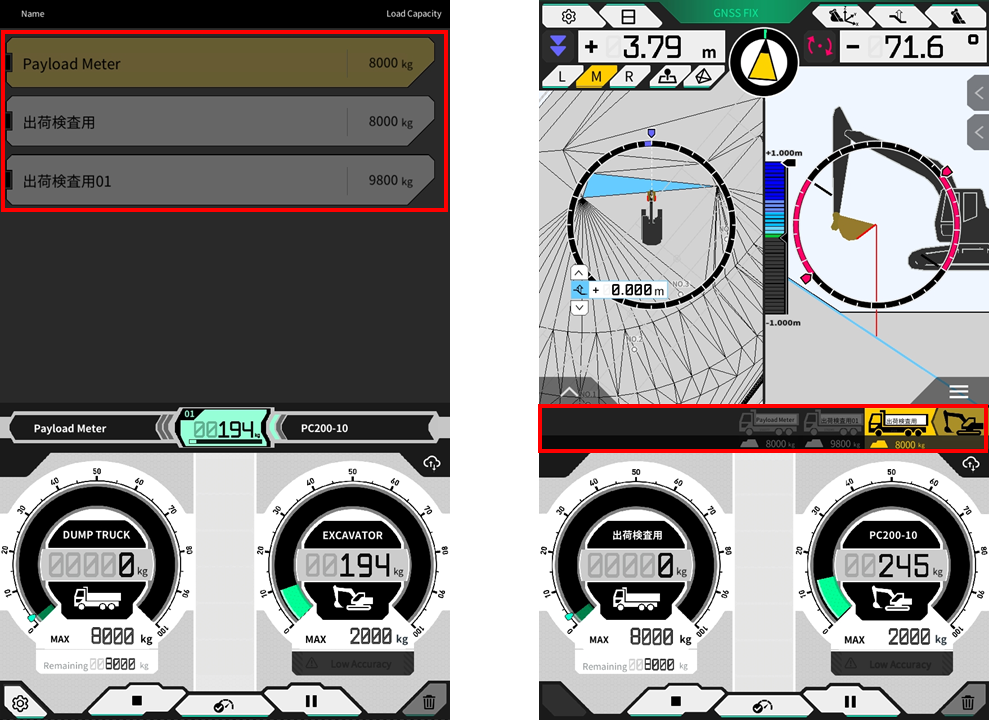
When payload auto start feature is selected to “on”, tapping on the truck in the truck list will complete the current load and a new load cycle will begin on the selected truck.
Enabling sensor will now also enable the corresponding function
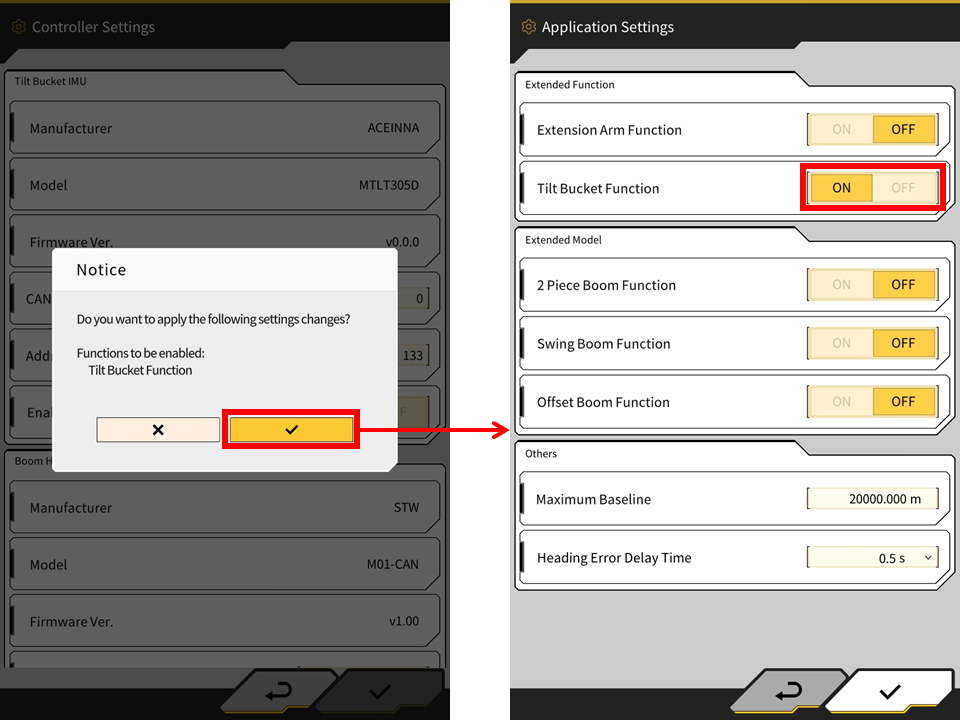
When a sensor is turned ON in the controller settings, the associated feature will also then be enabled. For example, enabling the tilt sensor will now enable the tilt function (a confirmation window will be displayed).
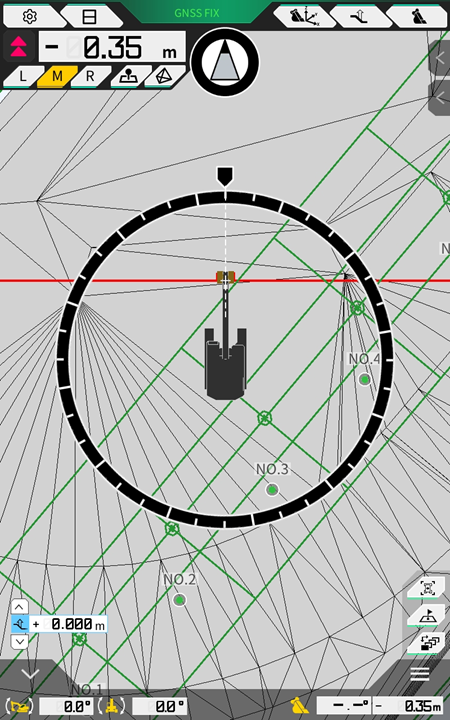
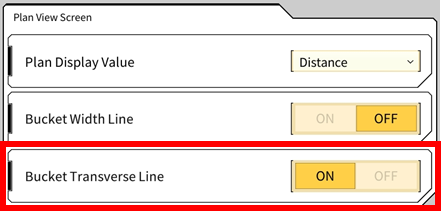
Bucket Transverse Line
A bucket transverse line feature has been added and can be enabled for plan view. The bucket transverse line extends the cutting edge direction for assisting with alignment. The feature is off by default and will need to be enabled in the application settings.
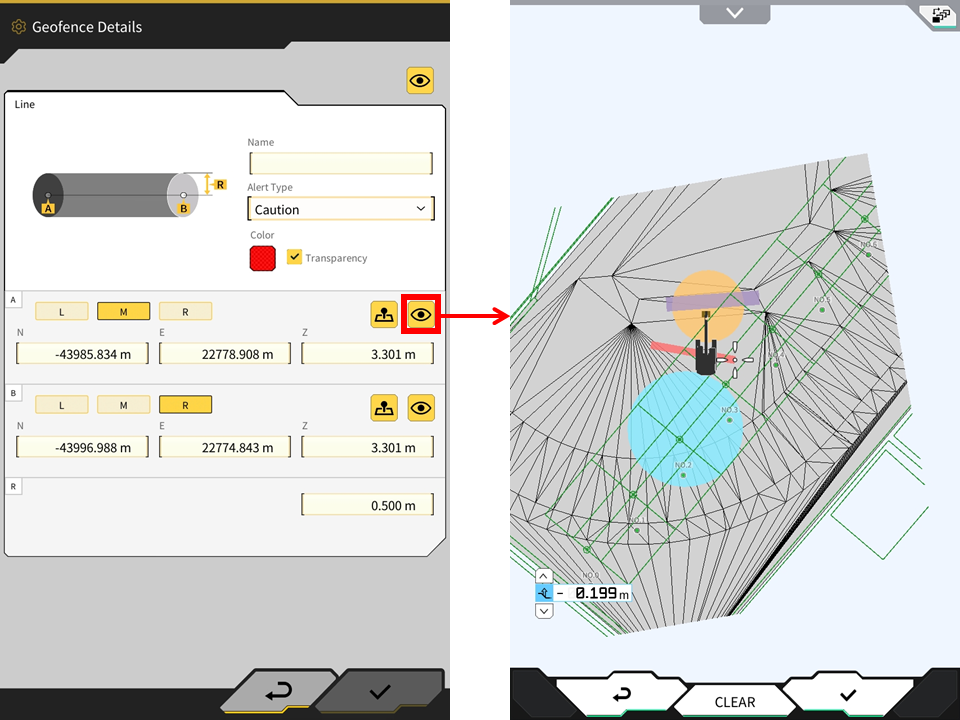
Show other geofences in geofence creation interface
The app will now display all other enabled geofences in the geofence enable screen.
Misc Updates/Bug Fixes
-
Now officially supports Android 14
-
Increased support for languages
-
App will now rotate 180 degrees depending on orientation of tablet
-
Topo points will now be uploaded to the Pilot web server regardless of the current assigned project
-
Fixed a bug with Ntrip client retrieving mount point
-
Fixed an issue with height display on flat pad surface in rare cases
-
Fixed an issue where cutting edge icon was hidden in section view when operation indicator was turned off
-
Fixed an issue where the bucket width line was hidden in heat map
-
Fixed an issue where design data was displayed even though it was showing out of 3D design data range in the cross section view
-
The input/dropdown field for ntrip settings has been expanded to allow for more characters to be displayed
-
Ntrip password will now be displayed by pressing the “eye” icon
-
Set input value limit for the following
-
Mask Angle
-
Low Accuracy Threshold
-
High Accuracy Threshold
-
Max Grade Transition
-
-
Display the slope angle % with 3 digits
-
Fixed an issue where switching between some project files took a long time
-
3D model for 2 piece boom machine now available with both wheels and crawler models
-
Fixed an issue in 3DMG Basic where a step could occur in the target surface line when the machine moved from the position where it was created
-
Fixed an issue where the offset line of the steering indicator was not displayed correctly on some gentle curves
-
Fixed an issue where the correction info could not be retreived if the network was IPv6
-
Unsent construction history data will now be sent from tablet device to server when launching the machine guidance app