
-
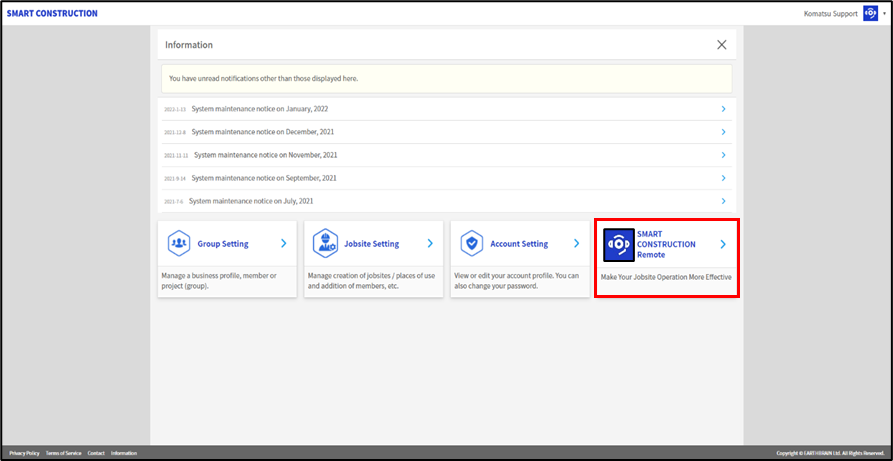
Log into your customer Portal Account and click on Smart Construction Remote
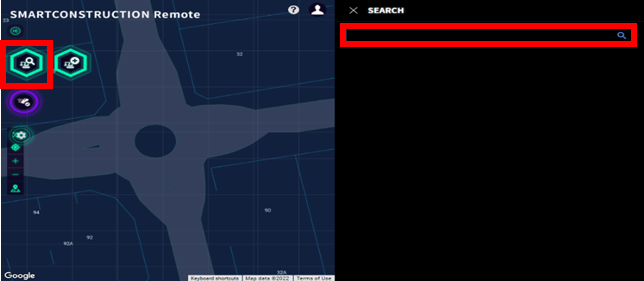
2. Using the search function, Type in the machine serial number to search for the machine.
3. Click on the machine in the right navigation panel to display the machine details.
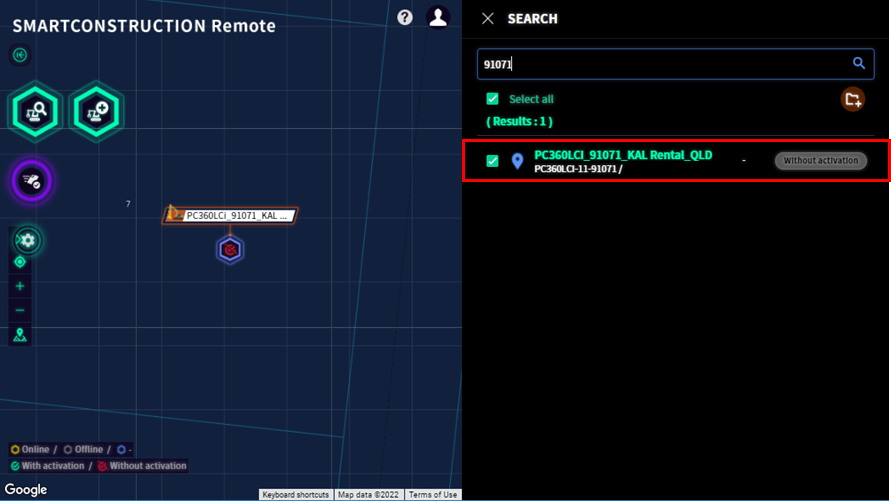
4. Click on the Rent/Lease button at the top right corner of the screen.

-
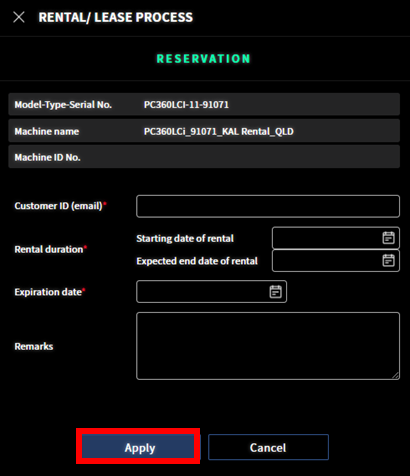
Complete the required information and press
Apply.
-
Customer ID (email): (This email address needs to be a Smart Construction Portal user for the organisation you are wanting to share the machine with)
-
Start Date: (Date you want the machine to be available to other organisation)
-
End Date: (Date you want the machine to be removed from other organisation)
-
Expiration Date: expiration date of the invitation to accept this machine share
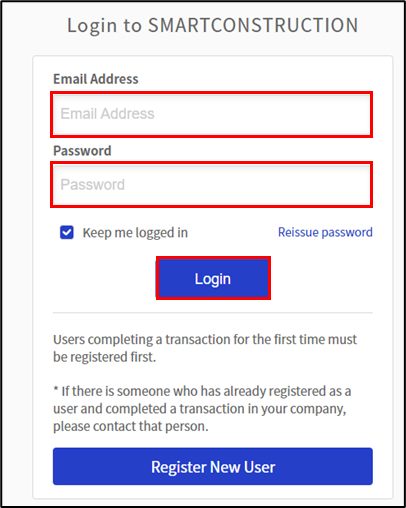
6. Log into the customer’s account using login credentials on the SC Support emails_Live_Helpdesk spreadsheet.
7. Click on SMART CONSTRUCTION Remote application
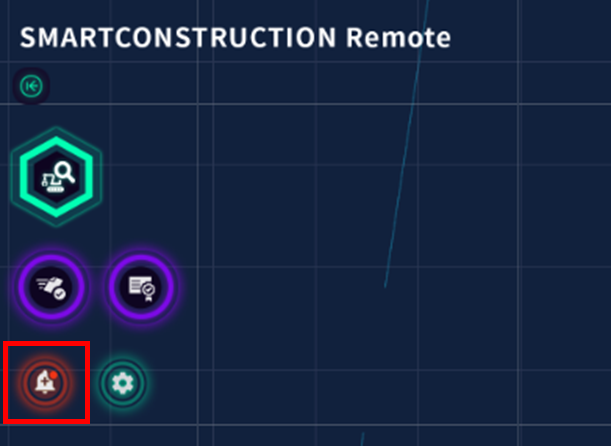
8. Press the Red (alert) bell on the left side of the screen which opens the activation screen.
Press Apply next to the relevant machine.
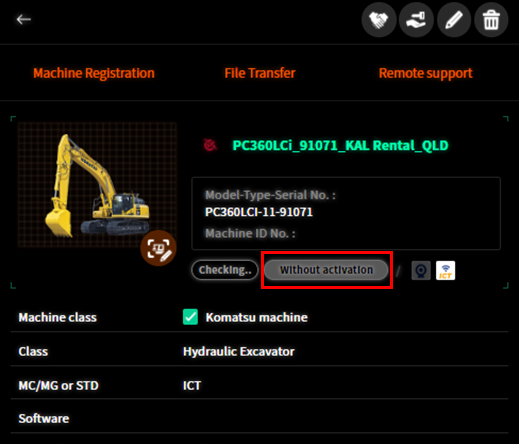
9. Once kobayashi activates machine ‘Without activation” will become 'With activation’ and customer will be able to see the machine when they gain access to SC Remote.
Next Step
Invite Customer to SC Remote Account
Related Articles