-
Log into the customer portal account
-
Click on the Rent/Lease button at the top right corner of the screen.
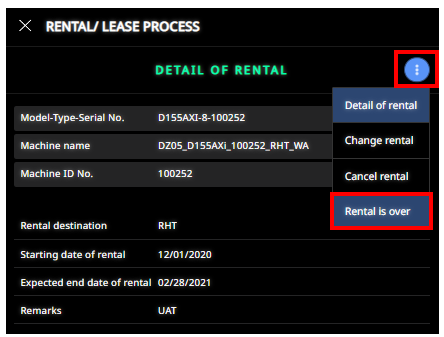
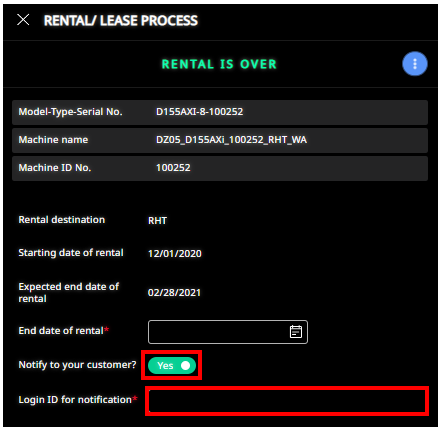
3. Click on the 3 dots and select Rental is over
-
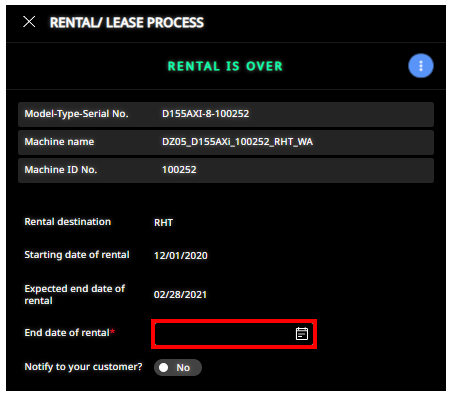
Enter ‘End date of rental’
-
Notify to your customer? Yes and enter the customer email address as the Login ID for notification
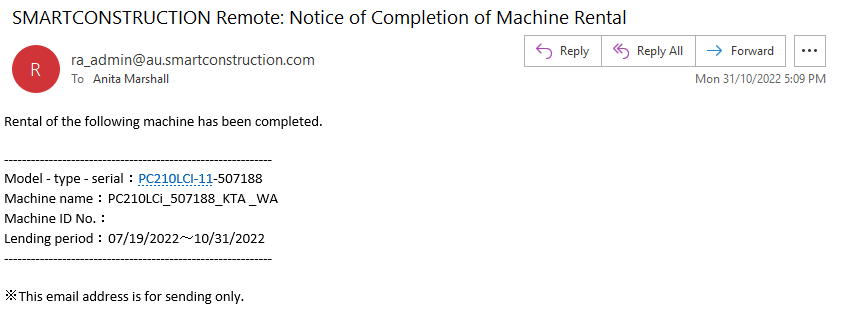
Note: Customer will receive email notification as pictured