-
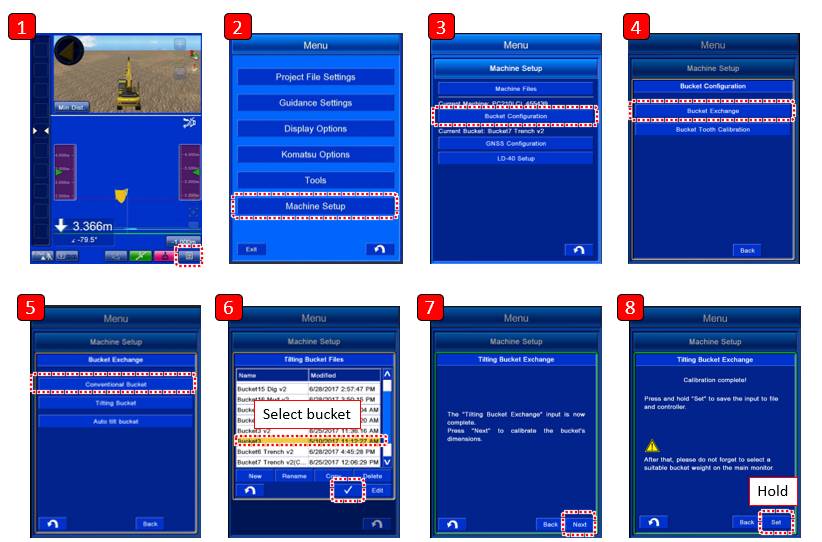
Enter into the machine Menu
-
Press Machine Setup
-
Press Bucket Configuration
-
Press Bucket Exchange
-
Select appropriate bucket type
-
Select correct bucket (Note - wrong bucket file selection may result in accuracy errors in machine operation)
-
Press Next to complete the bucket calibration
-
For Tilt buckets, the Next option will be greyed out until the bucket is tilted left and right sufficiently
-
-
Hold Set to set the bucket file