Also known as: Quick Surface Creation
-
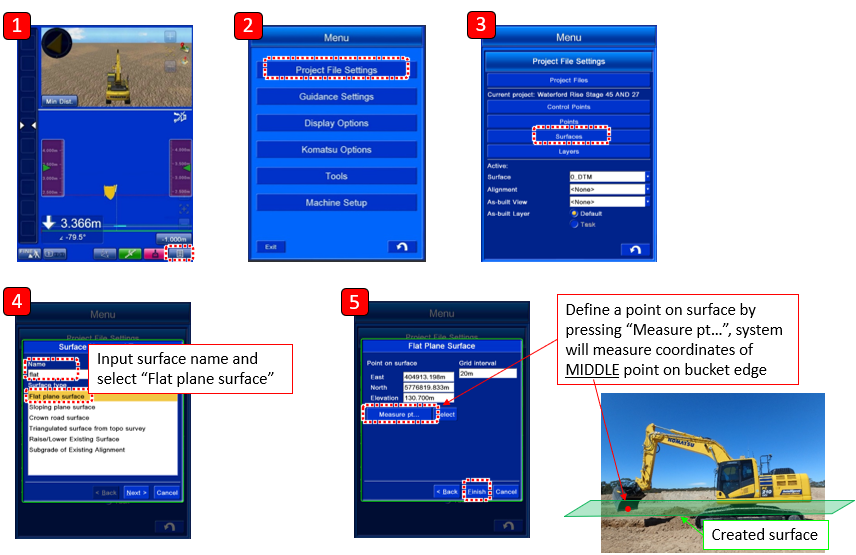
Place bucket in position where flat plane is required
-
Go to Project File Settings
-
Press Surfaces
-
Create New surface and input new surface name
-
Select Measure pt… and define the bucket position (Left, Right or Middle)
-
Machine will measure the coordinates of the selected bucket position and create a flat surface expanding out from this point.
-
Select to set the new surface as Active and return to the main screen
-
Design surface has now been created and can be used.
Status of the design data is indicated by the following colours:
-
Finished surface = Yellow/Green
-
Target surface = White