-
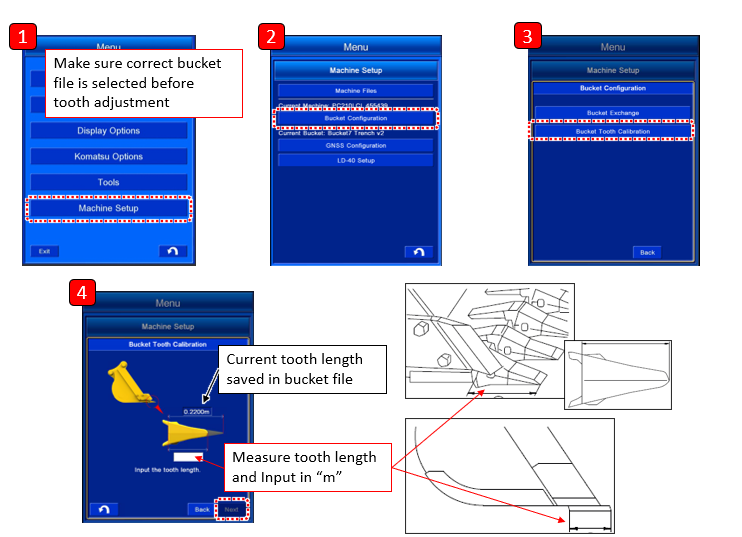
Measure the dimension (1) of tooth length with a tape measure, etc., and input the value. Dimension (1) is the distance between root and tip of the tooth. Measure the length dimension to mm unit and input it. You can input the numeric value within the range shown below.
Input range of the value, Min: 0.0001 m to Max: 2.9999 m -
Tap the “Next” button after the inputting is completed.
If any numeric value column is empty, “Next” button is invalid.
REMARK
Dimension (2) is the tooth length which has been input and saved by Komatsu controller.