
-
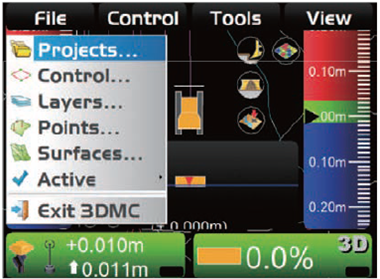
Press either the power button (GX55) or the IB icon (GX60) to bring up the main menu.
2. Press File and then Projects…
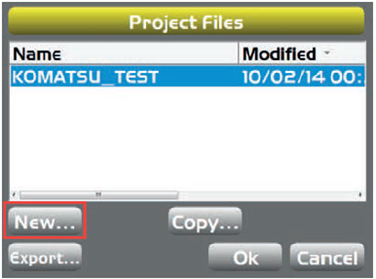
3. In the Project Files screen, press New....
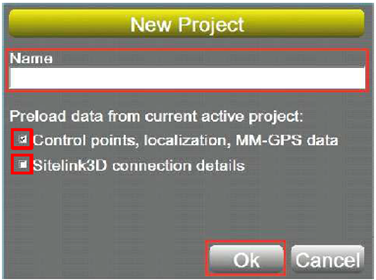
4. Press in the Name space and type the name of the project (eg: flat surface), using the on-screen keyboard.
5. Press Ok.
Please note:
-
Place tick against Control points, localization, MMGPS data if you want to use the control points, localization, and mmGPS data from the current project.
-
Place a tick against Sitelink3D connection details if you want to use the connection setting of Sitelink3D from the current project.