
Video of ‘How to’ at the bottom
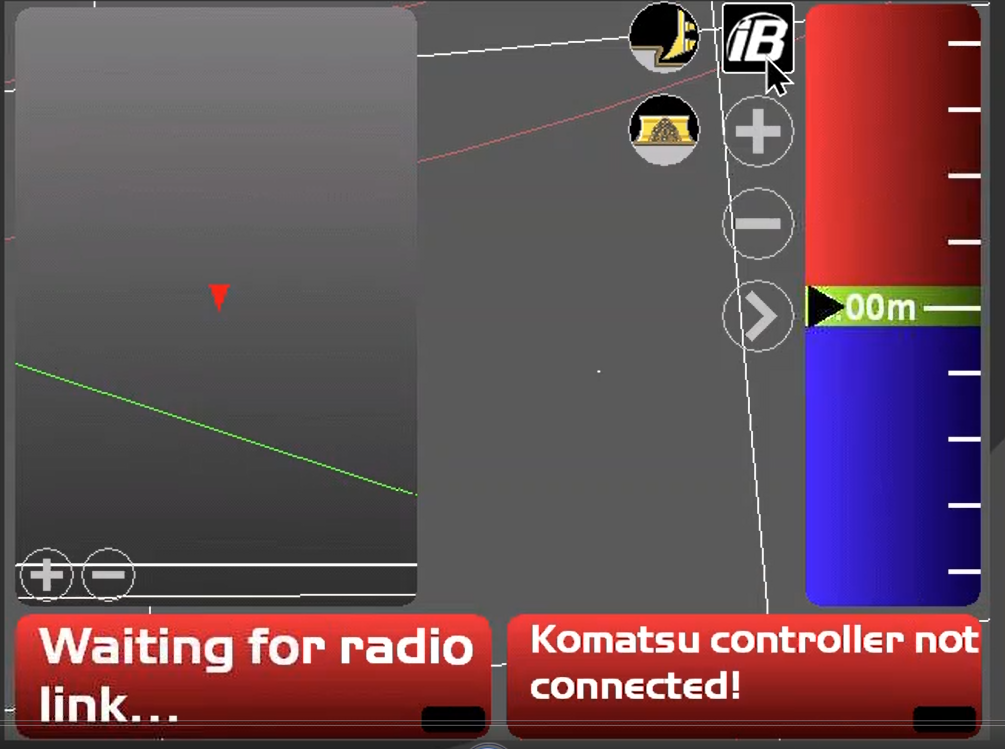
From the main menu,
-
Tap the ‘iB’ symbol,
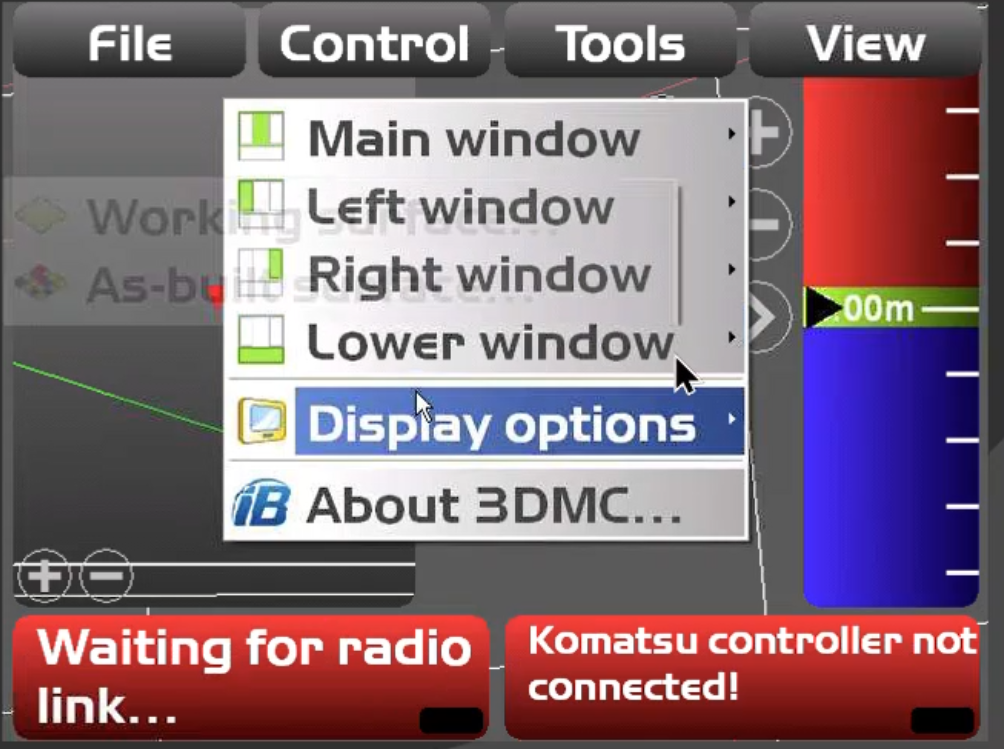
2. Tap ‘View’
-
Then go to ‘Display Options’
-
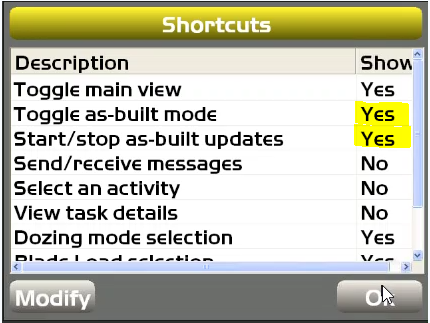
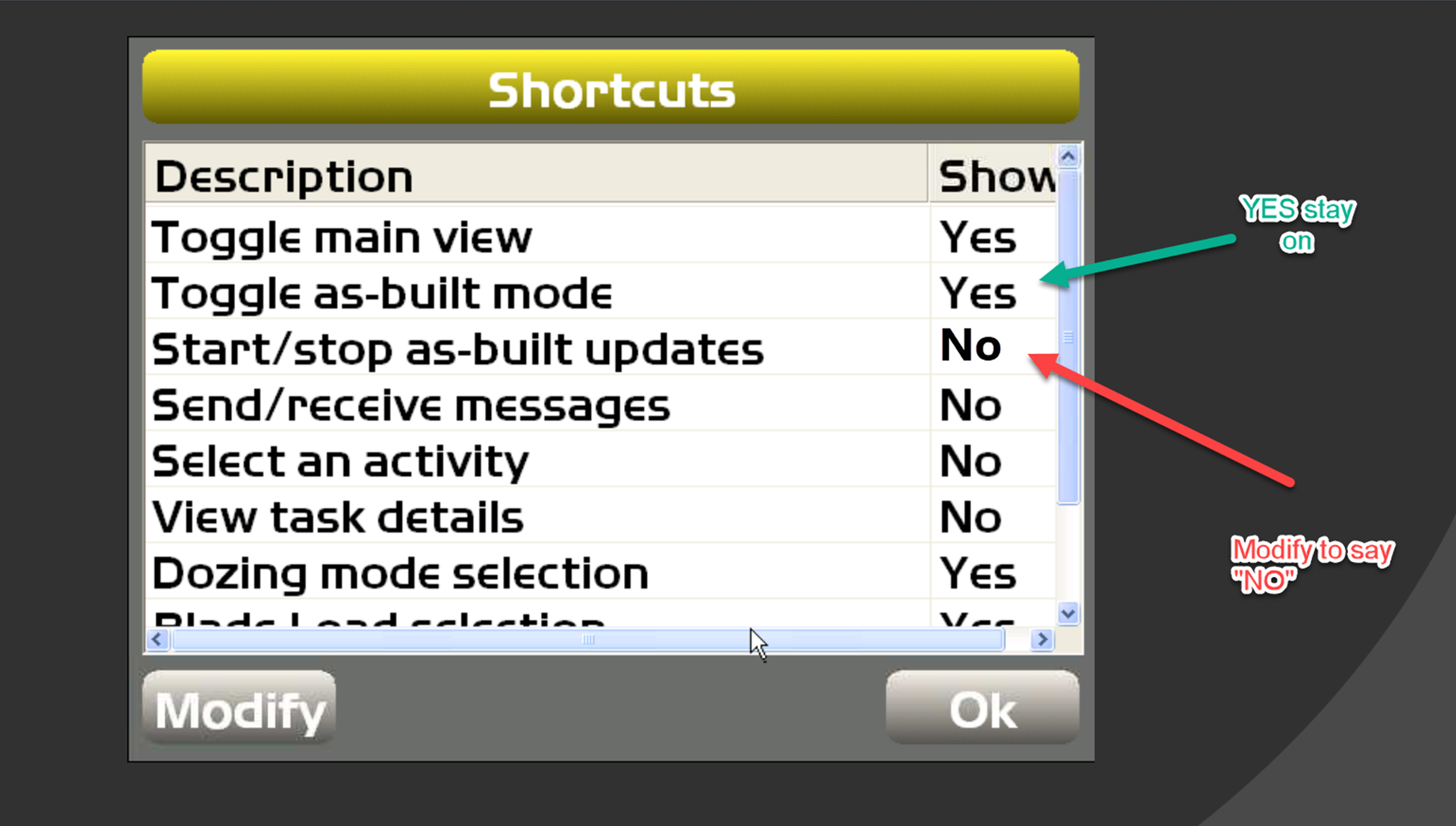
Show 'Toggle as-built mode to YES and Start/Stop as-built updates to YES
-
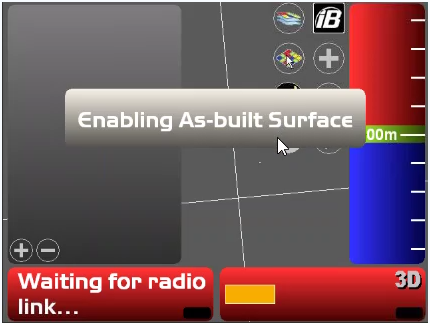
Then click on the ‘as-built’ and turn on ‘as-built’
-
Turn on 'Start as-built collection' then Hide it after so that it is not accidentally turned off.
-
Confirm ‘as-built’ has started by turning on ‘as-built Mode’ view. the heat map displayed if successful with a design.
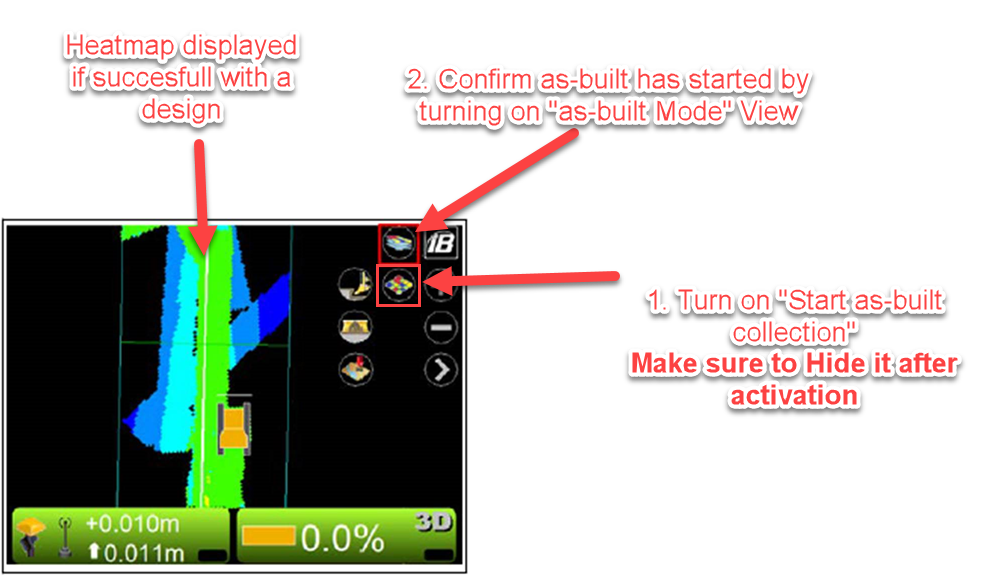
IT IS IMPORTANT to hide the icon again after as-built updates has been turned on so the operator don’t stop it again. Only the As-Built display icon can be left on for the operator to turn the display of As-Built on and off. Not stop the as-built collection functions.
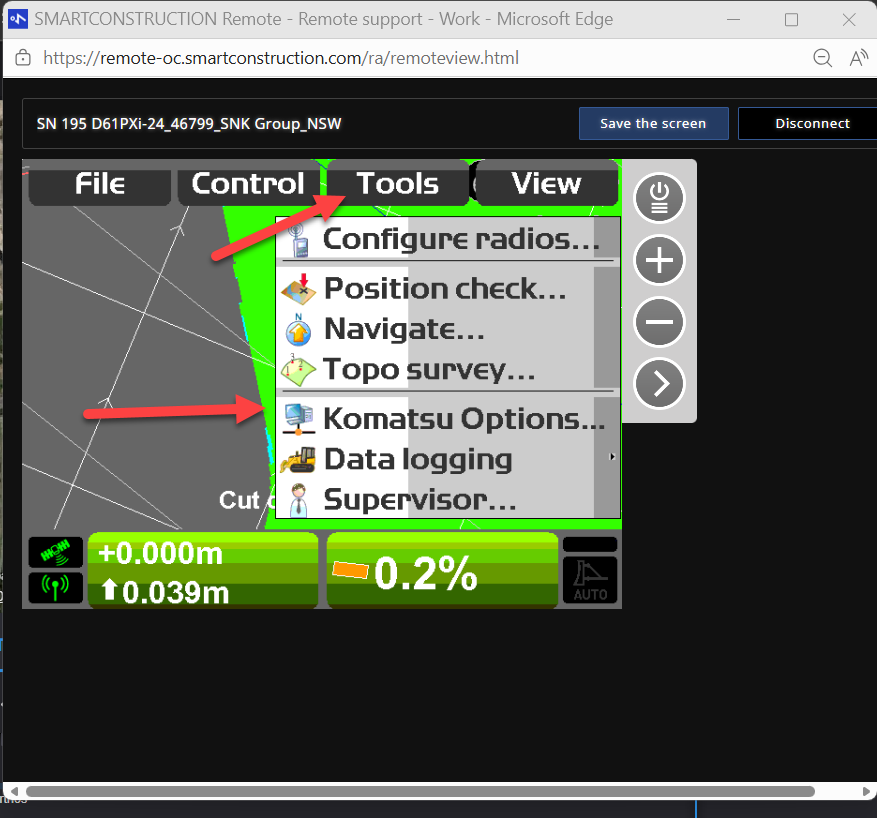
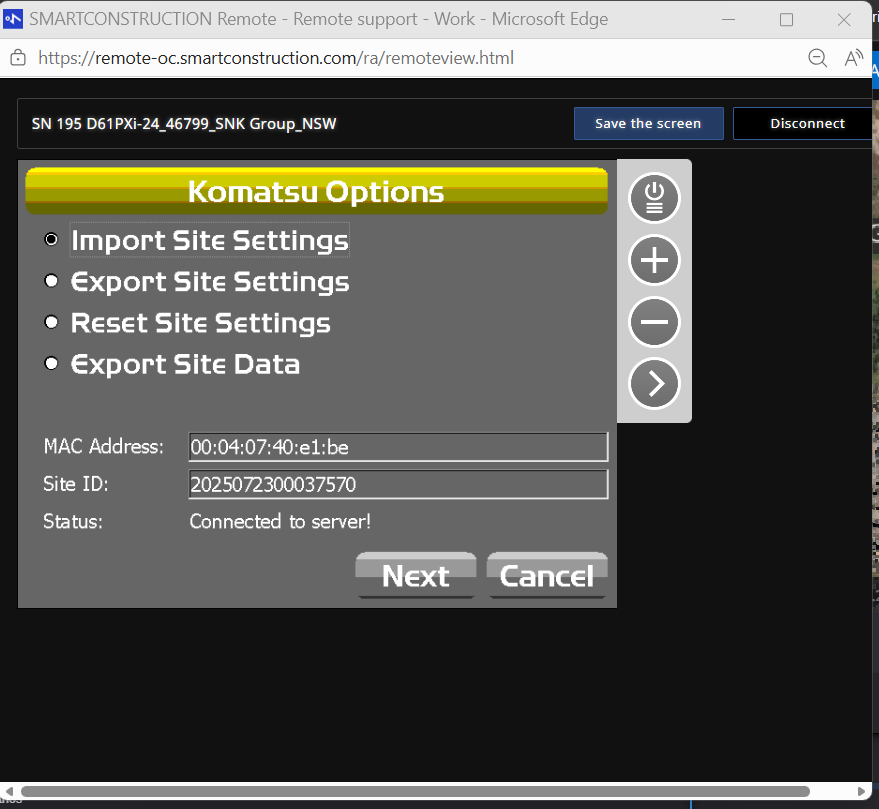
Once this is done go to the Tools menu, then to Komatsu Options.
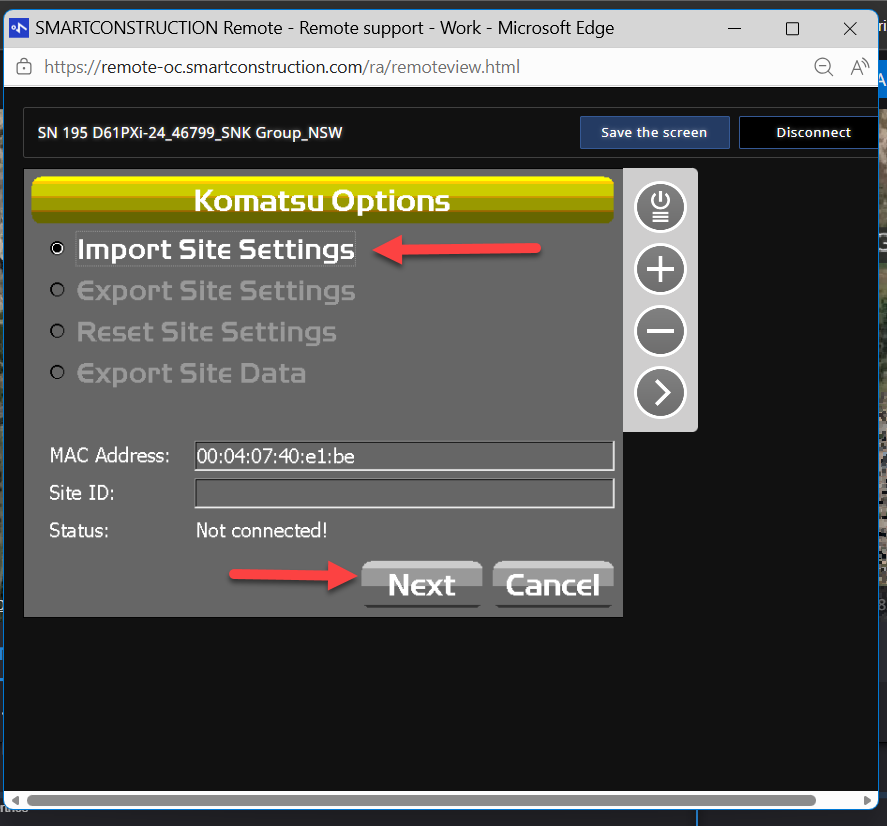
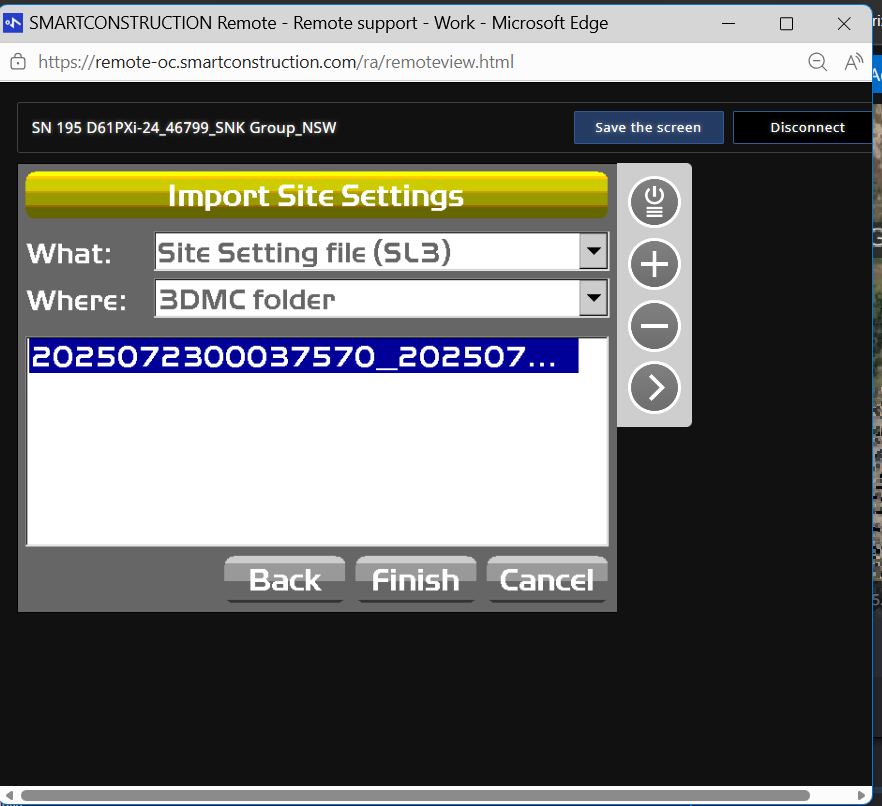
Then select Import Site Settings and Next.
Select the correct SL3 File and press Finish.
(Confirm number is the same as the SC dashboard file you just sent)
The status should now be Connected to Server.
How to complete task video