Correction Troubleshooting:
-
Check for interference obstacles (site location, clouds, trees, etc)
-
Check for damage to iMC components (antennas, cables)
-
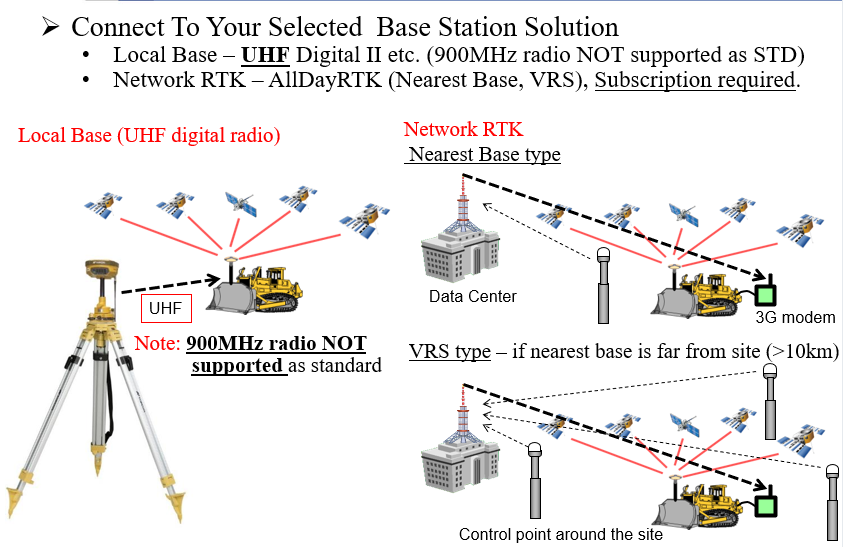
Check Base Station is within range (<8km)
-
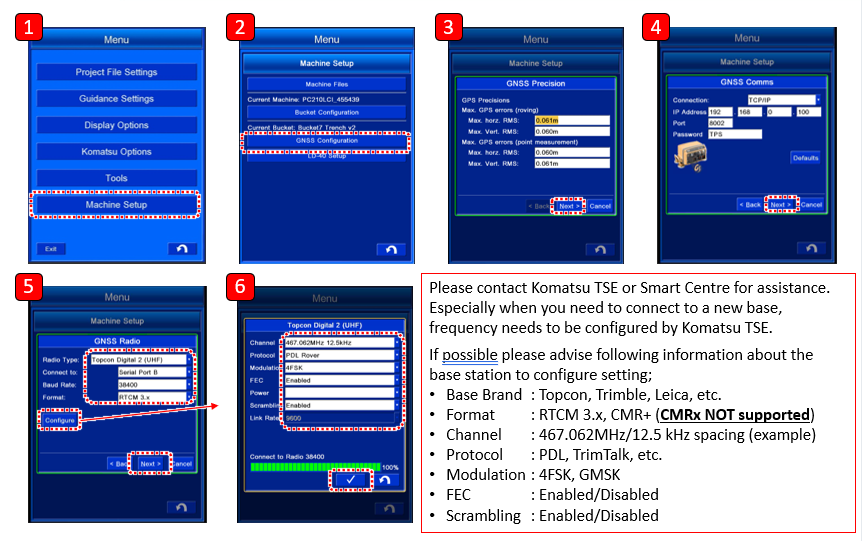
GNSS correction format of base station matches UHF modem
-
Check radio protocol of base station and UHF modem is matching
-
Confirm radio frequency matches base station and UHF receiver
-
[If Spread Spectrum] Confirm correct channel selected matches receiving unit
-
Check licenses with ACMA (Australia) or RSM (NZ) are paid and active
-
Confirm all data SIM cards are active
-
[If using CORS] Check CORS network server address is correct
-
[If using CORS] Check username and password (both are case sensitive).