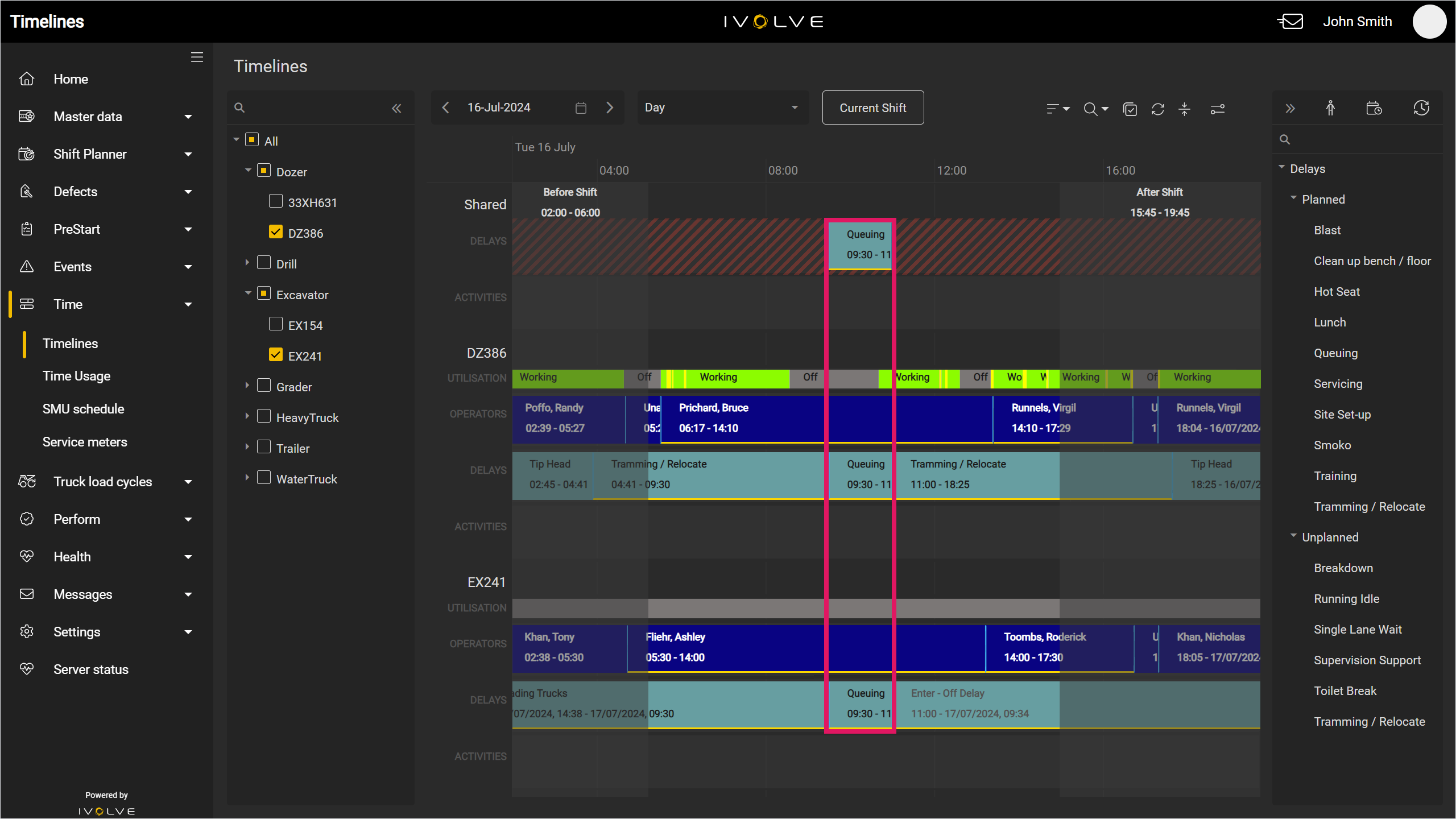
If you have two or more vehicles selected, you can add activities and delays to every vehicle on the timeline at once with the Shared row.
The Shared row displays a summary of all vehicles on the timeline. If an area in the Shared row is shaded, one or more vehicles on the timeline has an entry at this time. If an area is empty, no vehicle on the timeline has an entry at this time.
For example, in the image below, the area between 9:30am and 11am in the Shared row is unshaded; neither vehicles on the timeline have entries at this time.
If an entry is added to the Shared row, this is added to the timelines of all vehicles on the timeline as well. If an area is shaded in the Shared row, you cannot add an entry at this time.
Any new entries added to the Shared row will cover two hours by default; however, if an entry is added between two shaded areas with less than two hours between them (for example, if the shaded area finishes at 12pm and starts again at 1pm), the entry will fill the available space instead, and this will be reflected in the other rows as well.
You can only add activities and delays to the vehicles' activities and delays rows. Operators cannot be added to the Shared row. Also, you can only add entries to all vehicles on the timeline, not a selection of vehicles.
For example, if you have three vehicles on the timeline, you cannot add an entry to only two of the three vehicles with the Shared row.
However, you are able to add entries to a single vehicle on the timeline at any time, even if there are multiple vehicles on the timeline.
To add an activity or delay to multiple vehicles:
-
Add two or more vehicles to the timeline; this also automatically adds the Shared row to the timeline.
-
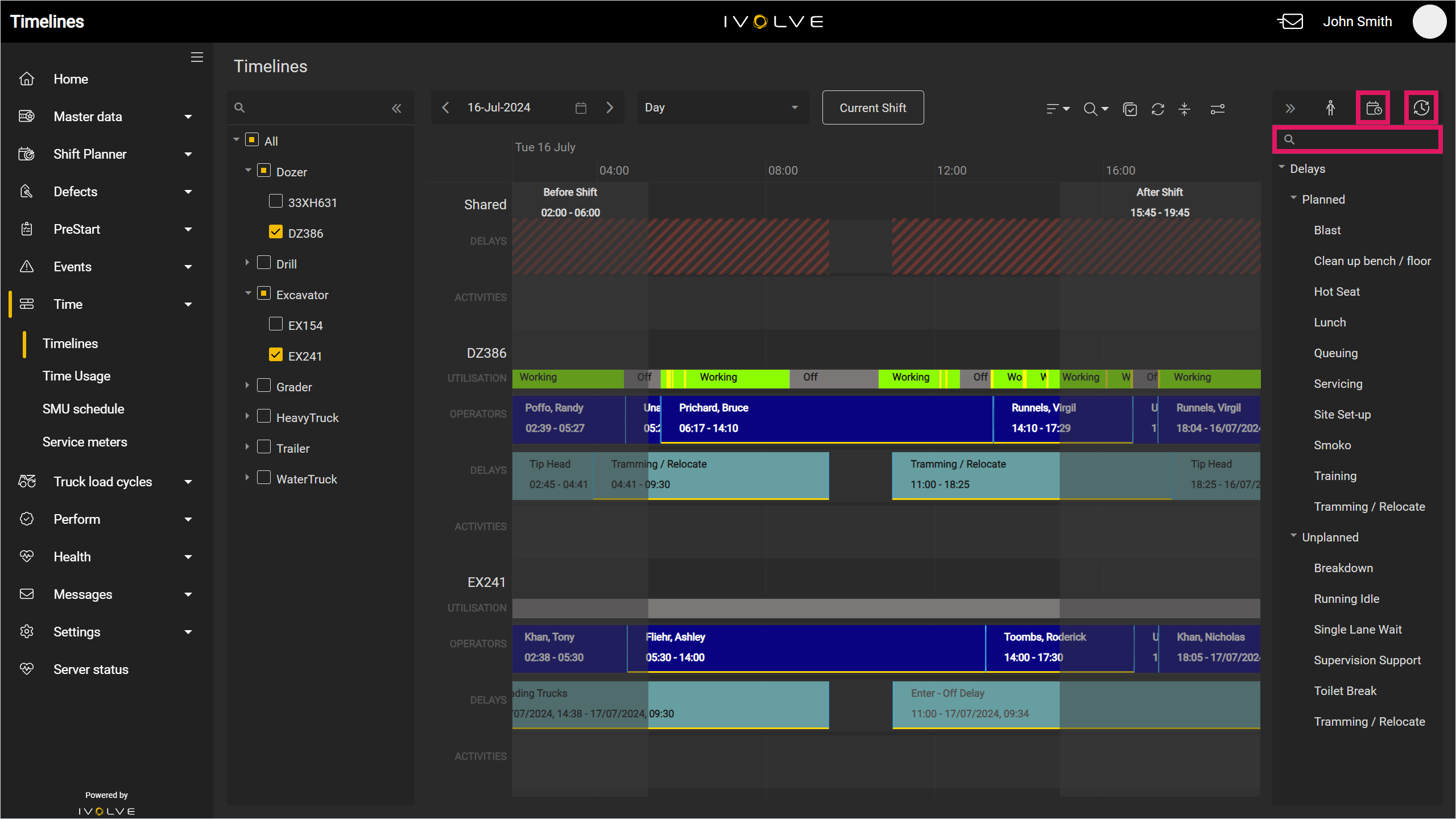
Select the Activity or Delay option from the menu on the right-hand side of the timeline, then select an activity or delay.
You can also filter for a specific delay with the Search field above the list of delays.
-
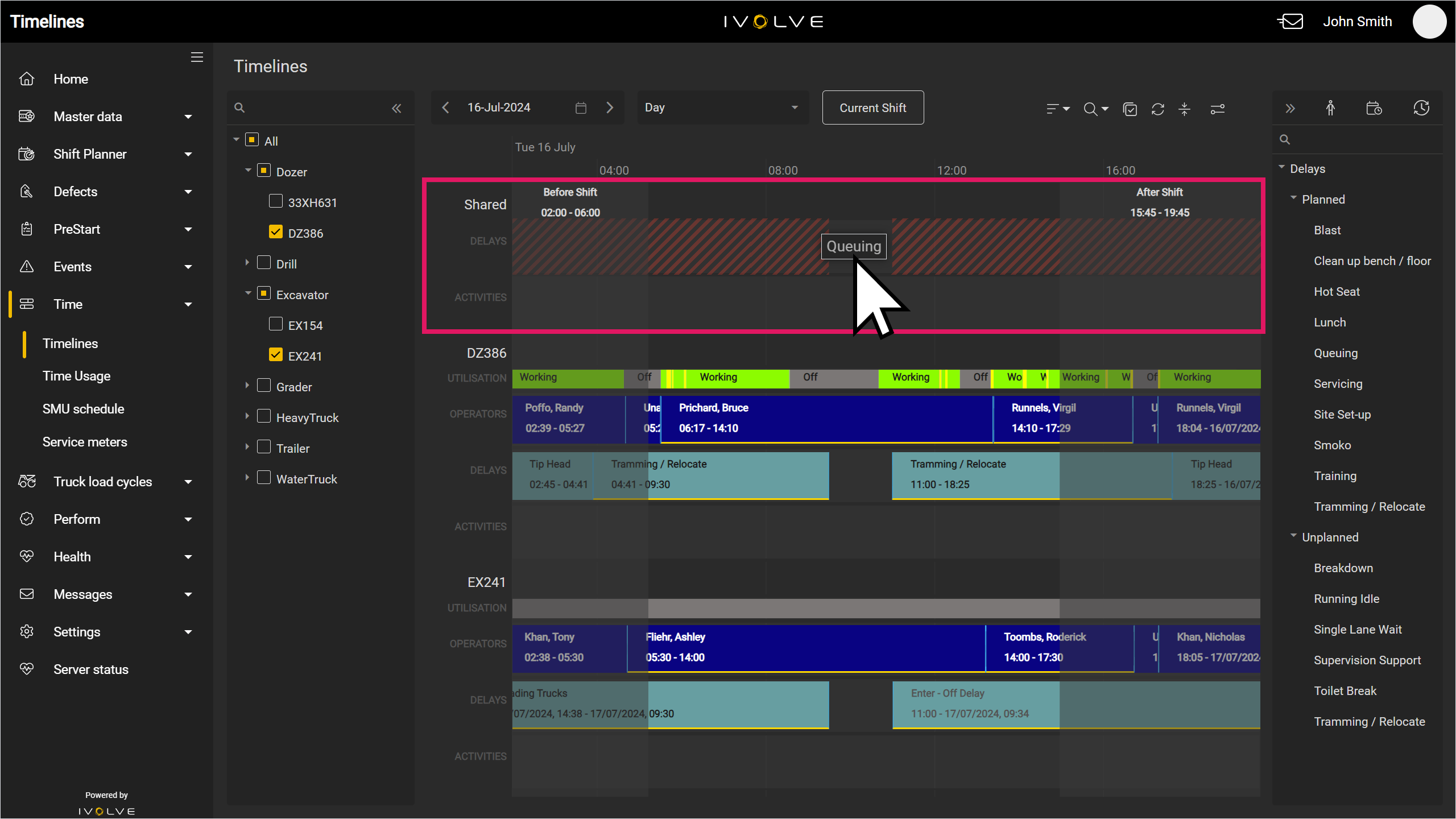
Click and drag an entry from the list into an open area on the Shared row.
-
The entry is added to all delay rows on the timeline.
If the entry is edited or deleted in the Shared row, the entry is also edited or deleted in all delay rows on the timeline.
See the Editing and deleting timeline entries page for more information on this process.