Create Blank project in HMI

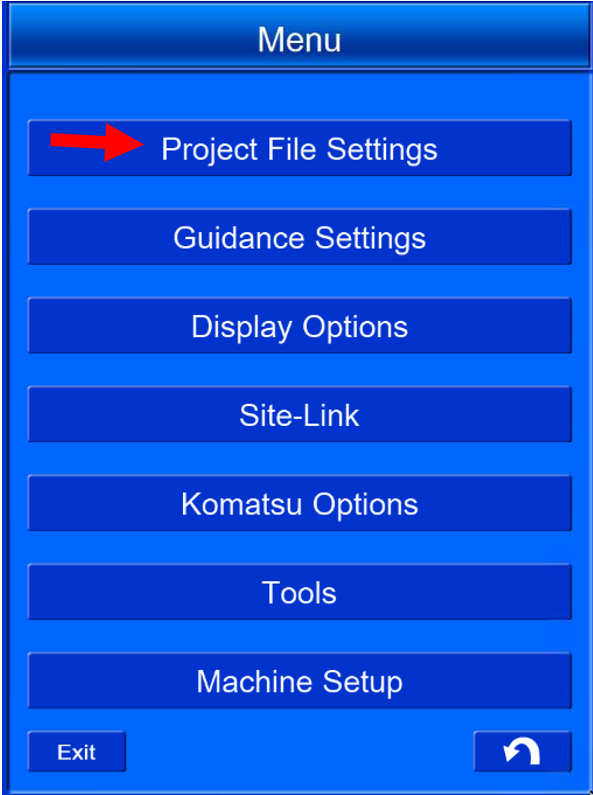
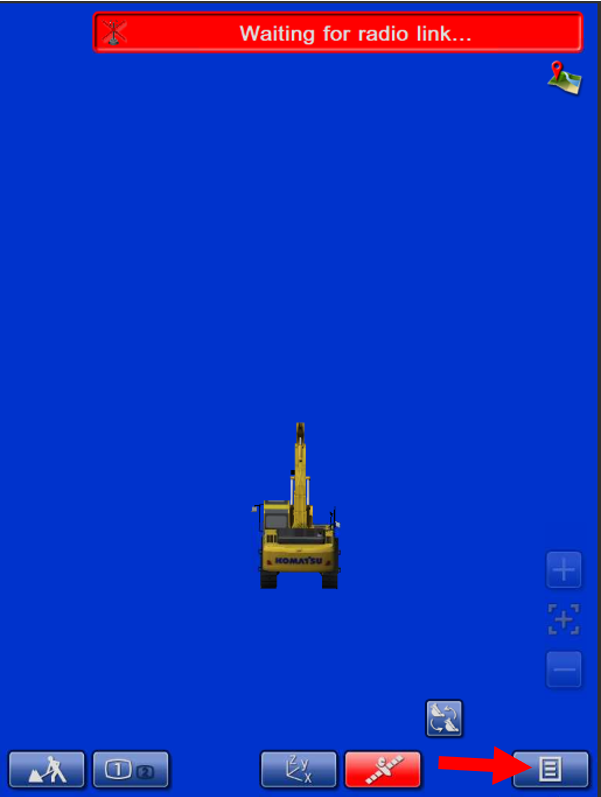
Select ‘Menu’


image-20240417-035436.png

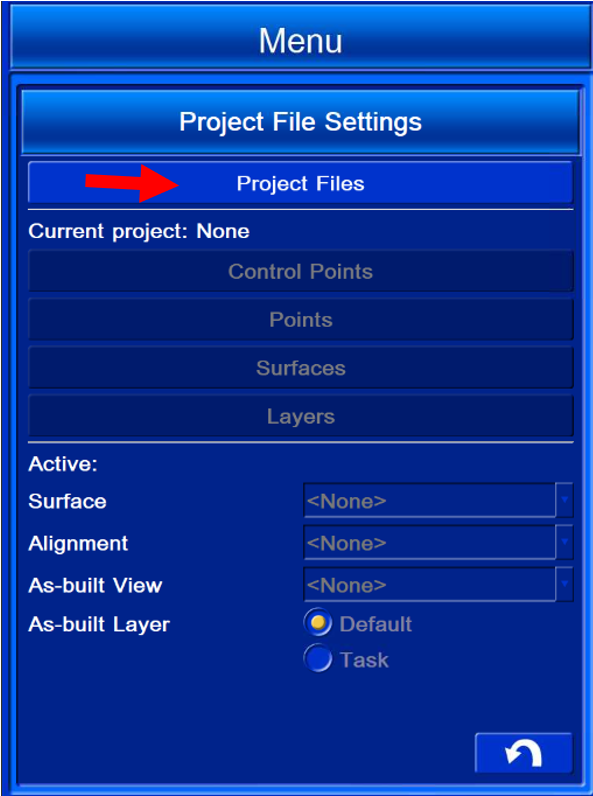
Select ‘Project file settings’


image-20240417-035503.png

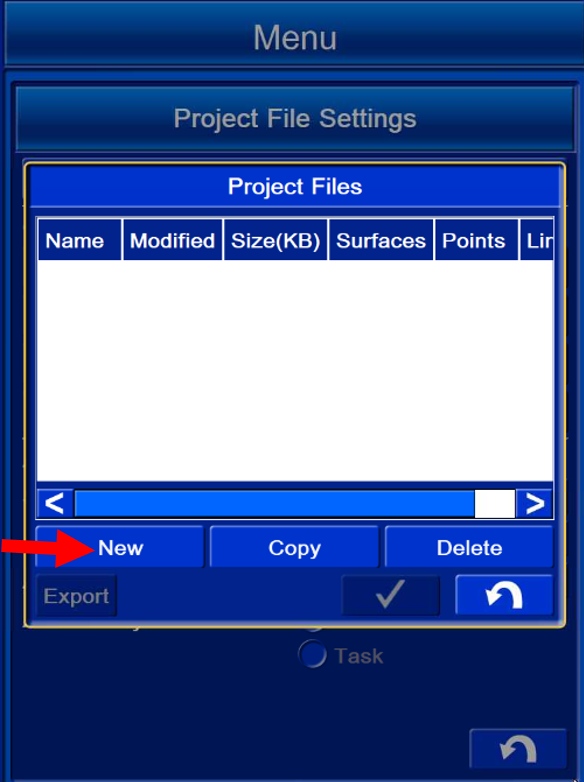
Select ‘Project files’


image-20240417-035656.png

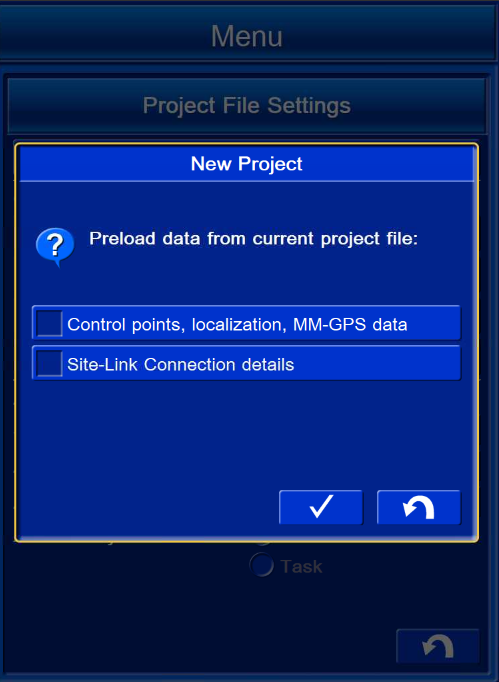
Select ‘New’


image-20240417-035822.png

Leave options unchecked

Select image-20240417-035944.png


image-20240417-035958.png

Name the project

Eg. ‘Test’

Select ‘OK’
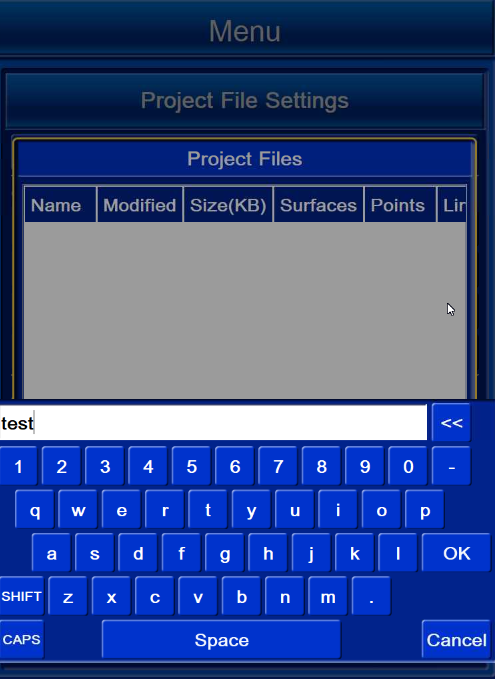

image-20240417-040117.png

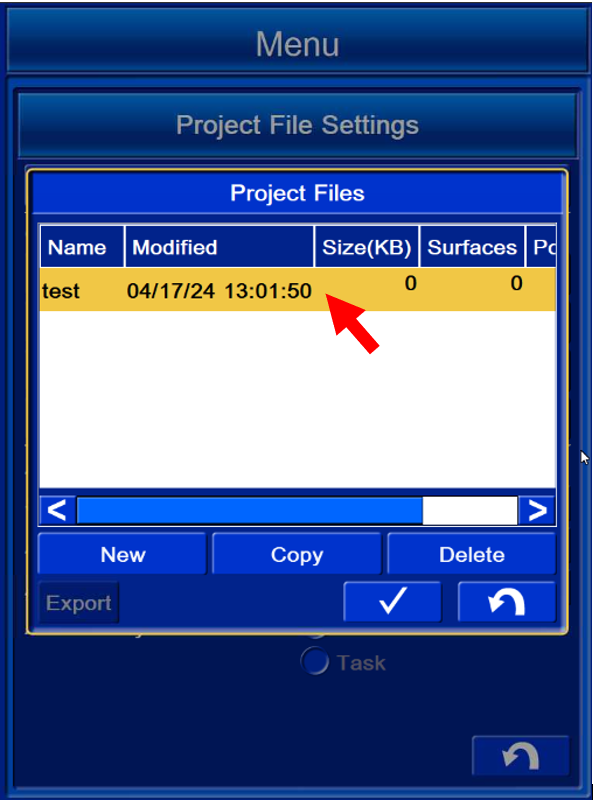
Select the project you just created

Select image-20240417-040354.png

image-20240417-040330.png