
Set Edge to Base Mode
Switch from Drone Mode to Base Mode if needed by selecting it from the dropdown menu.
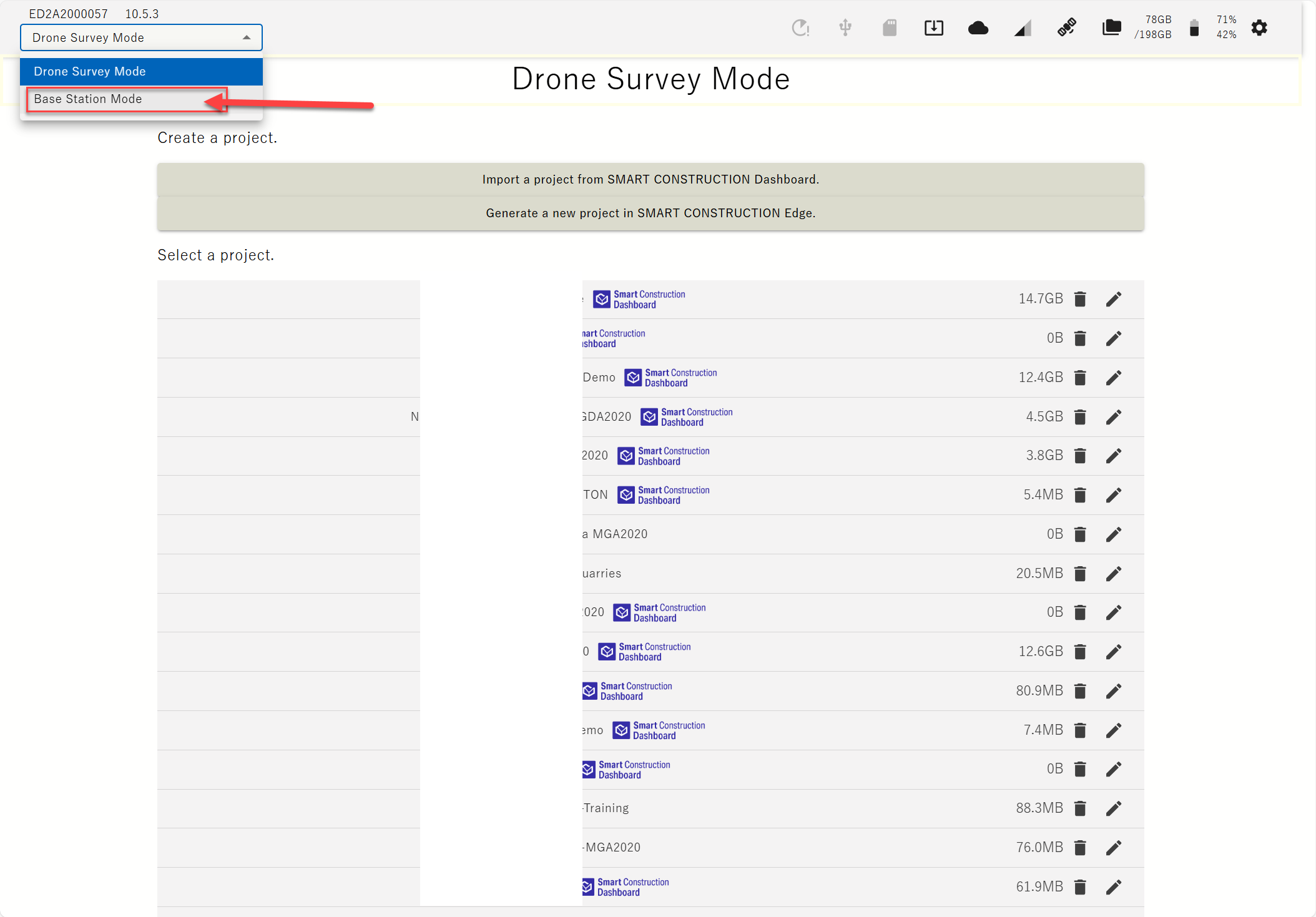
Confirm it by pressing OK.
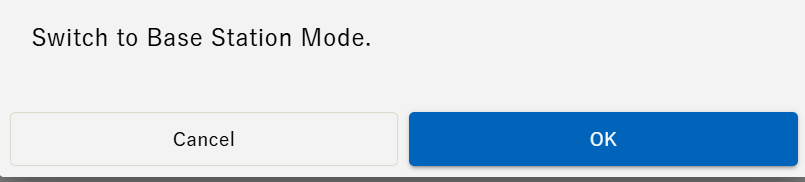
Start Streaming RTK Corrections
-
Select the Project
-
Select the saved Control Point to start on (To create a Point Refer to User Guide)
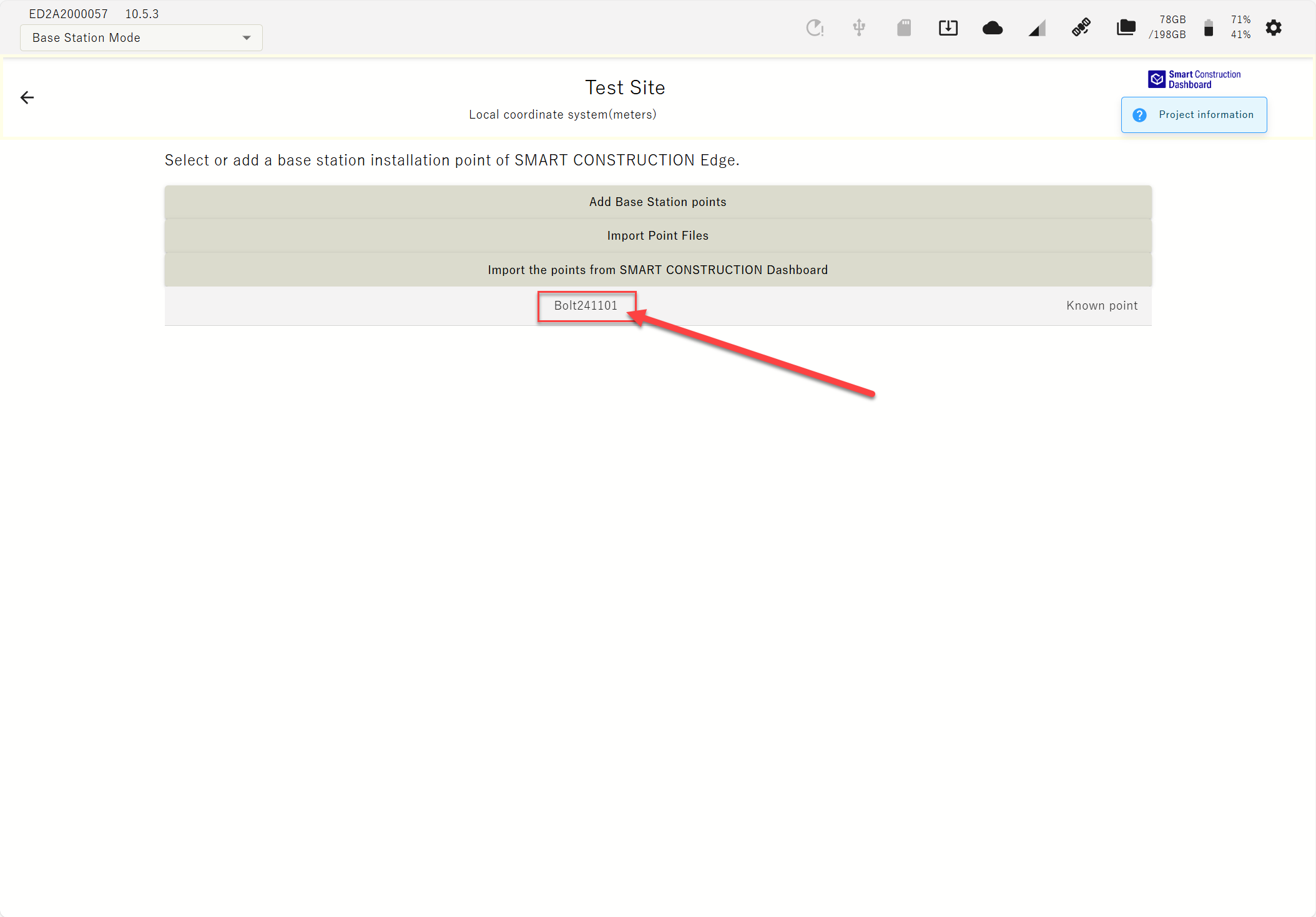
-
Set the measurement Height.
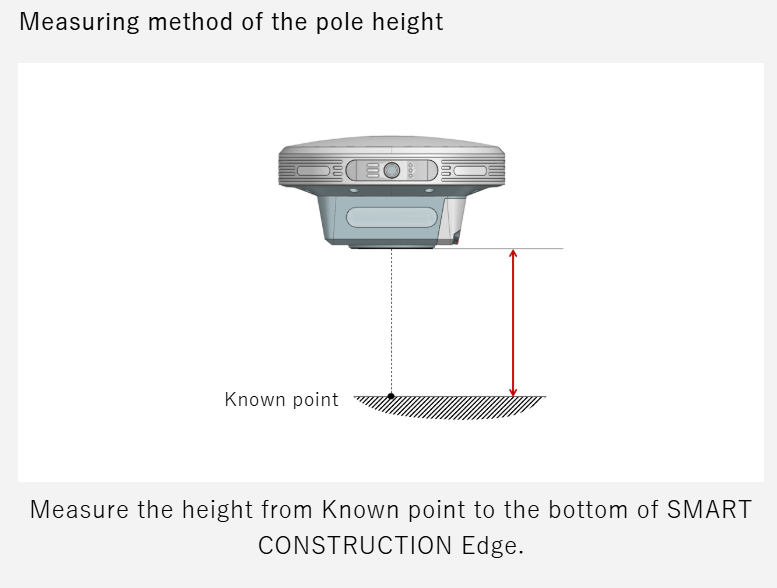
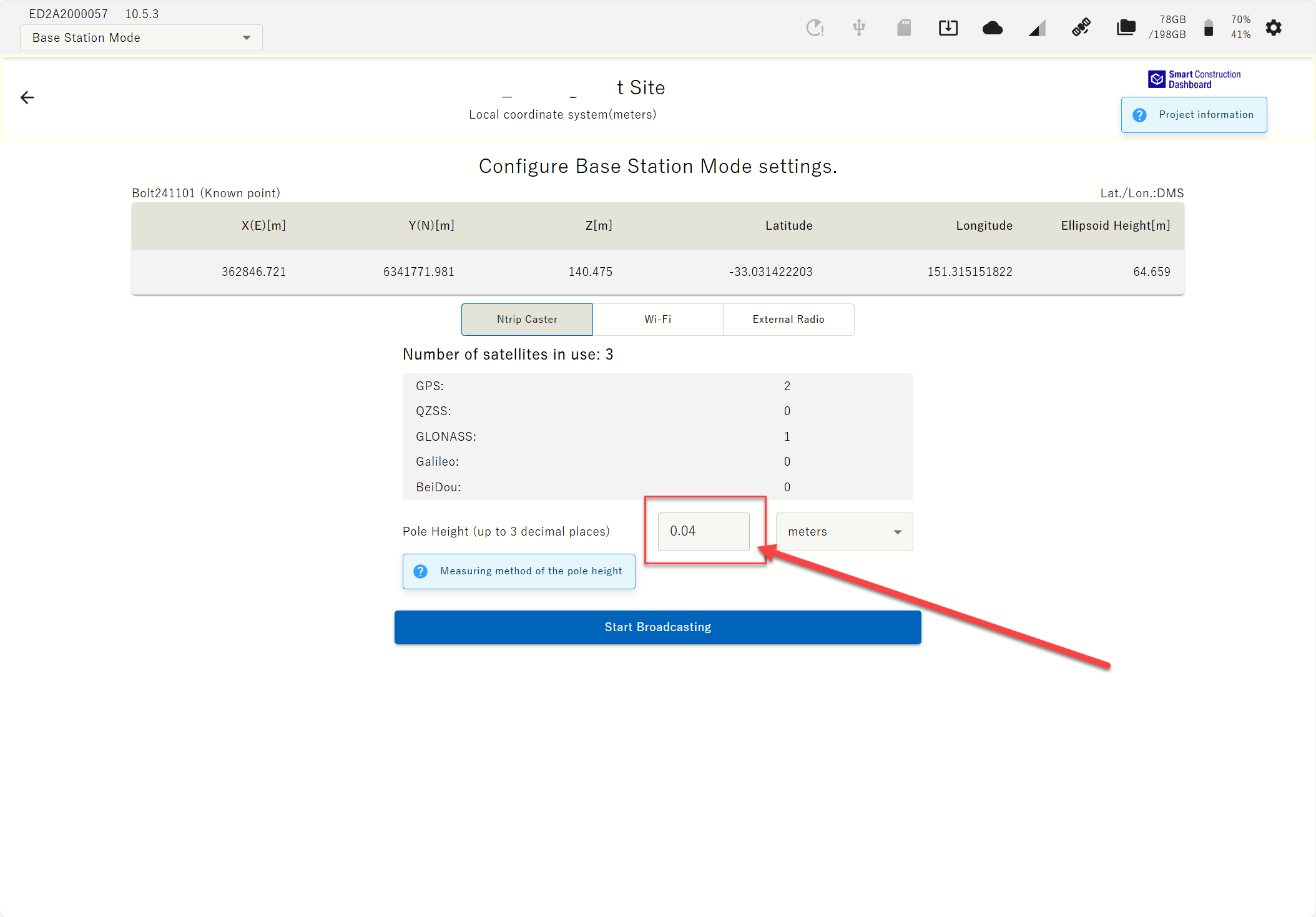
-
Select Streaming Method, NTRIP, Wi-Fi or External Radio & Select “Start Broadcasting”
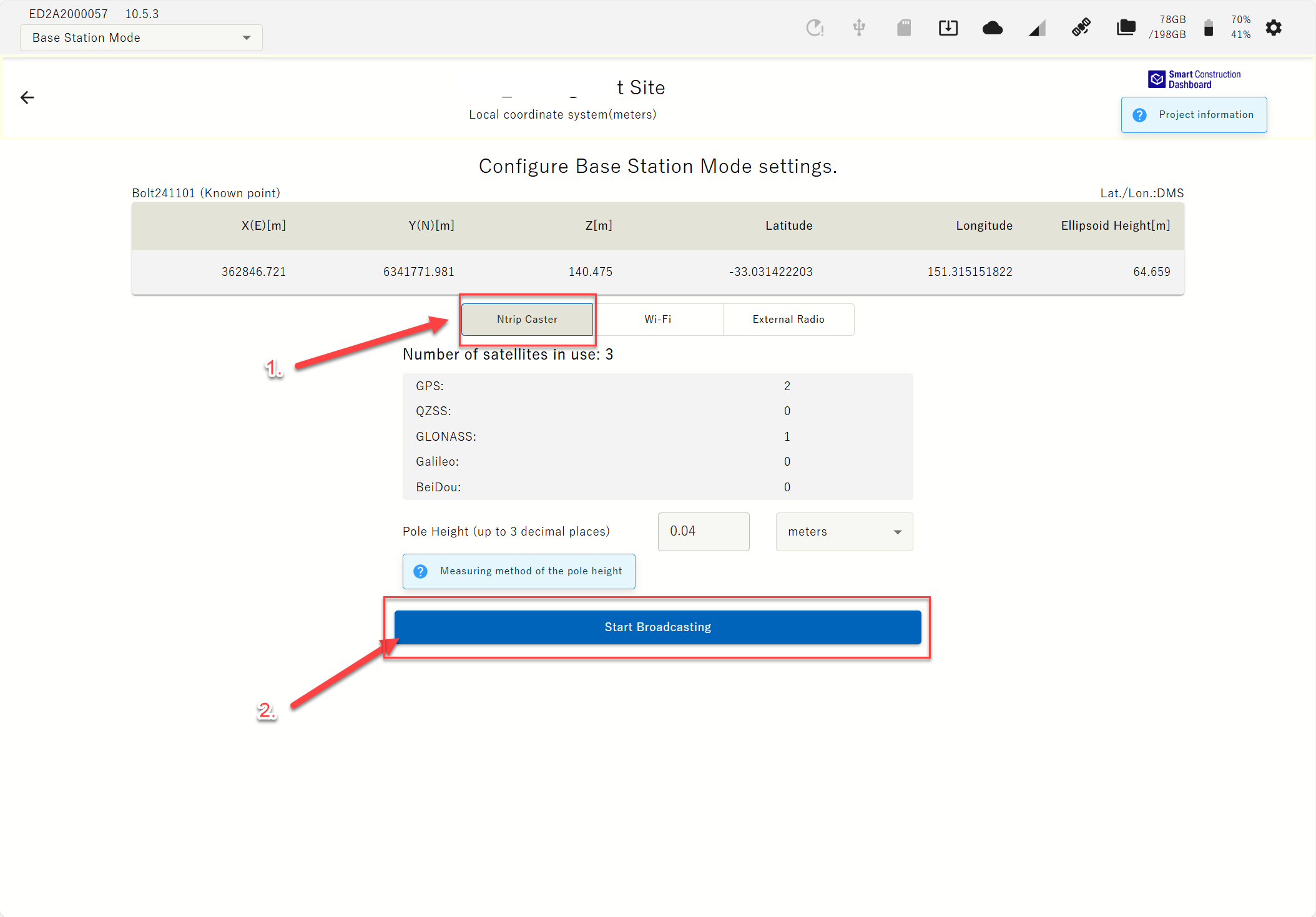
-
NTRIP for Streaming RTK corrections to GNSS Machines & Rovers with a modem over Cellular.
-
Wi-Wi for connecting a compatible drone controller and performing RTK aerial survey.
-
External Radio for Streaming RTK corrections to GNSS Machines & Rovers with a UHF Modem.