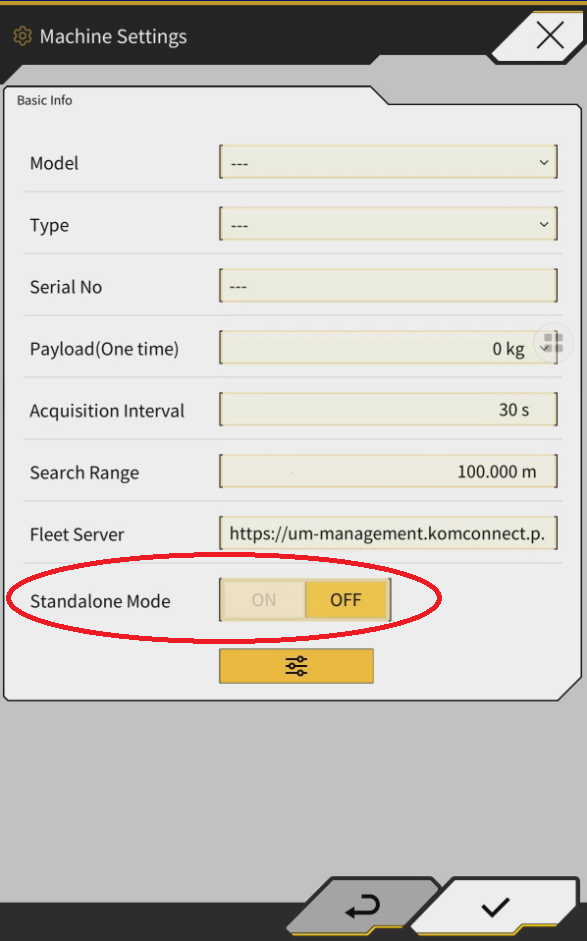
If the payload is in standalone (offline) mode


1. When in Payload mode press on the Cog Settings Button
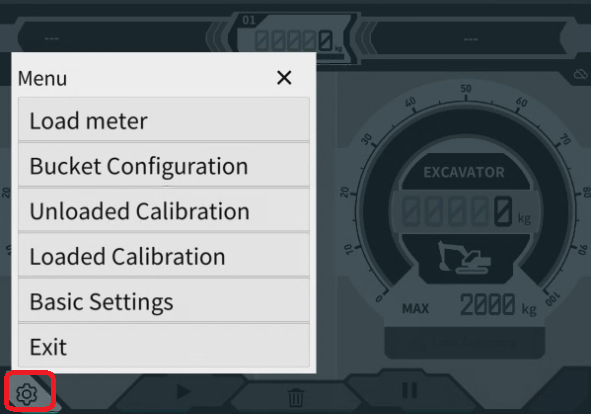
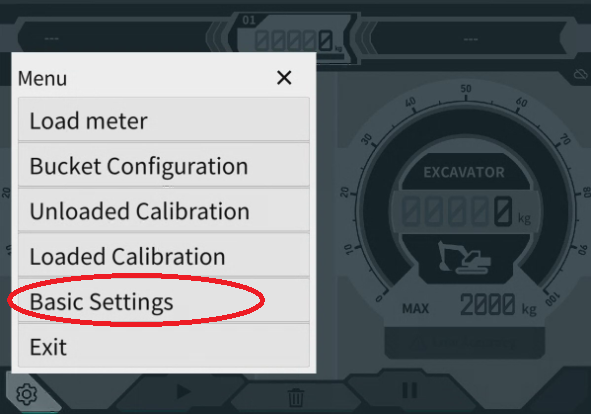
2. Click on Basic Settings
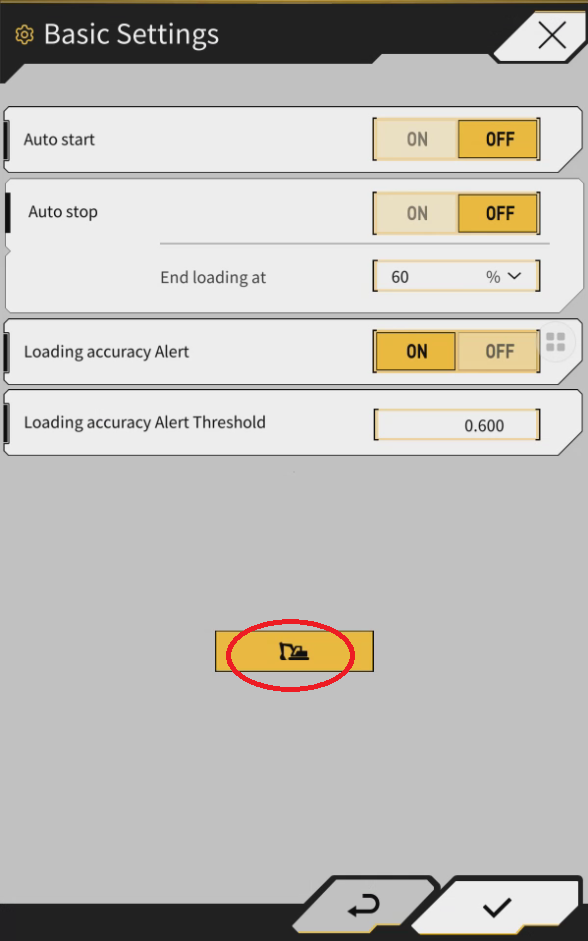
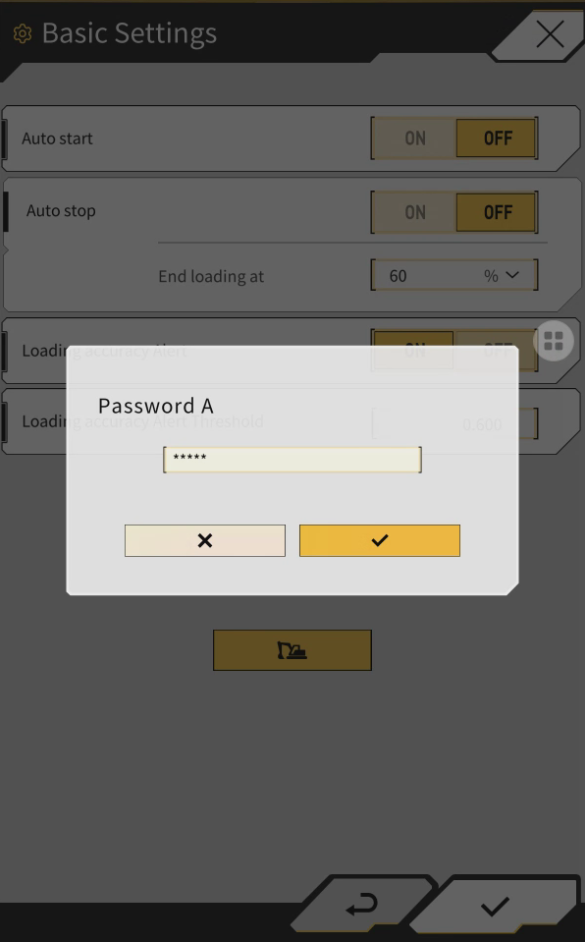
3. Clik on the escavator button
4. Enter Password A (Password A = 31415 (if the app version older, enter ll?2017)) and press the tick
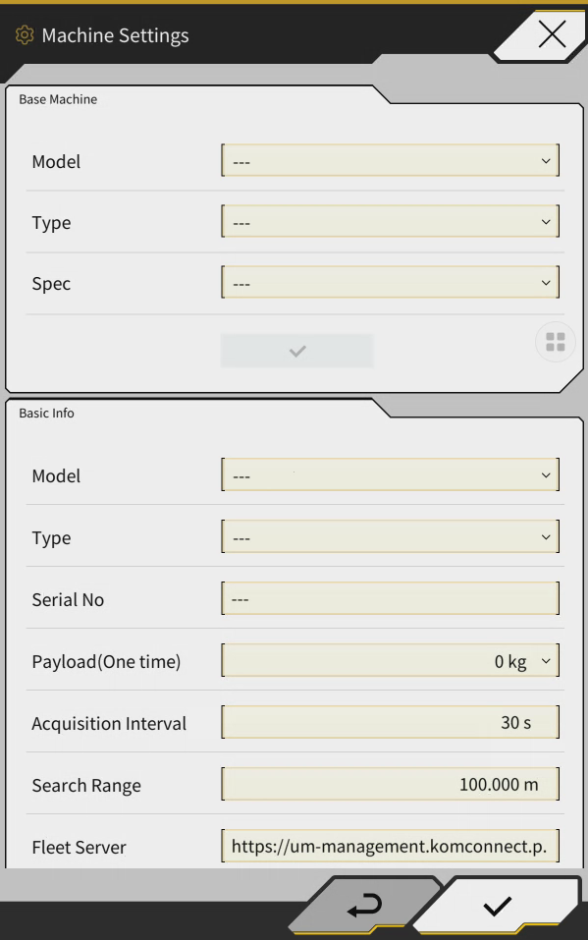
5. Scroll to the bottom of the page
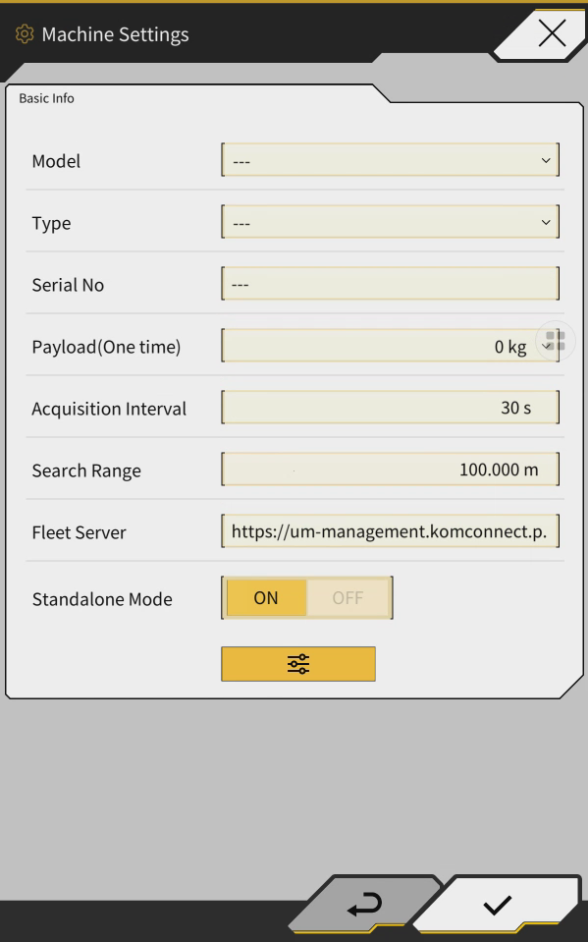
6. Turn Standalone to OFF and press the tick