Connecting to an MC-R3 with TRU
There are two ways to connect TRU to an MC-R3:
-
Connected to a control box (e.g. GX-55)
-
Connected to a PC via programming cable (PN 9063-1113-5).
The connection parameters vary depending on which method is used.
Connecting to an MC-R3 With a Control Box
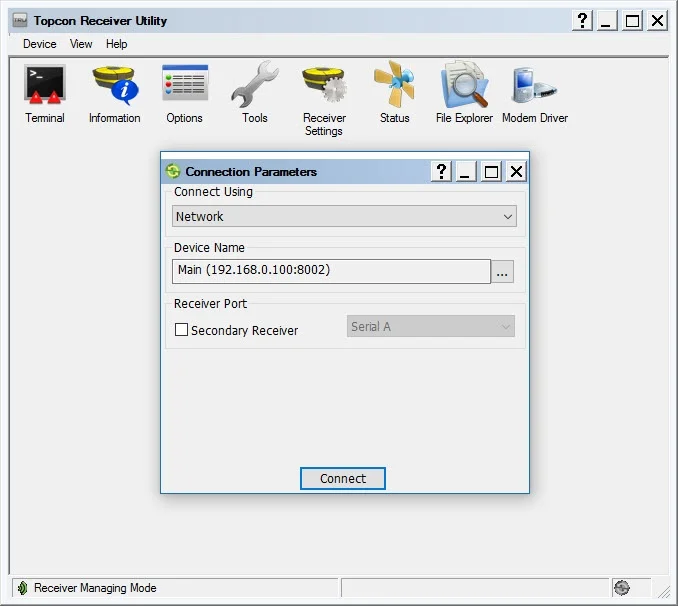
Receiver Managing
-
Connect Using: Network.
-
Port Name:
-
Main GNSS: IP=192.168.0.100, Port=8002, Password=TPS.
-
Aux GNSS: IP=192.168.0.101, Port=8002, Password=TPS.
-
-
Select Connect.
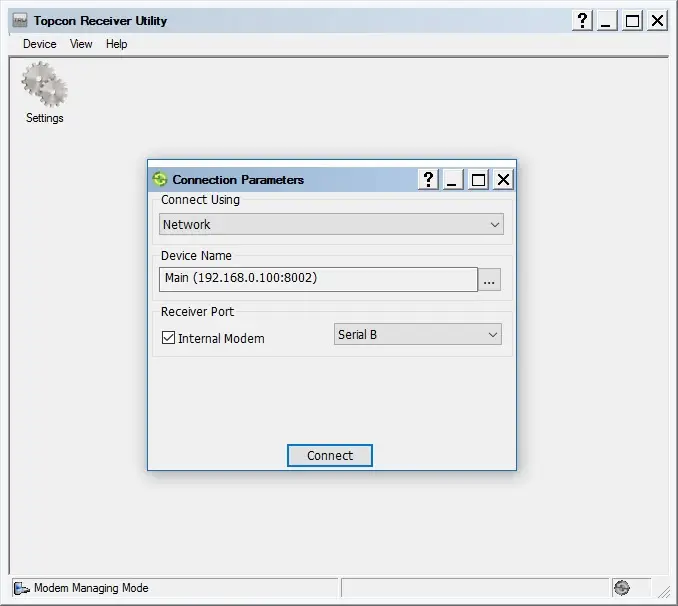
Modem Managing
-
Connect Using: Network:
-
Port Name:
-
Main: IP=192.168.0.100, Port=8002, Password=TPS.
-
Receiver Port: Internal Modem, Serial B
-
-
Select Connect.
Connecting to an MC-R3 With a Programming Cable
-
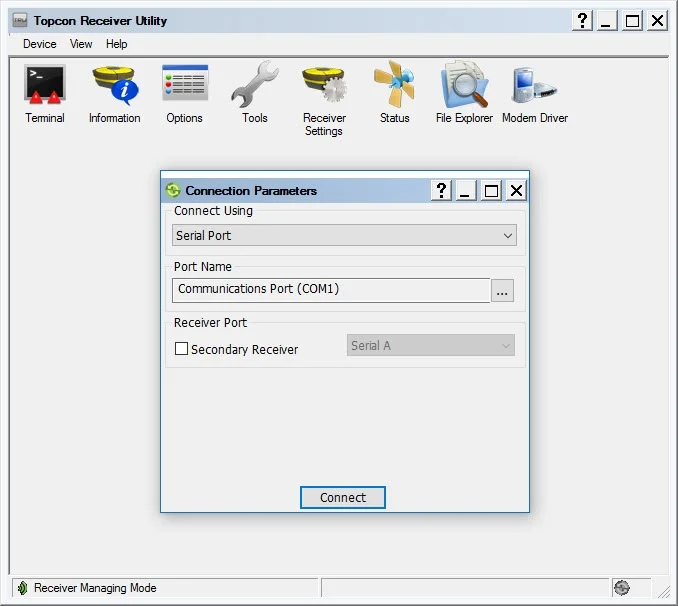
Receiver ManagingConnect Using: Serial.
-
Port Name:
-
Main GNSS: Use serial cable labeled MAIN.
-
Aux GNSS: Use serial cable labeled AUX.
-
-
Port Name: select the COM port of your PC.
-
Select Connect.
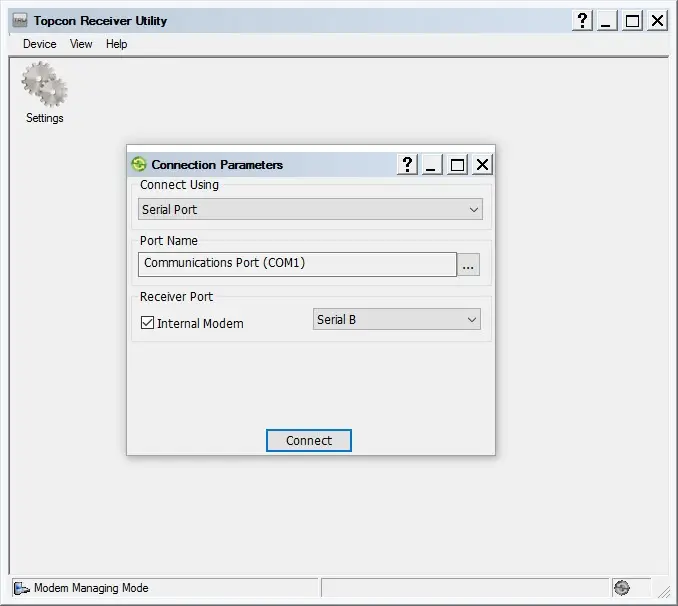
Modem Managing
-
Connect Using: Serial.
-
Use serial cable labeled MAIN.
-
-
Port Name: select the com port of your PC.Receiver
-
Port: Internal Modem, Serial B
-
Select Connect.