Connecting to an MC-i3 and MC-i4 with TRU
There are two ways to connect TRU to an MC-i3 or MC-i4:
-
Connected to a control box (e.g. GX-55).
-
Connect to a PC via programming cable (PN 1001269-01).
The connection parameters vary depending on which method is used.
The MC-i4 modem cannot be connected to with TRU. You must use the web interface or MCXConfig.
Connecting via Web Interface
-
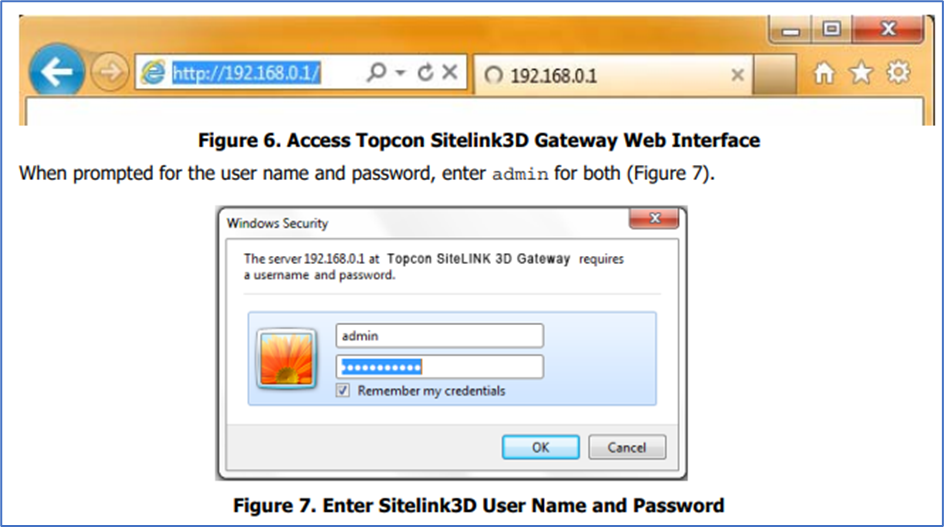
Open Internet Explorer and type in IP Address: 192.168.0.100
-
When Prompted: enter username/password - admin/admin
Connecting to an MC-i3 and MC-i4 With a Control Box
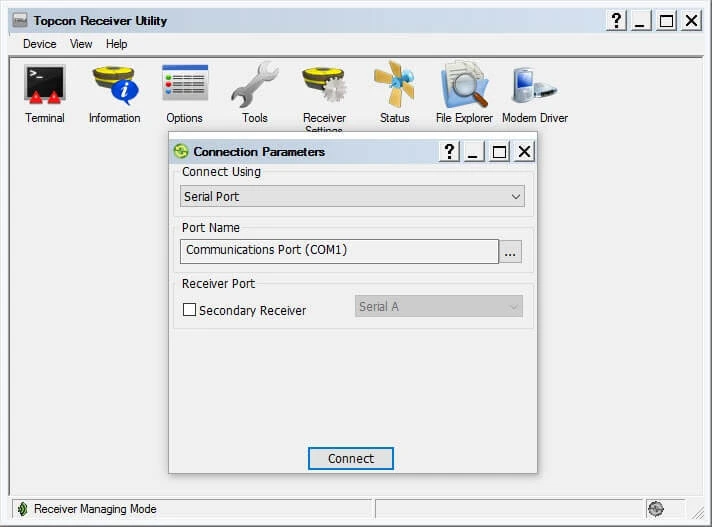
Receiver Managing Connect
-
Using: Serial Port
-
Name: COM 1.
-
For the main GNSS board, leave secondary receiver unchecked.
-
For the auxiliary GNSS board, check secondary receiver, Serial D.
-
-
Press Connect.
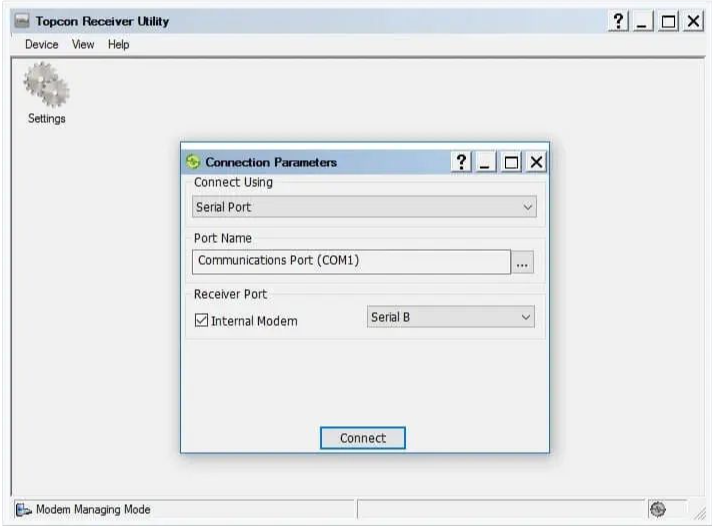
Modem Managing
-
Connect Using: SerialPort
-
Name:COM 1.
-
Receiver Port: Internal Modem, Serial B.
-
Press Connect.
Connecting to an MC-i3 and MC-i4 With a PC
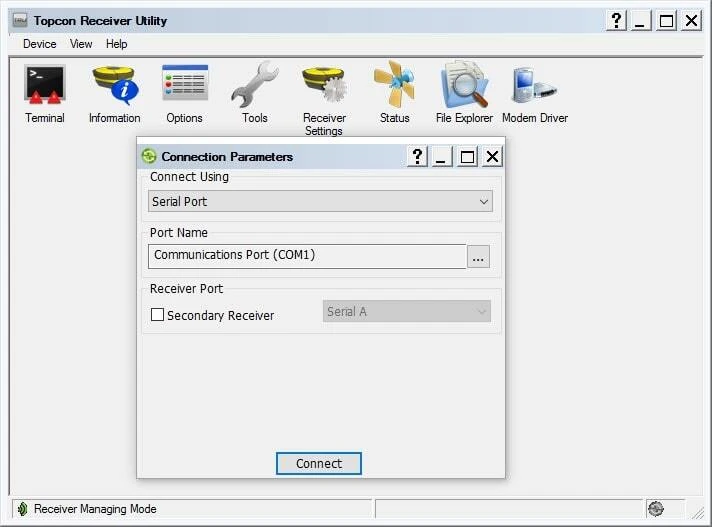
Receiver Managing
-
Connect Using: SerialPort
-
Name:COM 1.
-
For the main GNSS board, use the cable labled Serial 1.
-
For the auxiliary GNSS board, use the cable labled Serial 2.
-
-
Leave secondary receiver port unchecked
-
Press Connect.
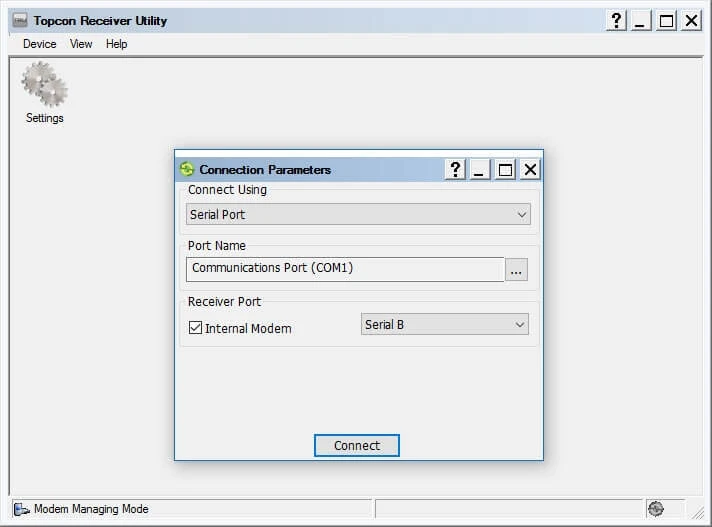
Modem Managing
-
Connect Using: SerialPort
-
Name:COM 1.
-
Receiver Port: Internal Modem, Serial B.
-
-
Use the cabled labeled Serial 1.
-
Press Connect.