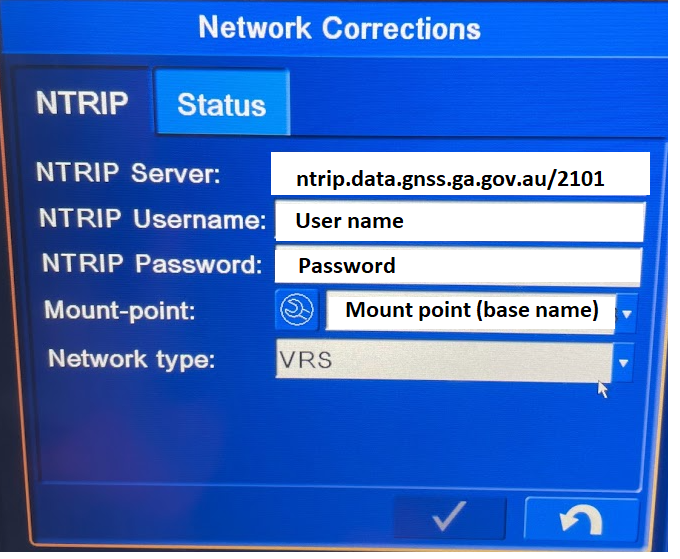
Create an account with Auscors-
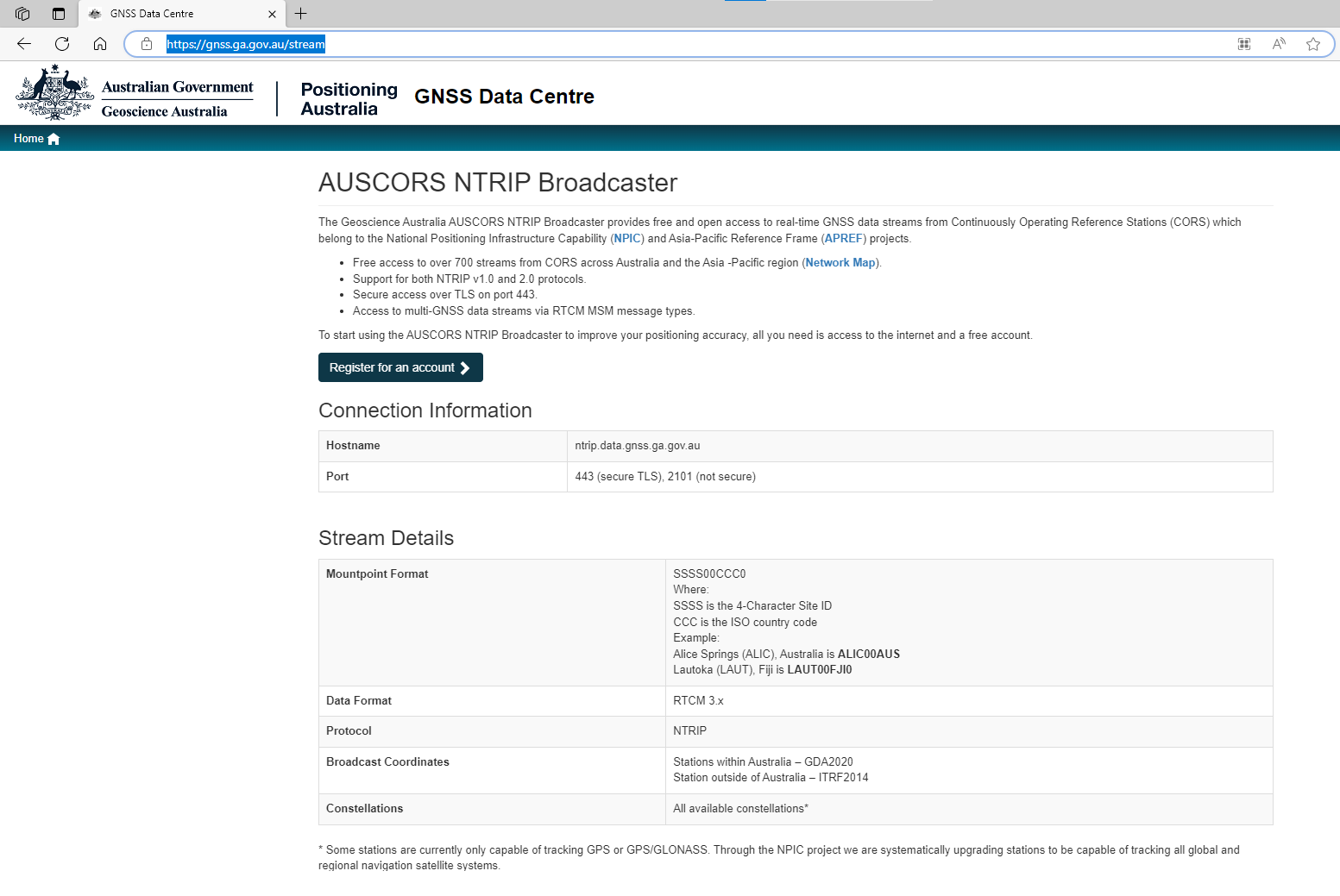
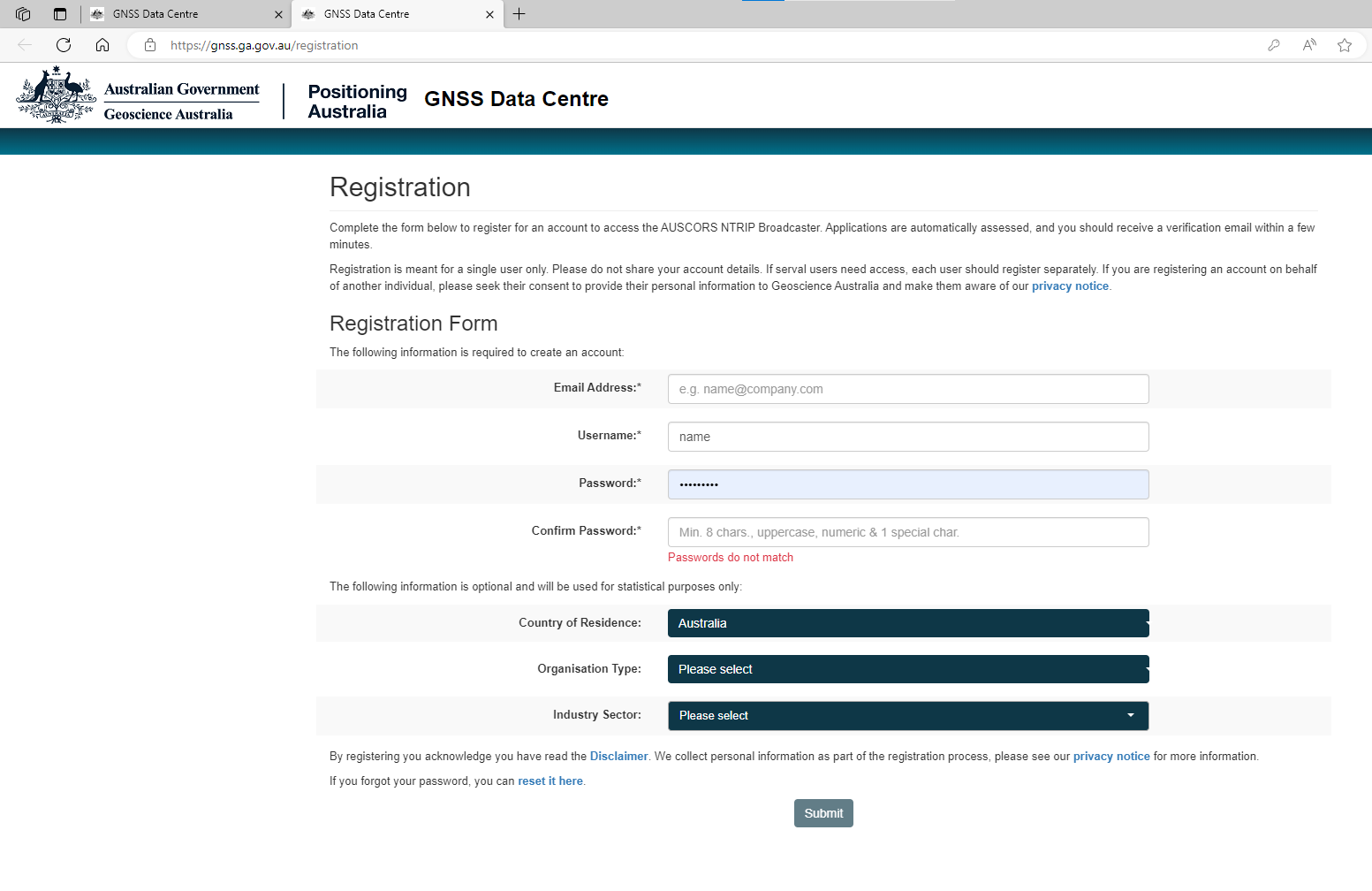
After submitted, log into emails and verify your account.
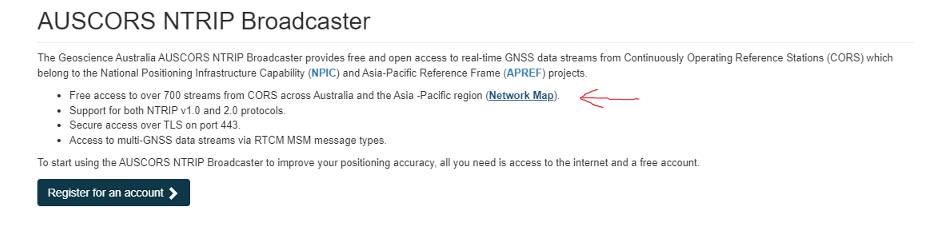
Then select the network map and locate the base closest to machine location.
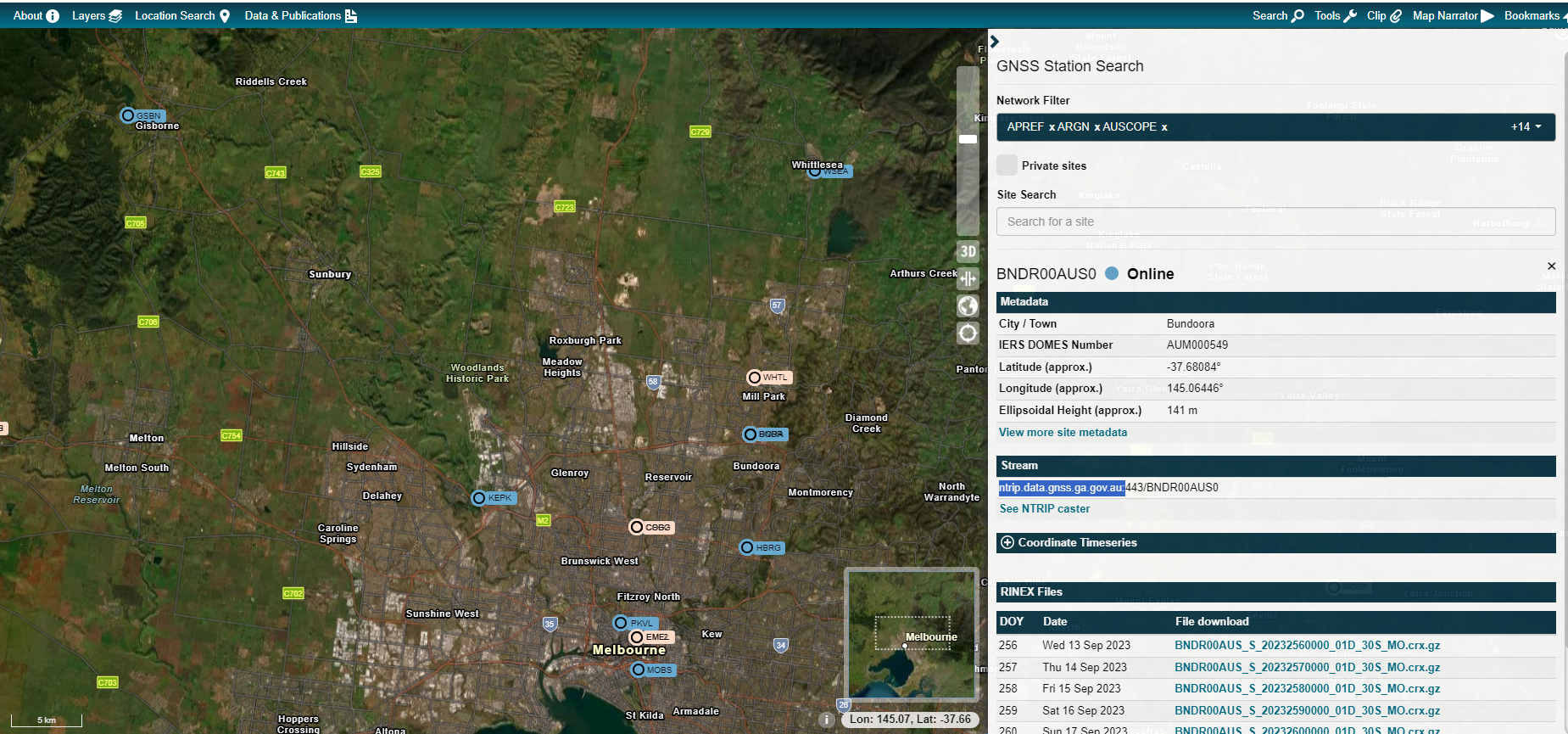
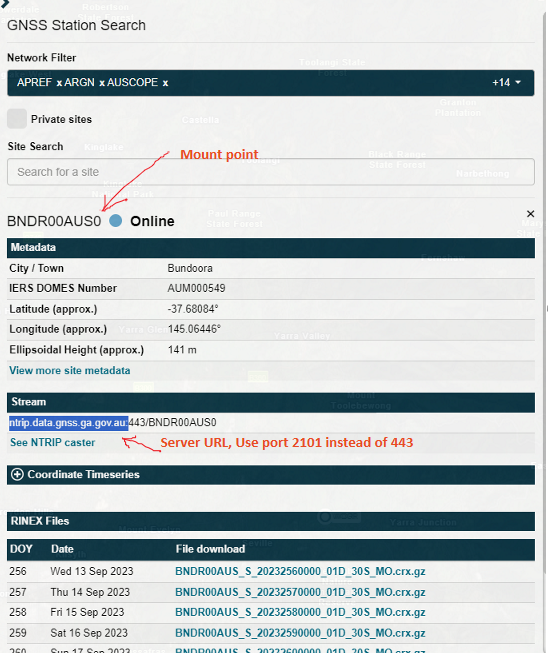
Using the above details set the NTRIP login in the machine.
Examples below
Retro fit kit (RFK)
Download mount points list with
When pressed It will turn pale yellow, wait until it turns Bright yellow and then open the mount point list and select your base station.
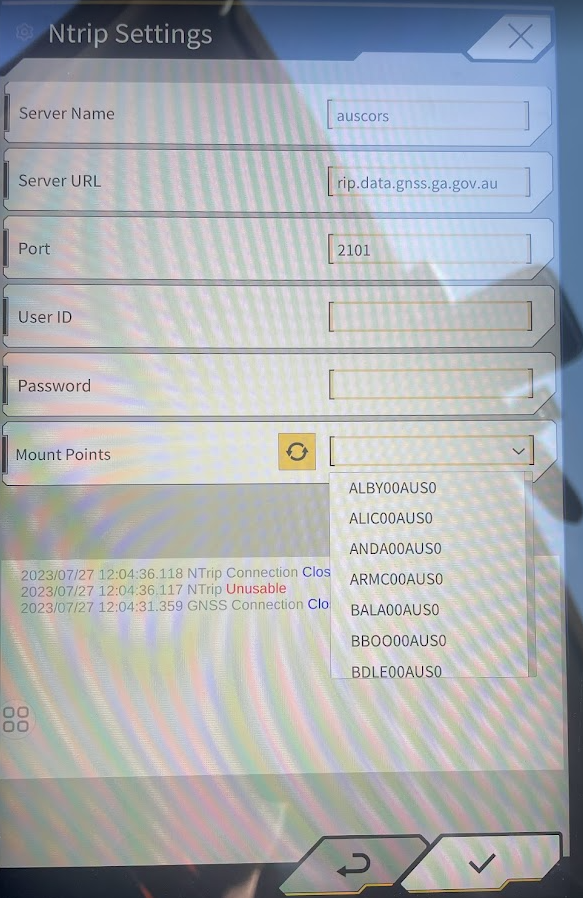
Inteligent Machine control Excavator
For IMC or Topcon, URL: ntrip.data.gnss.ga.gov.au/2101
Download new mount points with spanner