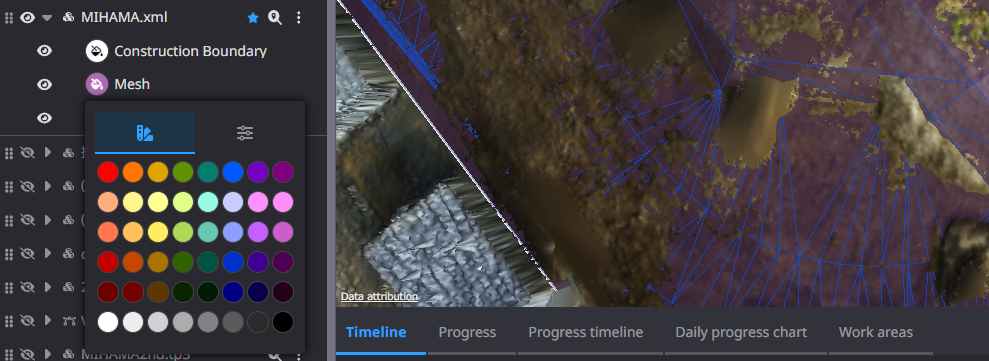
Clicking on the ▼ button of the target data allows you to change the colour and transparency of each item in the 3D data.
Click on the eye icon to toggle between display and non-display.
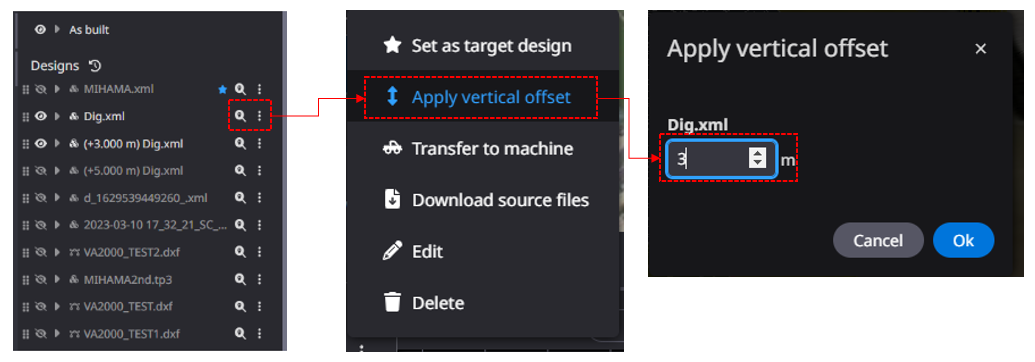
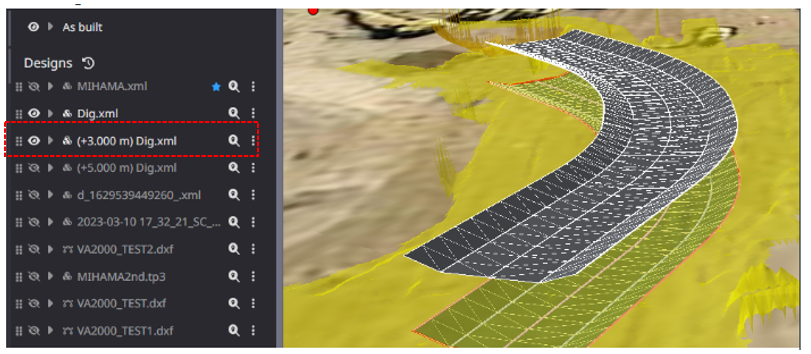
Edit Vertical Offset" (± adjustment is possible)
The data name after offsetting reflects the changed value.
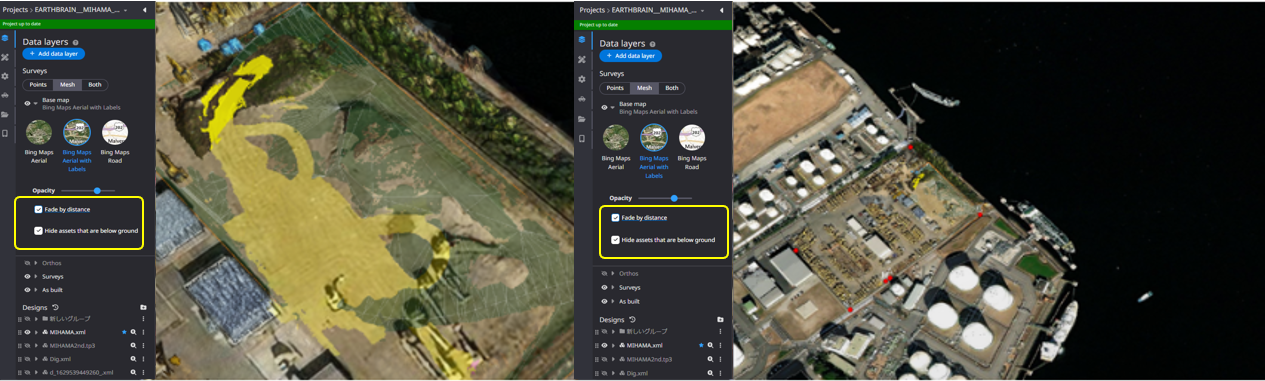
You can change the transparency of the Base map and the priority for transparency of Base map data and registration data.
Use the slide bar to change the transparency of the base map
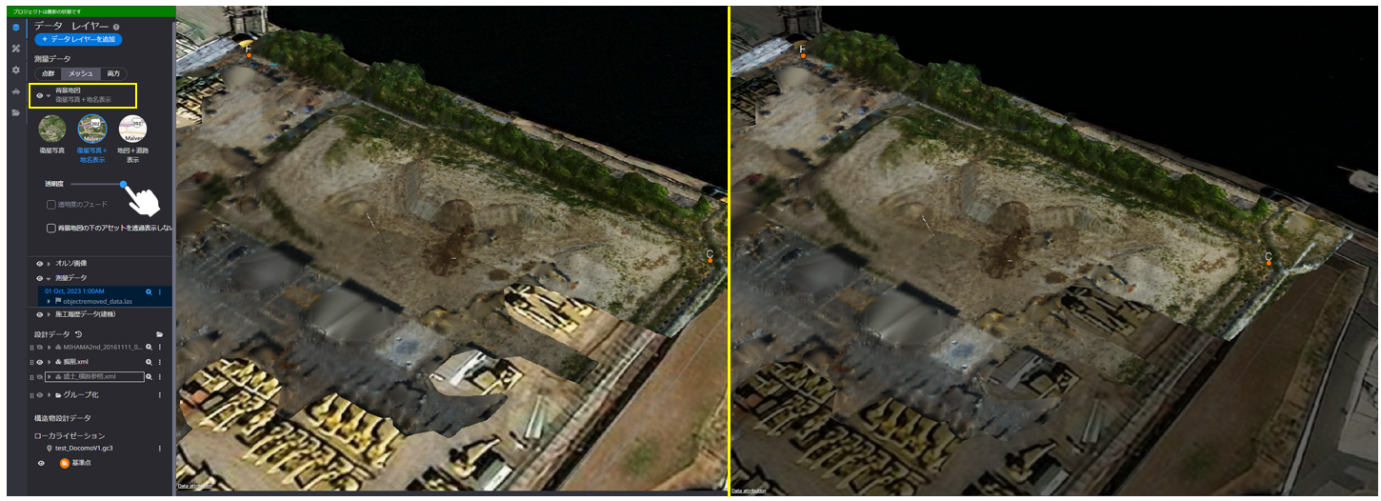
Change transparency priorities for Base map data and registration data:
1)The display of design data lower than the height of the map data can be switched
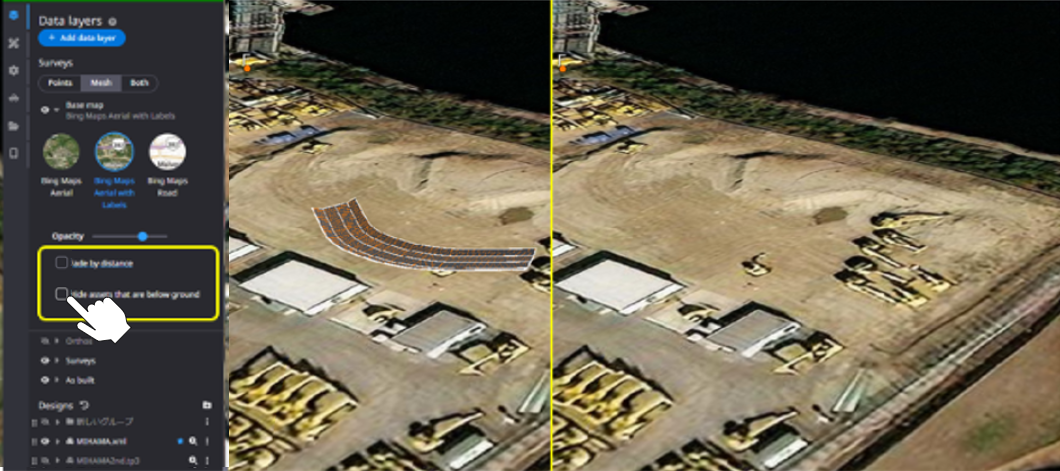
2)Toggle the display of survey data below the height of the base map
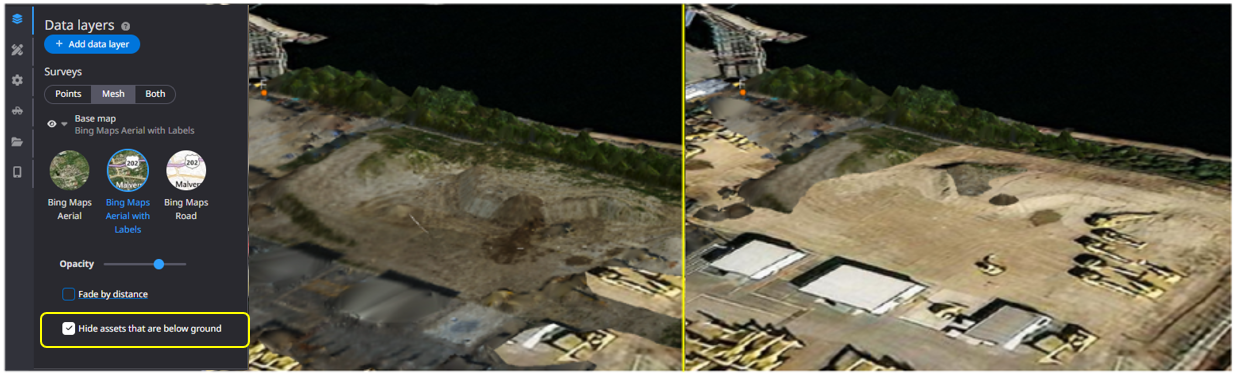
3)Transparent display when zooming can be automatically adjusted by checking.
Zoom in Zoom out