
|
# |
Type |
Description |
Overview |
|---|---|---|---|
|
1 |
New Feature |
Automatic Tilling of point cloud data, etc. to the SC Dashboard |
Extend Edge2’s automatic upload function to enable automatic registration of point cloud data, etc. to the Dashboard. In the settings screen, when “Select which output you want to display on Smart Construction Dashboard in the point cloud settings screen” is set to ON, you can select which items to be registered automatically. If it is set to OFF, it will not be displayed. 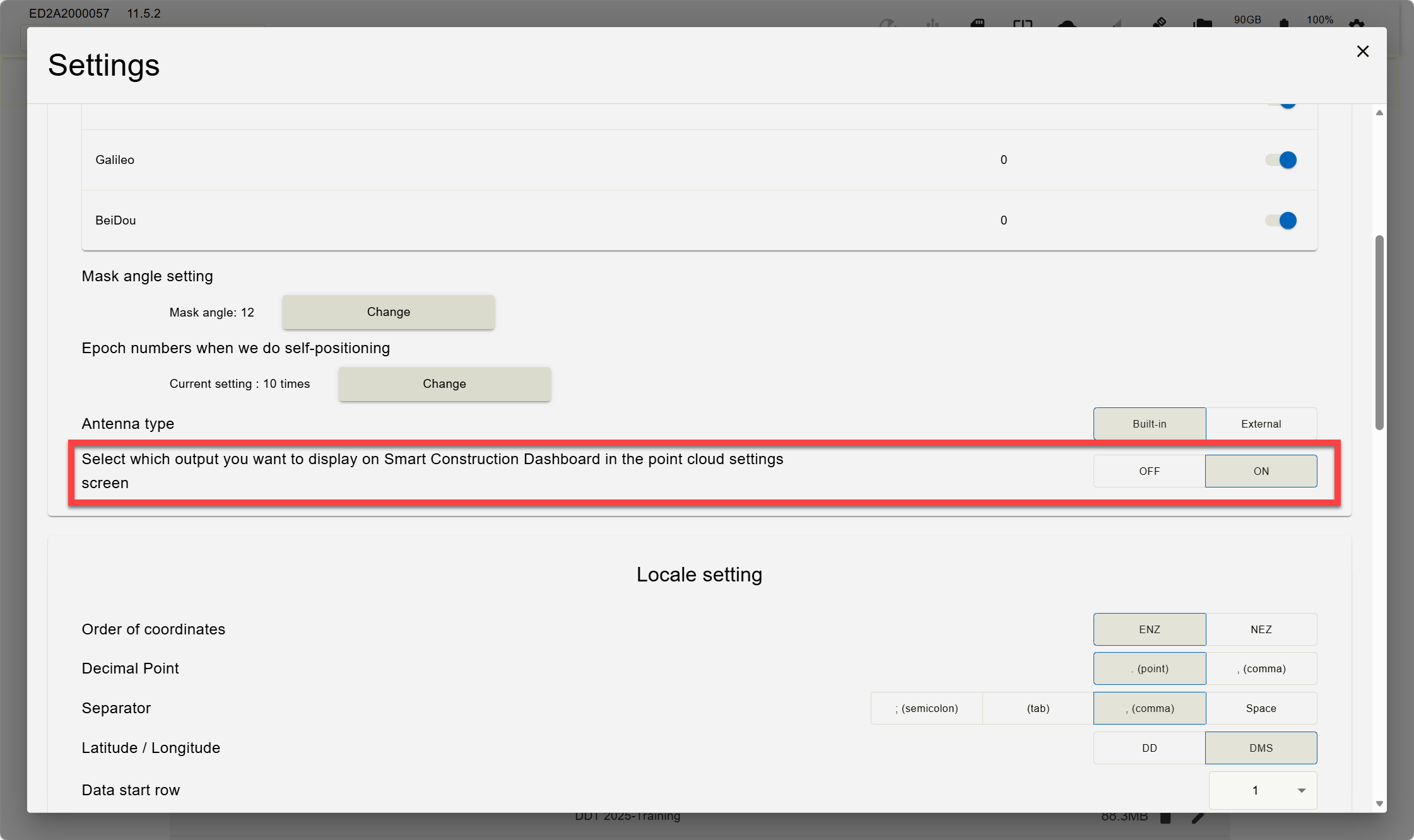
When the setting is turned ON, you can select the data to be registered from the following four options: ・Point Cloud ・Point Cloud (Object Removed) ・DSM ・DTM Separate from these four options, orthophoto registration and upload will be performed automatically once the orthophoto is generated. 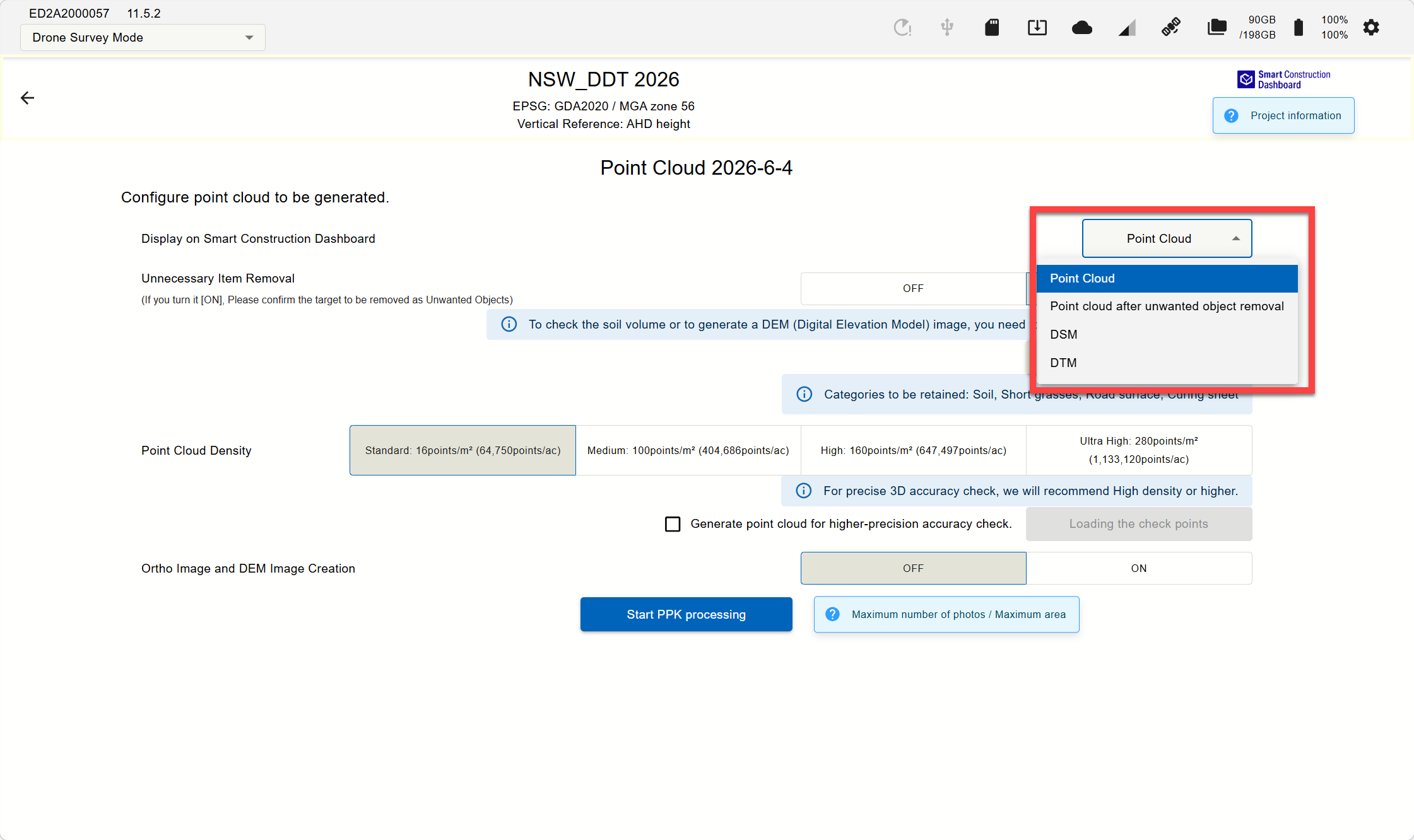
Dashboard does not auto-interpolate at this stage. After the point cloud tiles on the Dashboard, enable "Interpolate" if you require interpolation of the point cloud. To do this on Dashboard click the 3 dots next to the point cloud. Press “Edit” then and go to “Advanced Settings” then turn on Interpolate. The data will then re-tile. 

|
|
2 |
Fix |
EDGE2 FW Certificate Support |
Using the Edge2 firmware without updating may cause a certificate error due to server certificate expiration, preventing the Edge2 application from launching. Updating to Version 11 renews the server certificate automatically at startup (requires network connection), preventing startup issues from expired certificates. |
|
3 |
New Feature |
Cloud SfM Credit Consumption Message |
Added a feature to display a notification informing users that Cloud SfM will be used (i.e., credits will be consumed) when uploading photo data from Edge2 to Cloud SfM. (This message is displayed only for customers with an active Cloud SfM contract.) |
|
4 |
New Feature |
Support for External GNSS Antenna |
To use an external antenna, a separate optional hardware modification is required. 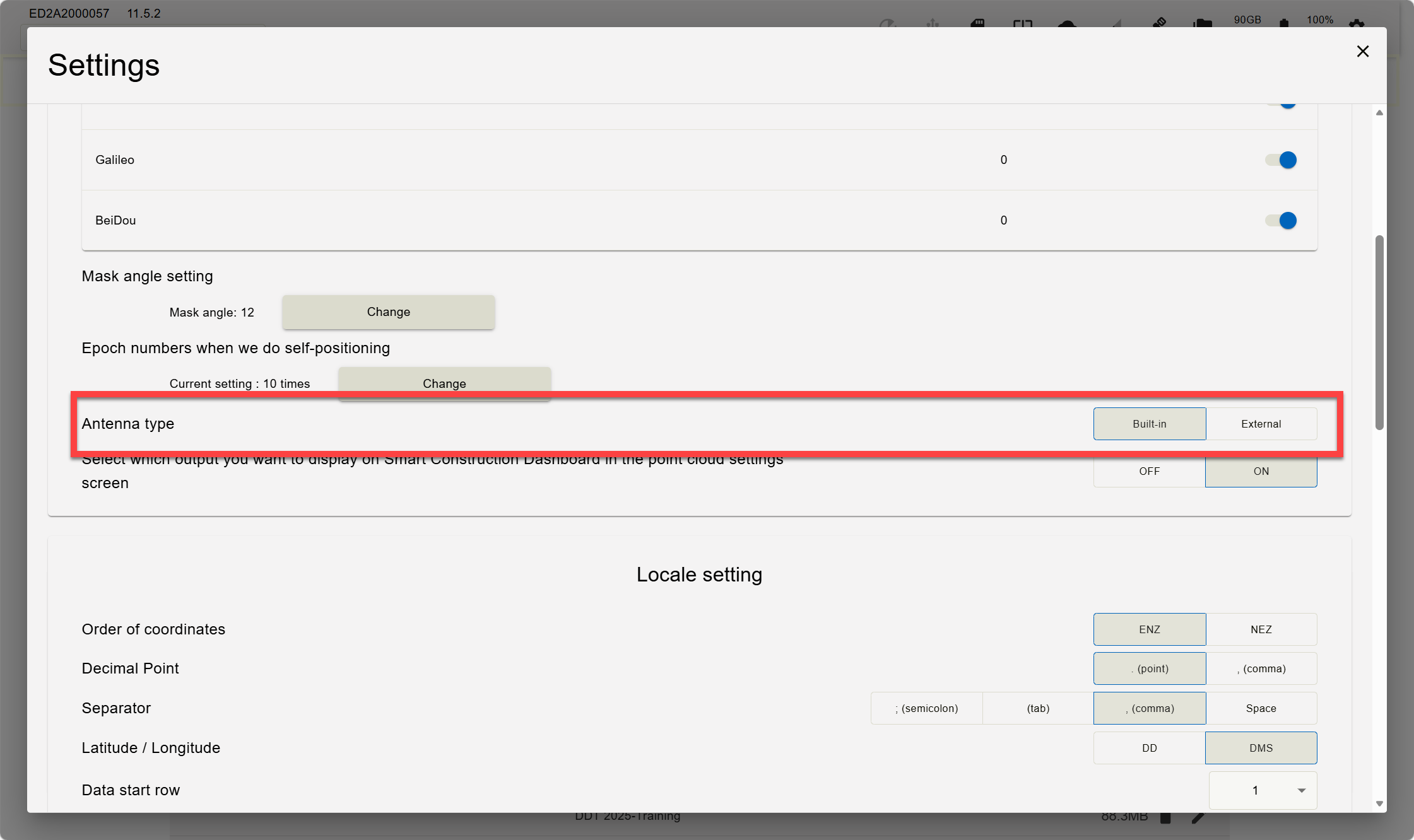
Standard Edge should always use the Buil-In option Contact your Smart Construction Representative for more informaiton. |
|
5 |
New Feature |
Improved 3D Algorithm Performance |
Expanded Maximum Supported Area As shown below, at 160 points/m², the processing area and the number of processable images have increased 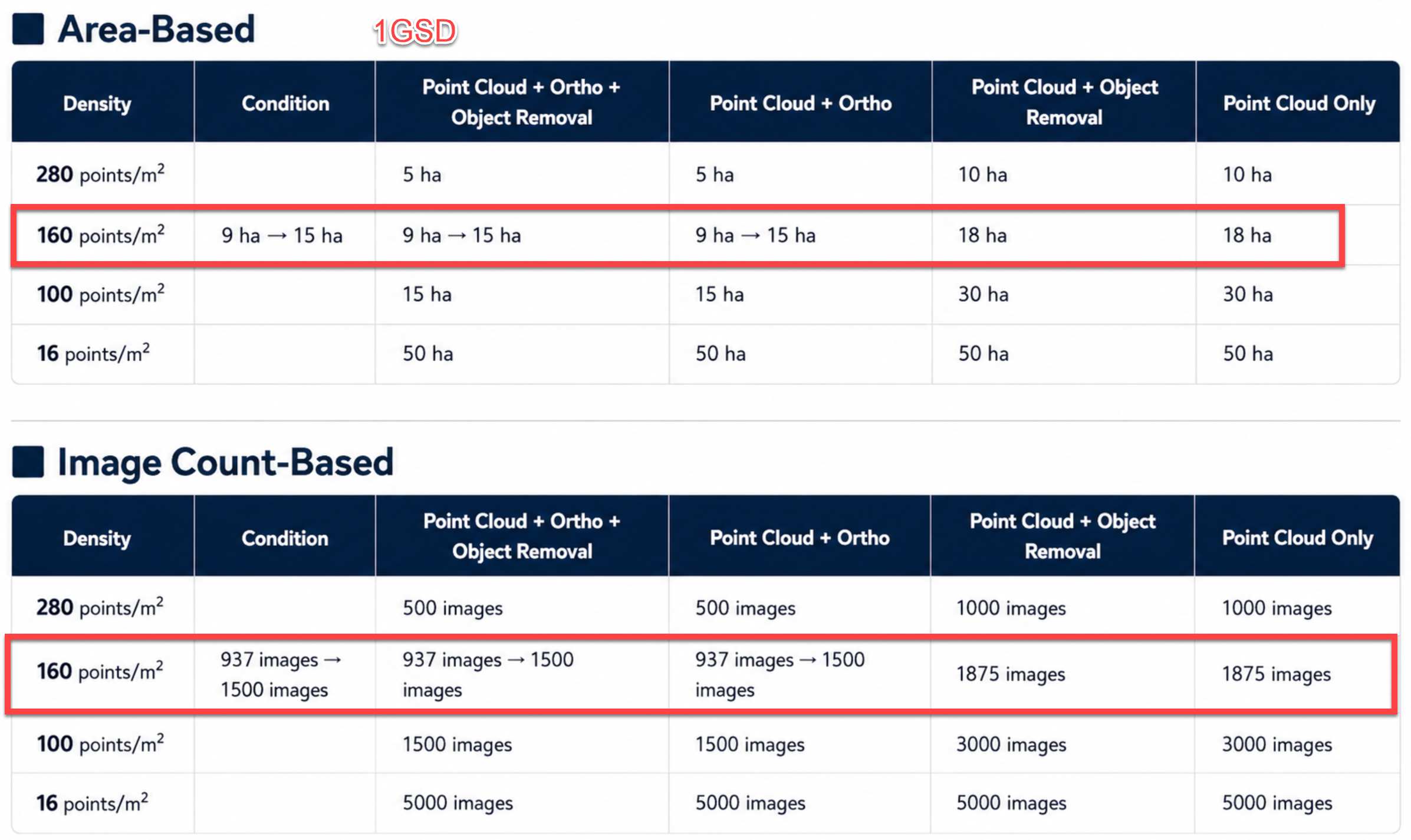
|